• After 15+ years, we've made a big change: Android Forums is now Early Bird Club. Learn more here.

overlapping audio android studio

hi everyone,i've start programming with android studio 2 days ago and i wanted to create a sort of a soundboard...i've only 2 bytton with 1 audio each other (so 2 audio) and i wanted to know how can i make stop the audio i'm playing if i press the other button with the other sound or restart if i repress the same button.
I saw most of the people use soundpool but i didn't, i just wrote in java.
Sorry if this is a simple question, i'm new and i can't find the answer anywhere,thanks for helping me guys.

Bluetooth Connectivity and testing from Xamarin.Forms

var adapter = CrossBleAdapter.Current;
var status1 = adapter.Status;
adapter.Scan().Subscribe(scanResult => {
scanResults = scanResult;
adapter.StopScan();
if (scanResults.Device.Name=="Subash")
{
scanResults.Device.WhenConnected().Subscribe(result => Connected(result));
scanResults.Device.WhenAnyCharacteristicDiscovered().Subscribe(result => CharacteristicsDiscovered(result));
scanResults.Device.WhenStatusChanged().Subscribe(status => StatusChanged(status));
scanResults.Device.Connect();
}
});

Help Issues with GPS mapping. 'Sometimes'.

So, ever since I moved to Montana(1.5yrs ago) I have had issues with my phones(s) and GPS maps. (Google Maps, Sygic, OSMand+, etc.)

Now one's first assumption would be a hardware issue with the phone. However, this issue is seen with 2 different phones, 2 different ver. of Android. (8 & 10).

I have cycled airplane mode, data, turned on/off high accuracy, cleared AGPS data and re-downloaded, checked and applied any updates, even factory reset phone.

I have downloaded several apps to test gps and to see what satellites are in view. They'll see the satellites but won't connect, sometimes...

...I live in rural MT with very little obstruction while I have done testing/troubleshooting to get it to work.

Now, the issue is only sometimes. Sometimes I can get in my truck and before I even get off my property, its locked onto 15-20 satellites. And will stay that way all the while I am out. Some days it won't lock onto a single sat. I can try over a drive of 20-30 miles and it'll never lock. I even bought a new phone recently and the problem happens with the new phone too.

The only common I can find with the phones is they are both Androids(so an android problem) and they have both been used in Montana(I live in some floating, roaming black gps-hole that floats by on some days) :)

I am pretty good with tech and following tutorials for trouble shooting and what-not but this has be stumped/pissed.
I use by phone for GPS every time I leave the house. Its important I have it working. Any help would be great.
Thanks everyone!

Help LG Stylo Note 6

Got my new LG Stylo Note 6 Dec 22. Promptly got the flu and woke up around the 26rh. Had a notification that someone joined one of my google photo albums. I'd been hacked. Got in through a 3rd party preinstalled app. There were approximately 20. So I uninstall. Then my phone bricks, pin number changed and Gmail account deleted. I just got operational about 6 days ago. Now I'm getting a software update prompt that states it is Android software update when in fact they are LG apps. It is spinning in the background as we speak waiting on WiFi connection. I need to force stop as I'm not using any of the LG apps that aren't necessary. My question is, how can I determine crap internal system apps that I have a feeling are troublesome and can be breeched. Thank you for your help in advance.

What Magisk Modules are you using on your Android 11?

Looking for some best magisk modules that you guys are using on your Android 11. Not looking for those that you find when you search best magisk modules on Google or something similar. I need something different.

PS: I found some dope magisk modules from Google:

It includes:

1. Advanced Charging Controller
2. G Visual Mod (I really like its round UI mod and notch killer feature)
3. WebView Switcher
4. Fullscreen Gestures
5. Tethering Enabler
6. WiFi Bonding

(Not sure if 5 and 6 works but I have them flashed)

I also included a link to a site where I found them. They have listed a few more than above but are common.

How to edit already edited photos?

So when I take a photo. Then go and edit it by adding some text to it, how can I go back on a later date and edit that text? I have to take photos of certain things and add multiple texts to it and send it to people. Those texts will change depending on the day, but I don't want to have to start all over with the original photo. I already have the texts at the font/size/length/placement/etc... All I want to do is go back and edit the actual text of what it is saying. Then send it off to my colleagues again.

Edit: I've been messing with it for awhile and I just can't seem to figure it out. If it isn't an option, my next question would be if someone knew of an app that would achieve this. Thank you for your help and time.

Maximize app performance by increasing memory usage

How to you set Android 9 to increase memory usage for apps? I find when I switch to a previously loaded app, I can see the app has to reload and refresh. I have plenty of free RAM but it still does it. Unlike most who want to minimize memory usage, I want to maximize it so I have increased performance when switching between apps. I don't care about battery usage for my application.

Trusted location via bluetooth

I'm confused about setting device unlock trusted locations via bluetooth. I've paired with several devices. I understand that I also need to connect to them. But that entails sending audio to those devices. I don't want to do that. I want to use bluetooth for trusted method of unlocking phone but I want to keep the audio on the phone. I don't see a way to do that. Thanks.
(I would use my GPS location as the trusted method but it doesn't work!)

AUA3 update for U.S.A. unlocked S21, S21+, S21 Ultra models

The S21 series of U.S.A. unlocked devices are not officially released until the 29th January 2021 and there is already an update released by Samsung for them.

The Galaxy S21 unlocked U.S.A. devices that will receive this update are...
  • S21 5G model SM-G981U1
  • S21+ 5G model SM-G996U1
  • S21 Ultra 5G model SM-G998U1
It is a FOTA, (Firmware Over The Air), update and you should check... Settings > Software update... when you receive your device.

The update = G99*U1UEU1AUA3

Release date = 23 January 2021

Android Security patch = January 2021

AUA3 update for U.S.A. unlocked S21, S21+, S21 Ultra models

The S21 series of U.S.A. unlocked devices are not officially released until the 29th January 2021 and there is already an update released by Samsung for them.

The Galaxy S21 unlocked U.S.A. devices that will receive this update are...
  • S21 5G model SM-G981U1
  • S21+ 5G model SM-G996U1
  • S21 Ultra 5G model SM-G998U1
It is a FOTA, (Firmware Over The Air), update and you should check... Settings > Software update... when you receive your device.

The update = G99*U1UEU1AUA3

Release date = 23 January 2021

Android Security patch = January 2021

AUA3 update for U.S.A. unlocked S21, S21+, S21 Ultra models

The S21 series of U.S.A. unlocked devices are not officially released until the 29th January 2021 and there is already an update released by Samsung for them.

The Galaxy S21 unlocked U.S.A. devices that will receive this update are...
  • S21 5G model SM-G981U1
  • S21+ 5G model SM-G996U1
  • S21 Ultra 5G model SM-G998U1
It is a FOTA, (Firmware Over The Air), update and you should check... Settings > Software update... when you receive your device.

The update = G99*U1UEU1AUA3

Release date = 23 January 2021

Android Security patch = January 2021

AUA4 update for Global S21, S21+, S21 Ultra models

The S21 series of devices are not officially released until the 29th January 2021 and there is already an update released by Samsung for them.

The Galaxy S21 Global, Exynos, devices that will receive this update are...
  • S21 5G model SM-G981B
  • S21+ 5G model SM-G996B
  • S21 Ultra 5G model SM-G998B
This latest release replaces the G99*BXXU1ATLF December build.

It is a FOTA, (Firmware Over The Air), update and you should check... Settings > Software update... when you receive your device.

The update = G99*BXXU1AUA4

Build date = 06 January 2021

Release date = 20 January 2021

Android Security patch = January 2021

This is the 1st stable update in -9 days

AUA4 update for Global S21, S21+, S21 Ultra models

The S21 series of devices are not officially released until the 29th January 2021 and there is already an update released by Samsung for them.

The Galaxy S21 Global, Exynos, devices that will receive this update are...
  • S21 5G model SM-G981B
  • S21+ 5G model SM-G996B
  • S21 Ultra 5G model SM-G998B
This latest release replaces the G99*BXXU1ATLF December build.

It is a FOTA, (Firmware Over The Air), update and you should check... Settings > Software update... when you receive your device.

The update = G99*BXXU1AUA4

Build date = 06 January 2021

Release date = 20 January 2021

Android Security patch = January 2021

This is the 1st stable update in -9 days

AUA4 update for Global S21, S21+, S21 Ultra models

The S21 series of devices are not officially released until the 29th January 2021 and there is already an update released by Samsung for them.

The Galaxy S21 Global, Exynos, devices that will receive this update are...
  • S21 5G model SM-G981B
  • S21+ 5G model SM-G996B
  • S21 Ultra 5G model SM-G998B
This latest release replaces the G99*BXXU1ATLF December build.

It is a FOTA, (Firmware Over The Air), update and you should check... Settings > Software update... when you receive your device.

The update = G99*BXXU1AUA4

Build date = 06 January 2021

Release date = 20 January 2021

Android Security patch = January 2021

Camera version = 11.0.02.39

This is the 1st stable update in -9 days

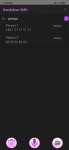
New app: Send SMS HANDSFREE by Voice: Unlimited message

Dear all,

After 4 months of hard word, our application is finally released: https://play.google.com/store/apps/details?id=com.tphan.smsbyvoice

If you see that this application can potentially interesting to you, please don't hesitate to take a look and try it. Your feedbacks will be strongly appreciated and valuable for the evolution of our application.

This application was inspired by the fact that, there are great demand on editing and sending quick SMS, without much action from your hands (no keyboard typing, minimum screen touches). Unfortunately, current applications on the market do not provide an adequate handsfree experience, as they still require many clicks on the screen (select contacts, switch to message text box, etc.). Besides, most of them do not allow multiple sentences to be inputted at one go, as you might need to click to the listen button again and again to add new sentences. Furthermore, punctuation marks and capitalization between sentences are not well managed.

Given the aforementioned reasons, we have created this application, which provides:
  • Handsfree contact searching
  • Handsfree contact select and unselect
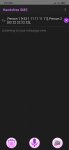
  • Handsfree message editing
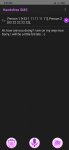
  • Support multi-sentence message. You just need to speak sentence by sentence
  • Support punctuation marks. You can speak "Hello comma how are you doing question mark", the result will be "Hello, how are you doing?"
  • Auto capitalization at the beginning of sentence
  • Support deletion with voice command
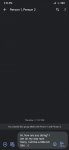
  • Send message to SMS application with voice command
  • Adding emoticon with voice commands
Let us make the SMS editing by voice a real handsfree process.

Best regards

Attachments

  • Select contact.jpg
    Select contact.jpg
    66 KB · Views: 318
  • Edit message.jpg
    Edit message.jpg
    69.6 KB · Views: 277
  • Added sentences.jpg
    Added sentences.jpg
    81 KB · Views: 265
  • SMS message.jpg
    SMS message.jpg
    69.7 KB · Views: 286

Filter

Back
Top Bottom