• After 15+ years, we've made a big change: Android Forums is now Early Bird Club. Learn more here.

Help Scroll problem on web page with mouse

Hello
I have a HUAWEI MediaPad M5 Lite 10 tablet
I use it with a mouse connected to USB thanks to this adapter. For some time with my mouse, I can no longer scroll through the pages of browsers like Firefox or Chrome.
Rather than scrolling the text from top to bottom or vice versa, it selects the text for me! I can no longer also do a copy / paste in the web pages, it selects but without displaying "copy / paste"
I reset my tablet but it doesn't change anything.
An idea ?
Thank you

Samsung Note 20 Ultra 5G phones Defective NO BLUETOOTH W/PC Pairing

Samsung Note 20 Ultra 5G phones Defective NO BLUETOOTH W/PC Pairing

Received 2 of these new note 20 ultra 5G phones to replace my older phones which are 8+ . 9 Note 10 Note used here in the office with our office staff found out that these new phones will not pair with Bluetooth with our PC’s any of them. We have PC’s with Win. 7, Win 10, home and Win 10 Pro none more than 5 years old and most less than a year old. These PCs will also connect to all and any other Bluetooth device. Just not to these phones. There’s some defect with the Bluetooth programming of the phones that does not allow them to connect through Bluetooth to the PC’s as all their previous phones have done with no problem we connect the phone with Bluetooth to the computer to use the built-in phone app what Win. OS with Your Phone Companion app, without being able to pair it through Bluetooth this app does not work for calling part of it, all other aspects of the app that uses Wi-Fi work just fine. These phones will pair with all other devices of any kind Bluetooth device but will not pair to any of our PC’s old new or otherwise. There’s a defect in the programming with the Bluetooth in these phones that Samsung is ignoring we’ve reported this to them and they have not got back to us at all. Anybody else having this problem with these phones and not be able to pair it with Bluetooth with your PC I can’t imagine were the only ones with this issue.
Our IT pro has worked on these issues for more than a week with MS level 3 tech support and with the carriers tech support, all have concluded that there is nothing wrong with the PCs and that it can only be a defect during COVID with the firmware of these new defective phones.

I would also suggest recommending that if you own one of these Defective phones simply try and pair it with Bluetooth to your PC and see what you will find out for yourself. By all means, do not take my or anyone else’s opinion about these phones to check it out for yourself. Please report back here with your findings.

Samsung was indeed contacted immediately on the same day we received these phones about this issue. They had no known issue with this phone and had no knowledge of any issue let alone any workaround. Does anyone have direct contact info on to contact Samsung engineering? To report this issue directly to them?? Please advise if you do.
Our IT pro has worked on these issues for more than a week with MS level 3 tech support and with the carriers tech support, all have concluded that there is nothing wrong with the PCs and that it can only be a defect during COVID with the firmware of these new defective phones.

Attachments

  • Screenshot (515).png
    Screenshot (515).png
    531.5 KB · Views: 380

Voter Fraud......I think so....thanx Trump!!!!

will trump and his republican cronnies stop claiming that there is any voter fraud!!!!!


so some deadlines that will finalize the votes and we can then stop hearing (hopefully) that voter fraud ever existed:
Dec 8th all states must have any disputes resolved
Dec 14th electors to meet in their states and vote for president and vice president
Dec 23rd all states must transmit the vote to Congress
Jan 3rd the new Congress is sworn in
Jan 6th Congress certifies the election.

so basically after Dec 14th we will get an official outcome as to who won the election.

if trump's law suits does not get resolved by Dec 8th, then he is done.

how can people still think that the election was rigged? how can people still believe these crazy conspiracies? i mean rudy g and syndney powell's theories are just bonkers!!!!!

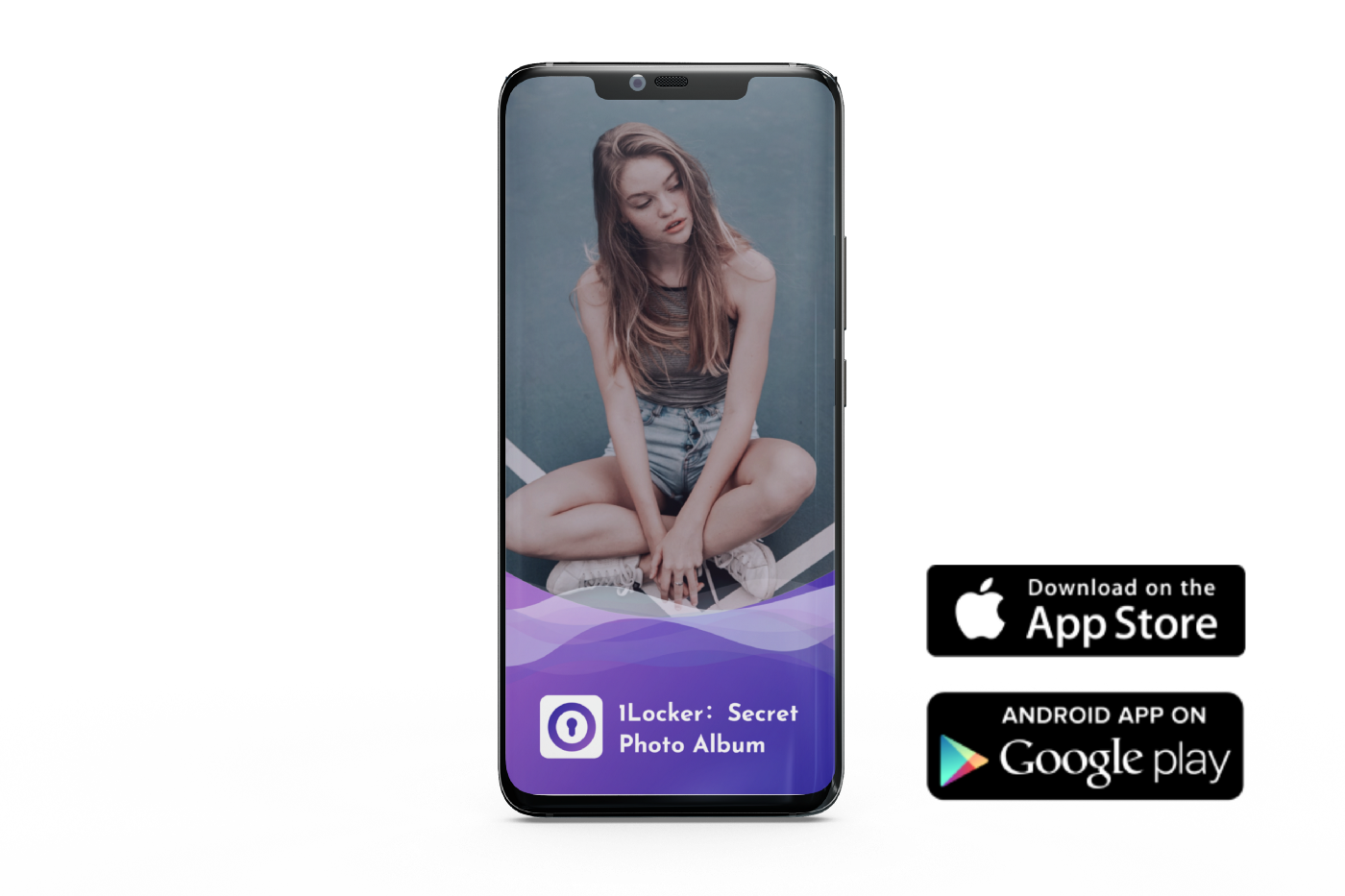
[NEW][APP] 1Locker Secret Photo Album: Your best photo vault to protect privacy

Hi! I am the developer of 1Locker, and I'm glad to introduce my app here:

Everybody has the moments that it might feel awkward to save some photos directly into your Photo Library, like pictures of a hot babe wearing short skirts received from your pals. Yet you still do not want to delete them and would like to share them later on.

Shotting videos with your camera to save some special sweet memories is also full of risks. Imagine you might lend your mobile device to your leader, colleges, or get your phone glitches fixed, what if people keep swiping through your smartphone photos?
upload_2020-11-30_12-36-25.png

Now try 1Locker Secret Photo Album, it shields the privacy of you and your family. With the protection of PIN, biological recognition, your personal photos, videos, notes as well as passwords are secured.

The good news is: the most popular iOS photo vault app is now available on Android!

Get Android App Now: 1Locker Android App


It’s definitely worthwhile to mention that: the most popular feature calculator login mode gets back in 1Locker Android App. With its decoy interface, you don’t have to worry about being asked the question: “what is this app about?” Just show them the app and make some simple mathematical calculations there.

Reply to them: “Nothing, just my favorite calculator”

upload_2020-11-30_12-36-25.png


You can use 1Locker Secret Photo Album To

  • Keep the prying eyes away!
  • Protect your privacy!
  • Prevent phone hacking!
  • Save photo storage!
  • And the most important thing is… HIDE YOUR SECRETS
upload_2020-11-30_12-36-25.png


Here are the basic features

  • Easy-to-use PIN access
  • Face/Fingerprint/Iris Verification
  • Advanced alphabetic passwords
  • Decoy account to hide real private stuff
  • Photo and video backup through wi-fi
  • Customizable photo albums, with cover photos
  • Lock the app from settings
  • Beautiful design and great user experience
  • Sharing or exporting your photos and videos later on
  • No annoying ads
1Locker Secret Photo Album Also Helps You

  • Preserve secret photos and albums to store great and special memories
  • Share stored media to yourself or friends
  • Browse private webpages without leaving any histories
  • Help memorize and secure passwords
  • Protect notes of your driver’s license, ID cards, and credit cards
  • Collect personal contacts and make a phone call/send a text with one click
What our users say about 1Locker Secret Photo Album

Very useful.

Nice Really it’s an amazing fake pretending app if we want to hide, no one comes to know…… I loved this app and my personal photos albums or videos are fully saved here.


It will work. This is a very beneficial app to hide our personal videos and pictures with more privacy.


Good app I mean it’s good because you don’t have to pay unlike most apps and I am only writing this cus I get to save my notes but besides that, it’s a really good app


Thank you Really nice app .. it has both videos and photos option… Some apps are fake they inform about videos also but there was no video option… But in this, both images and videos are safe.

Android 10 Status Bar Stopped Working

Hey everyone! I am in desperate need of help.
Just last night my phone was working just fine. I turn it on this morning, and my status/notification bar does not work at all. I've tried MANY online solutions and nothing is working whatsoever.
Can someone please help?
I've tried cache cleaning, rebooting, guest mode method doesnt work on the A50 as theres no guest mode available.

Help Elephone E10 / Android 10 - cannot read files from SD card

Recently, I bought an Elephone E10 with pure Android 10. I did test it, and I had a problem. I don't know if this problem is model-related or if the precise phone I bought has an issue. When I try to use an SD card as portable storage, the phone is downloading each file that I try to work with. So, if I try to read a book, listen to music or watch any content, my phone first downloads it on its internal memory and after that open a new file. And if I try to open a book directly from an app, the app doesn't see SD card at all.
I read before that it is better to use this mode for managing with the SD card on Android 10, since there are issues with the other option proposed. I searched on the forum and Googled about that mistake but I didn't find an answer so far...

Do Factory Unlocked Models Show 5G or LTE+ on Sub 6 5G Network?

I have the Samsung Factory Unlocked version of the S20+ (model SG-M986U1). This means the phone is not carrier-specific, it works on all carriers (CDMA, GSM) and supports both millimeter wave (Verizon 5G Ultra Wide UW) AND lower frequency band 5G (usually called Sub 6). The 5G UW super fast network is typically only available in highly populated areas (cities) because it that frequency signal doesn't travel very far and is easily blocked by buildings. However you will notce the Verizon 5G coverage map shows 5G as being pretty widespread across the country. Most of that is their Sub 6 5G Network which was launched in mid October 2020. The 5G Sub 6 network, to my understanding, is using some of the same frequency bands as 4G so essentially it's really an amped up 4G signal using what is called Dynamic Signal Sharing (DSS) (A lot of people don't understand all this.)

I'm curious if there's anyone on the forums with a factory unlocked version of the S20 (typically the model number I think has a U at the end instead of VZW) can confirm if their phone shows a 5G icon when you are in sub 6 5G or does it show "LTE+" I read somewhere the unlocked phones show LTE+ because technically that is what Sub 6 band 5G using DSS really is and 5G in that case is more of a marketing term. Because different carriers use different terms for different networks, the factory unlocked phones can connect to all the different 5G networks but they can't accomodate all the different marketing terms. I'd also be curious if when connected to the millimeter wave 5G in the cities if these factory unlocked phones show the "UW" designation which is bascially a Verizon marketing term, or if the phone just shows "5G".

There was also an article that talked about these phones needing a software update to use 5G and supposedly the updates were pushed out right after Verizon announced their Sub 6 5G network launch in mid October. But the author wasn't sure if the Factory Unlocked non-carrier specific models would receive the necessary update. Considering Verizon and Samsung just signed a 6.5 Billion Dollar agreement for SAMSUNG to further build out their 5G network, I would be very surprised if it were the case the factory unlocked models didn't get the update.

My S20+ odel SG-M986U1 is showing Service Provider SW Ver. SAOMC_SM-G986U1_OYN-VZQ_QQ_0027 wondering if that's the 5G compatible version?

The other thing is a lot of people just swap SIM cards when they get a new phone. With 5G in most cases, if your SIM card was issued may months ago, you need to go into the carrier store and have them give you a new 5G compatible SIM card. I honestly can't remember if my phone was showing LTE or LTE+ before and after SIM card change. I tested the bandwidth after the change and in a strong signal area got 60mbit download but I didn't have a pre-SIM swap test in that area to compare to unfortunately.

I can't imagine how many consumers aren't aware of all these details but I suppose I'm in the minority of consumers that buy the factory unlocked version of my phones outright and don't finance it from the carrier like most people do making the price tags easier to swallow for people by spreading out the pain.

[GAME] [4.1+] Around the World 2: Hidden Objects

Around the world 2: Hidden Objects is a free classic game in the genre "hidden object". This is the second part of the game from the beloved series "Around the World". During the game you have to "go round" the whole world and meet amazing interiors of different countries.


In the game you expect:
★ different countries and parts of the world;
★ possibility to zoom the picture;
★ 2 difficulty levels (search by picture and by contour);
★ hints;
★ automatically download and delete completed levels (to save memory);
★ pleasant music;
★ each level must be completed in the limited time, otherwise you'll have to start over.
★ find the object, pass the current level to unlock the next.

The game is great for children, develops dexterity and attentiveness! If You like to look for hidden objects, then this game is for you!

Download:
Google Play: https://play.google.com/store/apps/details?id=com.pollux.findme2

Help I need help to investigate incident!

Hello,
Today I wanted to write a post with my twitter account from the app and I clicked image; the app opened the Gallery section which is filled from images from my tablet.

What I show is a list of images that I can't find & should not exist(!) in my phone which I took 2 years ago or more, moved to a hard disk & deleted!

I used any means to search my device:
  • ES file explorer
  • File Manager
  • eject the sd card, added to my laptop (Ubuntu) and issue several find commands for different media extensions like *.jpeg, *.jpg etc.
None of the above gave me the images that the app showed!

My question is: do I have a security issue here? should I connect my tablet with my laptop and investigate further? how do I stop twitter app to display all these images or remove these images altogether from the app?
Any help acceptable...

Better Alternative?

Since Google Play Music shut down giving YouTube Music as the only alternative, I absolutely hate it!! It won't upload all my music, which is 600+ songs. Perfectly tagged. You can't choose music by genre. You can only create playlist by choosing 1 song at a time. Which again, is way too tedious with over 600 songs and many genres. You can't say; "Hey Google, play such and such," from your uploaded library or playlist you've created like you could with GPM. When it comes to playing your music it's all 'hands on' which makes it difficult and dangerous when driving. This has been my 'wonderful' experience with YTM. Am I doing things wrong or am I missing something?! Anyway… I'm looking for an alternative music player that can do these such things, without ads. Preferably free or at least very inexpensive. Hell, If YTM could do these things, I'd pay for it. I would really, really, appreciate your feedback and suggestions. Please, help a frustrated music lover out.

Filter

Back
Top Bottom