• After 15+ years, we've made a big change: Android Forums is now Early Bird Club. Learn more here.

Help please! Revolut app is not uninstalling correctly.

Hello...I am getting pretty desperate already. I had the Revolut app for quite some time and a few months ago I joined it's beta testing program from the google play store app. Everything was ok until yesterday when Revolut had a problem with the login process. Of course I couldn't login either and I thought the problem was on my side, so I started trying to fix it. I left the beta program, restarted the phone and then reinstalled the app. Then it started going downhill...even tho I was no longer in the beta program, google play still downloaded the beta version of the app. I tried reinstalling, restarting, clearing cache and data, installing the app from different sources and I even had a support chat with google and talked to their tech staff. Of course after all these attempts, my phone keeps installing the beta version of the app. And the real deal is that after the problem Revolut had yesterday, they launched an update and fixed the bug, and I could install the non beta Revolut and login normally on other phones, but not mine. Ok...I know this was long, but after all this, I realised that my phone must be the problem so that's why I came here. Any help is really appreciated. Let me know if you need any information.

I have a Samsung Galaxy Note 8 with android 9.

Help Link to Windows issue?

I want to unlink permanently and remove all data like linked account from window "your phone app" and "Samsung link to window" too?

and when I click on window "your phone app" it automatically connect my mobile which don't want I want if it connect using using any password or security etc.?

Because its very easy to connect or get access of mobile which I don't want and how can I uninstall "Your Phone" app from window?

Is it the app or is it my pen?

I've used an Eraser app for years. I mean years. I love it to death. Lately, I've noticed that most times when I touch my stylus pen to an area to erase or draw something the notification bar at the top reveals itself instead of my pen doing what it's supposed to do. I can't recall if this has happened on another drawing app for which I use my stylus, (now that I think about, it has) but could this be the app or my pen? Has anyone else noticed this issue?

Developing Health App to get data from wearable sensors

Hi guys,

I am working in Health app for android to get data from sensors of a smartwatch/smartband however I don't know what smartband or smartwatch should I buy to get conectivity with my app and test it. I am looking for a cheap solution just to test and with good sensors. I am reading about Google APIS that are easy to integrate with Wear OS, however I would like to know your opinion.

Thank you very much.

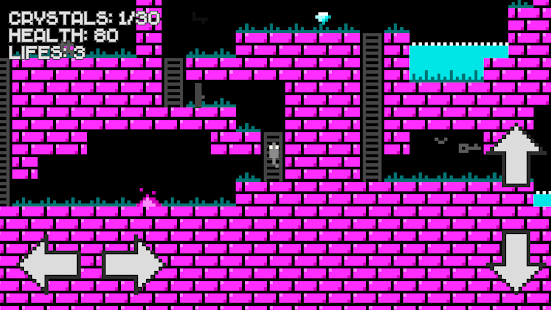
Paleo: Rising town (by FuryLion)

Paleo is your new addictive puzzle game! Swipe and match the tiles to grow your civilization.

Unlock powerful heroes such as Spirit, Genius and Legend
This new brain buster will challenge your limits and skills in a fun way.

The gameplay is wickedly simple. It allows you to swipe and match the tiles until all the added tiles sum up as level 24. Once you get the level, you achieve amazing in-game rewards and enjoy your shiny spot on the Leaderboard.
Show your achievements to your friends and family, and challenge them to beat your score – if they ever dare!
As you advance through the game, you will be able to unlock powerful heroes with unique specialities. The heroes who changed the World throughout the history will be your best support in this swiping tiles puzzle game.

Get your brain juices flow! Let the game begin!

Game Features
• 22 History Changer Heroes
• Daily Tournament mode with special rewards for top players
• Unique approach to 2048 gameplay style
• Offers iMessage – 3 animated mentors and 30 hero stickers


Price:Free

Download link:

Google play: https://play.google.com/store/apps/details?id=com.furylion.paleo

Help Receiving Calls - Ford Sync3 & Android Auto

Can't do it!

I can place calls all day. I can navigate. Play music. Get Assistant to do something or provide information. But if a phone call comes in, I answer it and... dead. No call. The caller gets a little silence and then the call disconnects. So when I get a call, I have to frantically yank the USB cord out of my phone and answer it with the standard bluetooth connection to the car. Or use the phone speaker.

Does anyone else have this issue on Ford Sync3? Is it on any other vehicle head unit? Is this a problem with Android Auto or is it on Ford's side to fix?

Help Can I limit phone unlocking retries?

Hello,

I am using fingerprint method to unlock my phone and occasionally and android will ask me to unlock phone by pattern lock. I am using Samsung Note 8 fingerprint lock and I need to set a pattern lock too.

I want to prevent other people from unlocking my phone with unlimited pattern tries if they got my phone. I want to limit the pattern unlock to 1 or 2 or 3 attempts and the phone will request the user to wait 10 mins for another pattern unlock attempt. How to limit pattern unlock tries and how set a delay time to try pattern unlock again?

Thanks.

Google Pixel 5 delay & gap

I ordered a Google Pixel 5 on 28/10, still not dispatched and has delivery date for 17/11.

Why such a delay? When I went to the Google Store it only said the sorta sage one was out of stock and the black one was in stock.

Also is the delay due to the gap issue?

I've now cancelled my order, as I sent messages asking why the delay and not had a single reply.

Calls from random countries (Scam?)

Over the last couple of days I've had calls from Myanmar, Indonesia, Cuba and Finland. Obviously I didn't answer and added them to my blocked calls blacklist.
It's plain that they're part of a scam, but I'm puzzled as to what it might be. Unless it's the old 'I'm stuck in this country and need money for hospital treatment/pay a fine/I've been robbed' - delete as appropriate.

Help Galaxy Note 10.1 GT-N8010 Dead and No USB Connection.

I have been given a Galaxy Note 10.1 GT-N8010 which is NOT WORKING.
I cannot get the Recovery Menu to do anything.
It will not go to Safe Mode.
It will go to Download Mode.
Before I can consider A Recovery, I need to be able to connect to my PC, where Ihave KIES & ODIN, Etc.
My PC and my Laptop will not recognise the USB Connection.
My PC has the necessary Drivers Installed.
The Cable and Charge Port are in good condition.
I have measured the Disconnected Battery Voltage at 4.19v.
I am not certain if it is Charging - The Battery Icon appears but the Circle on the Icon does not Rotate or do anything.
When I Power ON, it goes as far as the Samsung Logo and stops at that point.
If I Power OFF, the Screen goes Black and then the Logo reappears.

That is about the Story, so the first thing I need to fix is the USB Connection, as I would like to Recover this Unit.
Device Manger does not see the Tablet.
Has anyone had experience with no USB Connection.

Thank You in anticipation.

Filter

Back
Top Bottom