• After 15+ years, we've made a big change: Android Forums is now Early Bird Club. Learn more here.

Help Why does the battery saver not re-enable WiFi after a full charge?

Sometimes I forget to charge the phone and it goes into battery saver which as you know disables certain features that would otherwise use battery such as WiFi, but recently I found that after I charge the phone the WiFi doesn't come back on again, and I have been using phone data all this time, and wondered why I was being charged for over data limit usage.

Is there a way to get the battery save to auto enable WiFi when the battery charge reaches say '80%' or more? Or is there an Android app that would monitor the battery saver module and enable WiFi when the battery reaches 80%+? Or (as I always do, I turn off the phone so that it charges quicker), to auto enable the WiFi when the phone is powered on and the battery is 30% or more (the battery saver kicks in when the battery is at 25%)?


Regarding possible interventions prohibiting the uploading of one’s photos on an Android?

Hello. I have a couple of questions to ask you. This is regarding possible interventions prohibiting the uploading of one’s photos on an Android to Google Photos on the cloud.


I have the Android Moto G6 smartphone (USING Pie 9.0.0) with the semi-stock version of Android.


Question 1: When I upload to the Google Photos my photos taken with my Moto G6, and my Settings -> Display -> Sleep settings do NOT offer a “Never sleep option”, my display will blacken out at the (pre-)selected time interval. By default, the selection is set at 30 seconds. The question: When the screen blackens out at the specified time interval, will my Android smartphone STILL upload photos to Google Photos or is the operation to upload photos to Google Photos stopped or halted when the selected time interval is reached along with the screen blackening out appearing the Android smartphone to be turned off?


Question 2: What are all the possibilities that stop (end) or even not begin an uploading session of photos taken on my Android 9.0.0 (when an Android is set to factory settings)? I know most commonly (1) if the smartphone is off there will be no uploading to Google Photos to the cloud. Dah! (2) Another possibility is the Wi-Fi is turned off and/or the mobile data is off (if setup to upload using mobile data), an active session of uploading ends or cannot start uploading. What other (…or more complicated) scenarios stop or affect the uploading of photos session to Google Photos in the cloud? …interested in any scenarios when the Android smartphone is left totally alone on say on a table while it is uploading Google Photos to the cloud?


Please reply.


Thank you!

Muzzle : A math and number puzzle for all ages (by kgcorner)

Make a correct equation before running out of time/moves and solve cool math puzzles. This is what this free math game is all about.
Muzzle is a free number puzzle game designed for kids and adults that delivers a range of different maths puzzles in various levels of difficulties. Your objective in the entire number puzzles is to reach the correct combination of numbers.
So, if you are into such math games and looking for an addictive number puzzle game, you have come to the right place. Download Muzzle for free on your Android, choose your preferred type of math puzzles, and have fun making a correct equation.

A collection of brain-teasing math exercises for kids and adults
Muzzle, the free math game for Android, comes with a clean and neat design and the interface is so user-friendly that you will get the whole idea as soon as starting to solve the very first math puzzle.
There are two different types of number puzzles:
Time Attack: Be as fast and precise as possible and do whatever it takes to find the correct combination of numbers in a very limited time.
Swipe Circles: Be relax and mindful and try to reach the target before running out of allowed moves. There is no rush!
While the first math puzzles seem to be easy to solve, you have to face more difficult challenges as you progress.
Why don’t you give this free math game a try?
Download Muzzle for free on your Android phone or tablet, and let us know about any bugs, questions, feature requests, or any other suggestions.

BOPMQ07r7nGVCUdcZ6nt-ZZ8-rambFOPbX-CqKm2CPFhEkKcgVr-6pgNNVzisktuYAg=w720-h310-rw


Price:Free
Link:
https://play.google.com/store/apps/details?id=com.pixyfi.muzzle

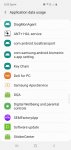
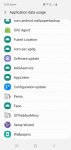
Can anybody tell me what these installed services are, and how they got here?

I have the same issue on every device. I've been locked out of numerous email account . Bizzare files are rooted into my phone which I am not authorized to view. It seems as if I have no control over my phone. I have spent a copious amount of time and money on trial and error, replacing phones, sim, emails even carriers. Any advice would be greatly appreciated, especially seeing as how I am really not very technologically inclined.

Attachments

  • Screenshot_20200828-121013_Video Player.jpg
    Screenshot_20200828-121013_Video Player.jpg
    148.6 KB · Views: 468
  • Screenshot_20200828-121007_Video Player.jpg
    Screenshot_20200828-121007_Video Player.jpg
    146 KB · Views: 316
  • Screenshot_20200828-121002_Video Player.jpg
    Screenshot_20200828-121002_Video Player.jpg
    141.1 KB · Views: 338
  • Screenshot_20200828-120958_Video Player.jpg
    Screenshot_20200828-120958_Video Player.jpg
    136.2 KB · Views: 366
  • Screenshot_20200828-120955_Video Player.jpg
    Screenshot_20200828-120955_Video Player.jpg
    138.6 KB · Views: 324
  • Screenshot_20200828-120939_Video Player.jpg
    Screenshot_20200828-120939_Video Player.jpg
    129.2 KB · Views: 319

Double Jumpy Runner [Free][Game]

Hi all, I have made my very first game, named Double Jumpy Runner. It is available now on the the Google Play Store for android devices.

Please check it out and let me know what you think of it. Suggestion, feedback, comments are welcome (even if negative).
[GALLERY=media, 839]DoubleJumpyRunner by BoringAppz posted Aug 29, 2020 at 1:12 AM[/GALLERY]

Background:
I have no coding experience at all. I decided to make this simple game for learning purposes and have been busy playing around with Unity and C# for the past month. Of course, this is just a simple project to get started. The ultimate goal is to make a full-blown platformer game (something like Wonder Boy: The Dragon's Trap which I love as a kid and still do). But I decided to stick with something small to start of with. And to learn how to release an app to the Google Play store as well.

As I do enjoy playing endless runner games (typically when I have few minutes to waste while waiting for public transport), I decided to make my own, but with a twist. Controlling 2 different characters at the same time, and even in different directions if desired.

Even for this game, it is still a work in progress. Some points that I already have in mind includes:
  • more variety in the gameplay, it gets boring/repetitive pretty quickly
  • perhaps the game starts of a bit too slow and takes a while to ramp up (but then again, I do get frustrated at times playing other endless runner games where I die after a few seconds)
  • takes too much effort to unlock characters and unlock additional hearts
  • score board integration so you can compare your high score with friends and other people (Google Play services)
  • have some kind of achievements/goals other than just total score for the player to reach
  • better character animations (regardless of whether they are running, jumping or landing), same with the in-game menus (but I figured getting the gameplay done was more important than anything else at this point)
Let me know if you have any others or how to make the game more interesting. I am also happy to share what I have learnt over the past few weeks as well, so any questions about the making of the game and/or what I have learnt are welcome as well. Enjoy.

Retrieving mistakenly deleted WhatsApp chat.

I have accidentally deleted a whole 4 year's of chat on my S9 with a business colleague, instead of just deleting one post. I am trying to retrieve it but cannot follow the advice from several contributors when put as a question on Google. I do not have any cloud backup systems turned on but much advice seems to suggest that it can be retrieved through the File Manager.
Where is File Manager? I've used the search facility and that can't locate it. It's not in My Files. Wikihow says it's in my Android Drawer but doesn't say what or where that is (again search cannot find that either)
All the information I can gather suggest I open folders that I can't find!

Any help on how I can retrieve my lost WhatsApp chat or how to find this elusive File Manager would be gratefully received.

Internal memory nearly full

The internal memory on my Galaxy Tab S3 shows 96% full using the app ES file explorer/manager. I have used several apps to transfer data to a installed SD memory card so that most folders on the internal memory reports little data with ES. Moreover, uninstalling an app or two shows no difference in the 96% full report.

What can I do? Reformat the tablet is the only thing that comes to mind; or buy a later version of the tablet (much work to connect to maybe 10 IMAP email addresses, or entering passwords to many other apps).

What should I do to free up main memory on this tablet?

Hey !

Sorry for my english, i m french...😉
Which smartphone can you advise me to buy maximum 800 euros ?
I just want a screen under 6.4 and a very good autonomy...I m not a specialist in photografy and i don t need something very goog in that...
I use only You tube, social networks (a lot ), mails, applications...
My last smartphones was Samsung Galaxy A8 ,and i only used Samsung during my life...
Can you help me to choose my new smartphone please ?
It can be other brand that Samsung of course...
Many thanks, wish you a good day !
Martial.

Plynk – Planet Match Puzzle[free][Game]

Plynk – Planet Match Puzzle

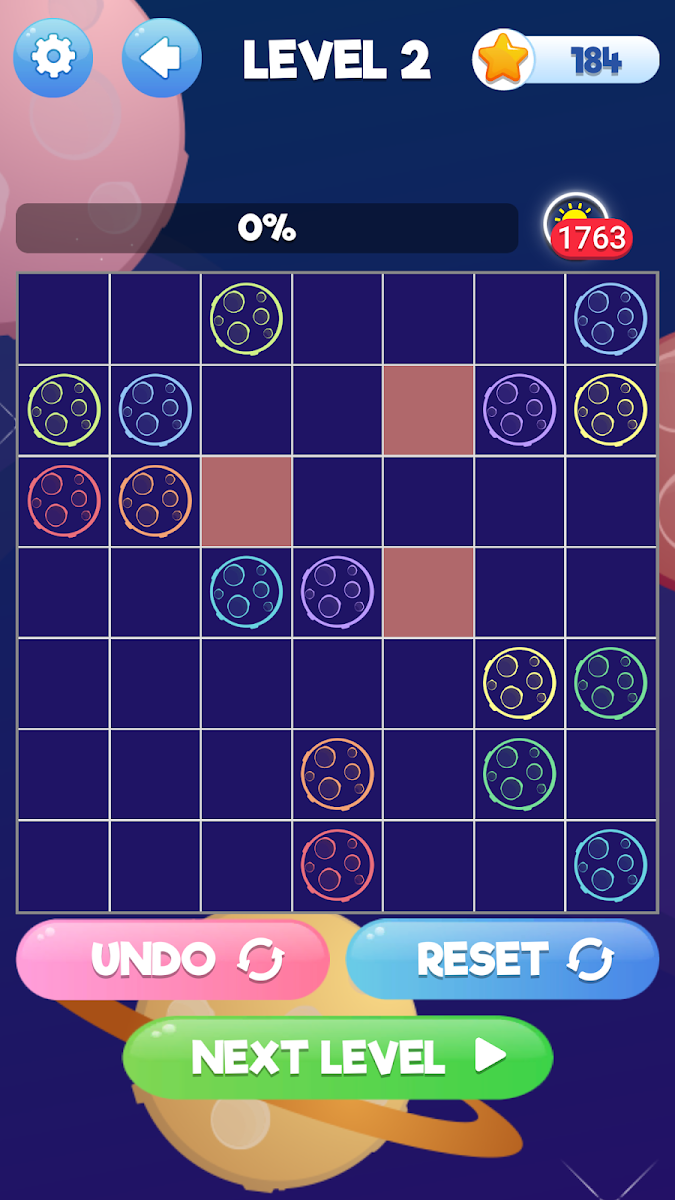
Connect the planet icons by drawing lines between them to solve the amazing pipeline puzzle game.
It is time to turn on your space adventurer mode! Put your focus and puzzle solving skills to test with this new and exciting space puzzle game. The pipeline puzzle game is all about matching the planets shown to you on the game board and solve the entire puzzle in as few moves as possible.
Whether you are a new player or a polished professional line puzzle solver, this game will test your skills – all thanks to tons of varying difficulty levels.
Try it now!
Download to Google play :Plynk – Planet Match Puzzle
nhKrRDXMvndjDLnJ1Xdflf6mWzq4nFHtMP5R-Sx89cQXFz5lkCI79yJAIFHzeAkc2w=w2504-h1200

Filter

Back
Top Bottom