
Install the app
How to install the app on iOS
Follow along with the video below to see how to install our site as a web app on your home screen.
Note: This feature may not be available in some browsers.
-
After 15+ years, we've made a big change: Android Forums is now Early Bird Club. Learn more here.
You are using an out of date browser. It may not display this or other websites correctly.
You should upgrade or use an alternative browser.
You should upgrade or use an alternative browser.
Filters
Show only:
Apps Put a < in the field app_name
- By juantor
- Android Development
- 0 Replies
Hi.
How can I put a "<" character in the app_name of strings.xml?
I put < but it doesn't see anything.
Thanks.
How can I put a "<" character in the app_name of strings.xml?
I put < but it doesn't see anything.
Thanks.
Mobile Phone locked Microsd with Write Protection
- Smartphones
- 1 Replies
due to earlier laptop system restore and backup files, i had a new sandisk uhs-i microsd card for my android lenovo mobile to help downloading restore files.
after inserted the card during the first time use, the mobile system said that the format of new card cannot be used and requested a format. I continued. However I was not sure if there had been any formatting option for me though i supposed no.
after setup, i used it within the mobile and nothing strange.
lately, as restore done, and i would like to use the card with the laptop for file transfer, the issue came.
(1) the card was placed to work inside a function well adaptor physically unlock for write. However its write protected, and formatting not allowed.
(2) diskpart to "attributes disk clear readonly" showed successful, but next when "clean" Windows stated "write protection"
(3) so no formatting could be done
(4) card still be read by mobile, add or erase files no problem, just only no write right for other devices
After check online, maybe the sdcard was being formatted as Internal Storage, instead of the Portable Storage. And many victims exist there.
Worst of all, as having been applied to downloading laptop files and as some backups, I carried out a system restore (factory reset) for my mobile.
So not sure if once an internal storage format had been done, it would ve permanent. Or just phone being factory reset cannot control the sdcard (but still write???)
and though the phone could still leave an option to format the sdcard into portable storage and after done, the card is still write protected.
I suppose this doesnt really make sense, and i suppose Lenovo should open its door to clean any encryption over the firmware or the registry within the sdcard.
(A) the phone only disallows unwanted erase of data by other devices but allows read anyway, so its not for privacy or confidential concern
(B) the phone itself after factory reset could still both write and read on the card, so they got the key
(C) write protection only helps protecting the phone system only for a clean card to put back into the phone, but why is it a need to keep write protection when users had chosen to use as portable? phone code error?
(D) not sure if such encryption violated any encryption law
(E) obviously such act violated seriously the green policy of the whole world, as the life span of modern phone lasted a few years, lenovo doing so would also limit the life of any storage card. Should the function well storage be disposed after the mobile dead?
I am not sure if this only happened ot Lenovo phone, i suppose they should release an update of format tool for all physically external storage to eliminate the write protection!
Please help!
after inserted the card during the first time use, the mobile system said that the format of new card cannot be used and requested a format. I continued. However I was not sure if there had been any formatting option for me though i supposed no.
after setup, i used it within the mobile and nothing strange.
lately, as restore done, and i would like to use the card with the laptop for file transfer, the issue came.
(1) the card was placed to work inside a function well adaptor physically unlock for write. However its write protected, and formatting not allowed.
(2) diskpart to "attributes disk clear readonly" showed successful, but next when "clean" Windows stated "write protection"
(3) so no formatting could be done
(4) card still be read by mobile, add or erase files no problem, just only no write right for other devices
After check online, maybe the sdcard was being formatted as Internal Storage, instead of the Portable Storage. And many victims exist there.
Worst of all, as having been applied to downloading laptop files and as some backups, I carried out a system restore (factory reset) for my mobile.
So not sure if once an internal storage format had been done, it would ve permanent. Or just phone being factory reset cannot control the sdcard (but still write???)
and though the phone could still leave an option to format the sdcard into portable storage and after done, the card is still write protected.
I suppose this doesnt really make sense, and i suppose Lenovo should open its door to clean any encryption over the firmware or the registry within the sdcard.
(A) the phone only disallows unwanted erase of data by other devices but allows read anyway, so its not for privacy or confidential concern
(B) the phone itself after factory reset could still both write and read on the card, so they got the key
(C) write protection only helps protecting the phone system only for a clean card to put back into the phone, but why is it a need to keep write protection when users had chosen to use as portable? phone code error?
(D) not sure if such encryption violated any encryption law
(E) obviously such act violated seriously the green policy of the whole world, as the life span of modern phone lasted a few years, lenovo doing so would also limit the life of any storage card. Should the function well storage be disposed after the mobile dead?
I am not sure if this only happened ot Lenovo phone, i suppose they should release an update of format tool for all physically external storage to eliminate the write protection!
Please help!
Constant pop up "change the default write disk of device"
- Ask a question
- 5 Replies
Haven't experienced this before on my tablet Alcatel Pixi 7, message keep showing up even though I didn't take out my sd card. Whenever I shut off my device to leave it in a few minutes then turning it on the message repeatedly showing up and I repeatedly tapping the cancel 'button' coz I don't need storing apps' data to my sdcard except for the music files I have. Last night i safely ejected my sdcard and return it back after the scan then it surprised me with the sd card specified space 0% 😭 (gives me almost a heart attack) and I reinserted it the sd card works again normally(files appeared) now I turn my phone on again its all completely lost after the pop up and I can't find any scanned sd card in setting and file manager. 😭😭😭😭pls help me how to fix this...
Help Need Your ideas about what phone to buy.
- By Tom Hartley
- VIP Lounge
- 16 Replies
My wife has a Nokia 6.1 running Android 9. She doesn't like it. What would be the advantage if she got an Samsung Galaxy S10+? Shouldn't they both have the same features not including the camera, assuming they both run Android 9? Do you answer a call the same way? Do you turn the speaker phone on the same way? Can the speaker phone be on all the time? Is my thinking wrong? She doesn't use any social media, does text and doesn't use much data. Please give us your ideas. Thank you in advance.
So, what is the Android with the best cell radio ...
- By Joel76
- VIP Lounge
- 8 Replies
.... in terms of sensitivity ? In other words, I need a phone that isn't breaking up or dropping calls.
I'm in a black hole crappy dead zone as far as cell towers are concerned and had pretty good luck with an original Moto-X. Now I have a Google pixel 2 and it seems to struggle in the same setting. I have like 1 bar of signal strength and it breaks up now and then.
All other features aside, I'm interested in the basics and wondering on who makes the most robust cell xmit and rcvr radios?
I'm in a black hole crappy dead zone as far as cell towers are concerned and had pretty good luck with an original Moto-X. Now I have a Google pixel 2 and it seems to struggle in the same setting. I have like 1 bar of signal strength and it breaks up now and then.
All other features aside, I'm interested in the basics and wondering on who makes the most robust cell xmit and rcvr radios?
Help Mms fails for one person

- By Chefinator
- Smartphones
- 6 Replies
As the title suggests, I can send an MMS message to anyone, but when I try this one person, it shows "waiting".
The person who is "waiting" is on Verizon. One of the people where MMS work is Verizon, so I confirmed it's not the carrier.
Any suggestions?
The person who is "waiting" is on Verizon. One of the people where MMS work is Verizon, so I confirmed it's not the carrier.
Any suggestions?
PLEASE HELP ME OUT
- By nizamuddin6
- Smartphones
- 12 Replies
I'm forgot my safe password & security question. How to unlock it? I'm using Huawei Mate 10pro. I contact Huawei but they also can't do anything. Please help me. I will give some reward.
Nokia 3.1 Plus unlocking
- By b1989
- Ask a question
- 5 Replies
I need some easy information on how I can unlock my cell mentioned above. It's not rooted which makes it difficult as well I've tried a bunch of sites and videos and nothing helped me so far.
How do you turn off the circle with slash
- By bktbktbkt
- Smartphones
- 23 Replies
For the past couple of days, when I use the volume down to silence the phone, an icon of a circle with a diagonal slash through it appears in the notification area. How do I disable this "feature?" When I called the phone from another phone, my phone does not ring and calls go directly to voicemail while the circle with diagonal slash through it is present.
I have searched and searched on line for ways to remove this "feature," however, none of the suggestions can be found on my phone.
The only way I have found to remove this and once again be able to receive calls is for me to place a call from my phone, which clears the icon, until I use the volume button again.
I no longer want this behavior when I use the volume button; and, no, when I use the volume, I don't get choices of "none" or "all" as is suggested in many of my searches.
I have looked for settings for interruption mode, do not disturb, volume, notifications, and phone, and none of those have any setting I can find to remove this "feature."
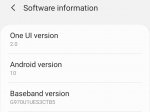
I have Samsung Galaxy s10e, see attached image.

I have searched and searched on line for ways to remove this "feature," however, none of the suggestions can be found on my phone.
The only way I have found to remove this and once again be able to receive calls is for me to place a call from my phone, which clears the icon, until I use the volume button again.
I no longer want this behavior when I use the volume button; and, no, when I use the volume, I don't get choices of "none" or "all" as is suggested in many of my searches.
I have looked for settings for interruption mode, do not disturb, volume, notifications, and phone, and none of those have any setting I can find to remove this "feature."
I have Samsung Galaxy s10e, see attached image.
Attachments
Help Why no emojis?

- By markdoc
- Smartphones
- 9 Replies
Does anyone know why we can't use our own emojis in this forum? Whenever someone sends me a reply with their own emojis, instead of the face, I get the decimal code for it instead. Here is an example:

The actual emoji is or similar. I'm really curious. Thanks
The actual emoji is
or similar. I'm really curious. ThanksHelp Voicemail garbbeld..

- VIP Lounge
- 9 Replies
So... Should I just pull the SIMS card and see that might work throughout the discontemptions of having voicemail garggled up?
OR should I record over that, but I do not want outsiders to call me up,
been paranoid for ages on end.. But I have to buck up and record it over.
Think I will pull out the Sims card first off,
moto z2 force....blah blah blah....
OR should I record over that, but I do not want outsiders to call me up,
been paranoid for ages on end.. But I have to buck up and record it over.
Think I will pull out the Sims card first off,
moto z2 force....blah blah blah....
PLEASE HELP ME!!
- By Joy88
- VIP Lounge
- 15 Replies
I have bought a Samsung Galaxy S7 Edge off of an individual that was selling it because it was locked, google locked at that. Point is no one knows who the original owner of the phone is or what google account is tied to the phone. I REALLY want to get it unlocked and be using it. I have spent hours upon hours trying to find out how to get past it when my account wasnt in it before the reset, I don't know what else to do. Can someone, anyone, please guide me in the right direction.....
Unable to synch from WMP after upgrade
- By Marcoponte
- VIP Lounge
- 1 Replies
I have a Galaxy A40 with Android 10 installed. After a system update i'm not able to synch WMP playlist to my smartphone. I see a playlist in the Playlists folder but it is empty.
Please advice
Kind regards
Please advice
Kind regards
Reading file from assets
- Android Development
- 0 Replies
I am very new to android programming but I want to read a json file using async task, which seemed to work properly when I used a json file that was on a website (using http connection), but now I would like to do the same thing with my own json file. I have an assets folder called 'assets' where I've put my jsonFile.json.
I tried to open it using getAssets().open(), but that doesn't seem to work. Also my listFragment class (from which the loadJson is called, does not contain a context, so I can't parse the context from listFragment onto loadJson.
Is there anyone who knows how to help?
Thanks
I tried to open it using getAssets().open(), but that doesn't seem to work. Also my listFragment class (from which the loadJson is called, does not contain a context, so I can't parse the context from listFragment onto loadJson.
Is there anyone who knows how to help?
Thanks
Attachments
Help The tablet does not load the OS
- By Babaliuga
- Smartphones
- 0 Replies
Hello,
I want to ask for your help.
I have an old 10 inch tablet that I use as an ebook.
However, for a few days, the tablet cannot boot and only the Android logo appears and can only be turned off with the reset button.
I tried to enter recovery mode to get back to factory settings, but failed. I probably don't press the right combination of buttons.
I will ask for your help, guide me on how to do this to save a tablet that is incredibly convenient for me.
The tablet is model RK30SDK and is running Android 4.1.1
Thanks in advance to everyone who responded!
I want to ask for your help.
I have an old 10 inch tablet that I use as an ebook.
However, for a few days, the tablet cannot boot and only the Android logo appears and can only be turned off with the reset button.
I tried to enter recovery mode to get back to factory settings, but failed. I probably don't press the right combination of buttons.
I will ask for your help, guide me on how to do this to save a tablet that is incredibly convenient for me.
The tablet is model RK30SDK and is running Android 4.1.1
Thanks in advance to everyone who responded!
Help on ussd code running problem

- By jtrevor0470
- Smartphones
- 6 Replies
Please i need your help, how can i fix the issue of ussd codes not running on my Samsung galaxy Jean - A6+. Thanks
My phone doesn't display options for Network mode and Network operators yet am having issues with running ussd codes, how do i solve this please some help needed. Thanks
My phone doesn't display options for Network mode and Network operators yet am having issues with running ussd codes, how do i solve this please some help needed. Thanks
Galaxy S20 plus gets Heated Up very soon
- Smartphones
- 1 Replies
hi.
any idea why samsung galaxy s20 plus gets heated so fast and drains battery soon even when i am using refresh rate 60hz
any idea why samsung galaxy s20 plus gets heated so fast and drains battery soon even when i am using refresh rate 60hz
Whatsapp (root needed?) - delete old messages delete for everyone
- By _Lion_heart
- Apps & Games
- 3 Replies
Hi,
I need help please and I am willing to donate $5 to the person who will find the solution to my problem. I'm sorry, in case talking about money is against this forum, but it would be just a mere donation!
I need to delete messages I sent, years ago, on whatsapp to some people and I need those messages to be deleted for everyone.
Messages are dated years 2017 - 2018, and I need them to be deleted for everyone, so that, those people cannot see anymore what I wrote.
I use android os.
If I try to delete those messages I only get the "delete for me" option, which is useless. I want the "delete for everyone" option to appear, so that those messages will be deleted on the other people's phones.
I use an old android os, 5 (i think), but in order to have a bigger screen I'm now using whatsapp on bluestacks.
Can anyone please help me?
Do i need to root android? Or in this case bluestacks ( i know how to do it) ?
I found a method on youtube but I dont understand if it works. Am I allowed to paste the link here, so I can show you guys?
Right now I'm sending messages to my second number to see if this method works, but the messages dated two days ago have not been deleted, the messages dated today have been , so I am confused.
The other problem is that whatsapp detects when i change the date and time and i travel to the past, so it is tricky.
Donation will happen via paypal probably.
Please find a way to solve my problem.
Ask me for more details if you need more information.
This is not a race and I am willing to split the donation, so please let's all cooperate with each other instead of competing.
Regards
I need help please and I am willing to donate $5 to the person who will find the solution to my problem. I'm sorry, in case talking about money is against this forum, but it would be just a mere donation!
I need to delete messages I sent, years ago, on whatsapp to some people and I need those messages to be deleted for everyone.
Messages are dated years 2017 - 2018, and I need them to be deleted for everyone, so that, those people cannot see anymore what I wrote.
I use android os.
If I try to delete those messages I only get the "delete for me" option, which is useless. I want the "delete for everyone" option to appear, so that those messages will be deleted on the other people's phones.
I use an old android os, 5 (i think), but in order to have a bigger screen I'm now using whatsapp on bluestacks.
Can anyone please help me?
Do i need to root android? Or in this case bluestacks ( i know how to do it) ?
I found a method on youtube but I dont understand if it works. Am I allowed to paste the link here, so I can show you guys?
Right now I'm sending messages to my second number to see if this method works, but the messages dated two days ago have not been deleted, the messages dated today have been , so I am confused.
The other problem is that whatsapp detects when i change the date and time and i travel to the past, so it is tricky.
Donation will happen via paypal probably.
Please find a way to solve my problem.
Ask me for more details if you need more information.
This is not a race and I am willing to split the donation, so please let's all cooperate with each other instead of competing.
Regards
audible post your favorite story

i just joined audible and i used my first book purchase to revisit and old fantasy novel series called the Chronicles of Thomas Covenant by Stephen R. Donaldson. the first book is called the Unbeliever. it is a great fantasy series that does draw on Lord of the Rings. but the hero is more of an anti-hero of sorts. i read it in high school, but i keep re-reading the series on off. i never have listened to an audio book before, but i find the format pretty cool. i can put my headphones on and do work will listening to the story unfold. it is definitely different.
just kind of want to know what else is out there as far as audio books goes.
anybody use audible? anybody have any suggestions for the next read? there are 9 huge volumes that mr Donaldson wrote so it will take me a while to finish. never the less, i'm curious as to what to listen to next.
just kind of want to know what else is out there as far as audio books goes.
anybody use audible? anybody have any suggestions for the next read? there are 9 huge volumes that mr Donaldson wrote so it will take me a while to finish. never the less, i'm curious as to what to listen to next.
Razer phone 2 OS UPDATE?

- By Morgan007
- Smartphones
- 1 Replies
Is the Razer phone 2 receiving Android update?
How to recover pictures?
- By Muriarcs
- VIP Lounge
- 13 Replies
Hi, I have a zefone 3 zoom with a broken screen and I haven't used it in a year, I decided to try to recover the pictures and started chaging it, in the beggining it was weird, just vibrating, then all seemed normal when it stopped and the charging led light poped up, but it doesn't seem to be turning on, even though I can't see the screen, there's no indication whatsoever that is turning on, no vibration, no sound, the touch makes no vibration, nor the screen buttons, so I think it must've ran out of power and now it's doesn't know that it has battery again. Does anyone know how to fix this? if there's anyway to recover my pictures or something? like just access it's flash drive?
New App: Social Video Downloader - FB, Tiktok & Instagram (Version 1.1)
- By murarikiran
- Apps & Games
- 3 Replies


You want to download a particular video and you want it right away. We get it, that’s why our Tiktok video downloader app enables you fast and flawless experience where you just need to copy-paste the URL from the most famous social media websites (Facebook, Instagram, Tiktok) to download and save the video. Download & keep the videos – go back and view them whenever you want.
FEATURES:
* No login required
* Easy to download Facebook , Tiktok and Instagram videos
* Download videos without watermark. A better experience in Tiktok
* Download public instagram videos
* Download public Facebook videos
* Download several files at the same time
* Download video in the background, download won’t be interrupted when exiting the app.
* Support downloading by video extension links
* Simple and elegant design
* Fast download speed
* Play videos offline with the built-in video player.

Play Store: https://play.google.com/store/apps/details?id=com.sripra.tiktokfbvideodownloader
Attachments
Load more