• After 15+ years, we've made a big change: Android Forums is now Early Bird Club. Learn more here.

Camera Protection

This could be a question for many newer phones, especially the S20 line.

I have the S20 Ultra, and even with the Otterbox Symmetry on, the camera "lens"/camera/whatever is more or less flush with the back of the Otterbox cover.

With the S8+, the camera was recessed and I still managed to break the lens, and even after replacing the lens, the camera was never the same.

Has anybody used one of the protectors available? Which one is the best protection while not interfering with camera functions? I know there's already an issue with the camera's A/F at the moment.

Help Front camera mirrors text during self-video conference

During a live-video conference through Instagram, the front camera mirrors the image, rendering the whiteboard illegible. The event (on-line training) requires a live image of the instructor drawing on the whiteboard while broadcasting - like in a traditional classroom with the students sitting in front of the teacher.
Slides, screen sharing, flipped still photos and any other software solution for the class are NOT an option: we must recreate the presencial classroom experience, nothing else will do.

Using the rear camera is not an option because in that case I do not see the messages from the participants in INSTAGRAM LIVE VIDEO (ONLY PLATFORM STUDENTS CAN USE - SCHOOL RULES)

WITH THE SAMSUNG S10 PLUS:
IS THERE A WAY TO DO A LIVE VIDEO CONFERENCE, THROUGH INSTAGRAM LIVE VIDEO - BECAUSE NO OTHER PLATFORM IS ACCEPTABLE, WITH THE FRONT CAMERA THAT DOES NOT GIVE A MIRROR IMAGE OF THE WHITEBOARD DURING THE LIVE STREAMING TO RECREATE THE ACTUAL CLASSROOM EXPERIENCE?

NOTE: the SAMSUNG S10 PLUS can un-mirror still pictures taken with the front camera. this feature is not available for Live Self-video taken with the front camera. AND using the rear camera for the live video is not an option: need to see the answers and messages from the students on the screen (where the front camera is)

Help will be greatly appreciated by the 4 to 7 y.o. kids and their parents attending this class.

Corrupted photo dates HELP

Hello. The problem I'm about to mention has been driving me crazy to the point of madness and I'm not even sure this is the right place to ask for help but I'm desperate so please redirect me to a more appropriate forum if this isn't the right one. I'm a Samsung J3 2016 user running Android 5 and a couple of days ago I downloaded an app from Google play store called "LockMyPix" by fourchars to lock an album of 368 rather intimate photos. I didn't like it since there was soemthing about the way it ordered the photos so I just decrypted them and put them back on my regular gallery. Then I noticed the order was completely ruined and apparently the app had changed all the photo dates to the day I encrypted them thus ruining everything. I don't know how to reverse this and even if I wanted to edit manually the EXIF data of each photo I noticed I'm not allowed to in any way with any tool I've tried. I'm begging for any help.

Help Why whatsapp backup in google drive has a grey triangle with an exclamation mark?

In google drive, why there is a grey triangle with exclamation mark next to my whatsapp? What does it mean?
https://i.imgur.com/s3W6Q38.png
https://i.imgur.com/AgNVWoC.png

In my phone the whatsapp backup did not show any problem.

I googled and saw these 2 threads mention about the same problem and followed the solutions there but it is does not solve the problem.
https://support.google.com/drive/thread/13047034?hl=en
https://www.reddit.com/r/whatsapp/comments/de5w9b/google_drive_backup_gray_triangle_with/

Is whatsapp backup successfully done in google drive and where is the whatsapp backup file in google drive?

Please help.

How do you get androidx to work?

How do you get androidx to work?

I've recently picked up mobile programming again and it seems kotlin is now the one being used?

Anyway, i've looked up some tutorials and i'm having some issues.

One of the tutorials is on handling rotations and to save the previous settings, it uses

val pref=PreferenceManager.getDefaultSharedPreferences(context).edit()

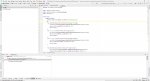
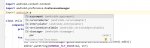
I get a deprecated warning, and apparently you're now supposed to use androidx, but when i tried it, it doesn't show up (see first pic).

I tried looking up other tutorials on how you install it and you're supposed to use a checkbox at the splash screen, but that's not on my screen either (see second pic).

So what are you supposed to do?

I've been at this for two days and pretty much every tutorial, (even the ones on getting started) that comes up in the search and each of them just assumes, androidx is already working. Any help would be appreciated.

Attachments

  • td1.jpg
    td1.jpg
    487.5 KB · Views: 196
  • td2.jpg
    td2.jpg
    133.7 KB · Views: 174
  • te2.jpg
    te2.jpg
    80.3 KB · Views: 209
  • te3.jpg
    te3.jpg
    112.9 KB · Views: 202
  • te4.jpg
    te4.jpg
    408 KB · Views: 214

S20 Ultra Unlocked Wi-Fi Issues :(

I am not sure if anyone has come across this issue if I have a defective phone. I purchase the device in Asia upon release and I have noticed an issue with Wi-Fi. The connection is not persistent. if I don't use the phone for an hour the Wi-Fi connection drops and the only way to re-establish the connection is by a reboot. Here are the steps which were followed:

1. Cleared Cache
2. Rebooted Wi-Fi
3. Reset Phone to Factory defaults
4. Reset Wi-Fi

The issue persists even when I have not installed/restored anything from my backup.

Samsung is of no help to have the device swapped as its just over 15 days and I was unable to head back to SEA. No one has any clue about international warranty either. I call SG support they say to bring the phone in. Catch 22..... Thoughts?

Galaxy S9 making random notifications

I have a strange sound (similar to the default media sound called crystal) that plays inconsistently. I have a Galaxy S9 and it is all up to date with its updates. I did not have this issue before the latest update, When the sound goes off, no notifications are visible. I have turned off all notifications (DND mode) and it still sounds. I do not have NFC on and I do not keep it anywhere near a credit card. I have also turned off Bluetooth, , sync, wifi, and location...did not work. The sound seems to be controlled by the ringtone volume, not Notification, Media, System or Bixby volumes. I have deleted every single app from my phone 1 by 1 to see if I could find the culprit to no avail. I do not have Accessability/Notification reminder on. I did notice that when in airplane mode it did not do it. I have tried ever fix I could find on the internet and am now asking the people who actually may know something. I have also restarted the phone and erased the cache many times and nothing seems to help.Anybody have any type of clue? Thanks to anybody they can provide any type of assistance.

Connecting a smart watch to a windows computer

I have read dozens of descriptions of smart watches. All describe using wifi to connect to phones. Are there any smart watches that can connect to a smart phone or computer by cable? One of the uses for a smart watch is to store critical data, i.e photos of my passport and visa, addressbook file, password vault file, etc. I want a smart watch to also function as a usb drive. Can any of these do this?

Replacing Android OS on Samsung Galaxy S20

I want to get a S20, replace the stock OS with GrapheneOS. Quesitons:

1. Does Samsung have a proprietary camera app? If so, will my camera be limited by Graphene?
Or, does Treble alleviate this problem? If not, can I get the Samsung app onto Graphene?

2. I want to keep the Samsung UI, I've heard it's really good on the S20. I see this phrase "One UI".
Is this specific to Samsung, and if not, where can I get it?

Thank you.

SPEAKER mode audio fades while in call

The speakerphone audio on my Pixle 2 while in speaker mode fades after 5-10 seconds.

The audio on a bluetooth connected device does the same thing.

I booted in SAFE MODE and the problem persists less often however still occurs. While in safe mode if I push speaker OFF then ON again, it generally returns to normal speakerphone volume but then will suddenly drop the speakerphone audio if you talk into it.

Any suggestions?

Help TWRP issue...no data transfer

Redmi note 7 pro

Everything was perfectly fine until today when I booted into twrp to flash a new rom and forgot to copy the rom.zip.

So from twrp itself I connected the usb cable to my Win10 PC, it detected my phone but in My computer/ Windows Explorer, phone wasn't showing up to copy the data from my pc.

I tried different usb ports but same issue.

I booted into phone os and then tried and then it showed into windows explorer.

Its only that from twrp it isn't showing in explorer where earlier it used to show to copy files.

What could be the reason? How to solve this.

galaxy S8+ no sim detected after update

i updated my phone wont up in the morning and the sim is not detected, sim works on any other phone. cleared cache, reset phone, even flashed with odin. nothing works,

also getting these weird error msg from recovery mode.

#fail to open recovery_cause (No such file or directory) #
#report recovery cause is [unknown] #
Support single-sku
File-Based OTA
Supported API: 3
e: unknown volume for path [/ odm]
e: unknown volume for path [/ vendor]

# MANUAL MODE v1.0.0#

remove failed dir ‘/system/carrier/ATT/priv-app/AttIqi_ATT’ (No such file or directory)

E: [libfs_mgr] is_dt_compatible (): firmware info was not valid : '/ proc / device-tree / firmware / android / compatible': No such file or directory

Login Demo - Programming Newbie

I am trying to create a small Android login app using the following code:

package com.example.logindemo;

import android.content.Intent;
import android.os.Bundle;
import android.view.View;
import android.widget.Button;
import android.widget.EditText;
import android.widget.TextView;

import androidx.appcompat.app.AppCompatActivity;

public class MainActivity extends AppCompatActivity {

private EditText Name;
private EditText Password;
private TextView Info;
private Button Login;
private int counter=5;
private TextView Alert;

@override
protected void onCreate(Bundle savedInstanceState) {
super.onCreate(savedInstanceState);
setContentView(R.layout.activity_main);

Name=(EditText)findViewById(R.id.etName);
Password=(EditText)findViewById(R.id.etPassword);
Info=(TextView)findViewById(R.id.tvInfo);
Login=(Button)findViewById(R.id.btnLogin);
Alert=(TextView)findViewById(R.id.tvAlert);

Info.setText("No. of attempts remaining: 5");

Login.setOnClickListener(new View.OnClickListener(){
@override
public void onClick(View view){
validate(Name.getText().toString(),Password.getText().toString());
}
});
}
private void validate(String userName, String userPassword){
Alert.setText(userName + " - " + userPassword);
if((userName=="admin") && (userPassword=="1234")){
Intent intent=new Intent(MainActivity.this,SecondActivity.class);
startActivity(intent);
}else{
counter--;
Info.setText("No. of attempts remaining: " + String.valueOf(counter));
if(counter==0){
Login.setEnabled(false);
}
}
}
}

The problem is when I enter "admin" as the username & "1234" as the password, I don't get logged in & instead the counter gets decremented by 1. Where am I going wrong?

Thanks

How to add overbar?

I clicked app/games so I hope my question ends in the right section. If not, please move it to another section.

My scenario is as follows: I've gone through the internet after writing a roman app. I checked how to add an overbar (vinculum) and cannot find it. I found other ways how to add unicode characters but it doesn't properly meet my needs. Attached is a screenshot from an app showing exactly what my goal is. How may I display the overbar nicely and make it look well done? I don't want to sound unpleasant or discourteous but my expectations / hope is the codes should fit perfectly into the latest android studio desktop app downloaded from the android development website. I would be really happy if anyone could help.

Note: I've studied the course and tried my own so that the app already can run on both the smartphone and my tablet. As my phone is already spoilt, I expect the code is still usable on my tablet although I haven't tried it for some time.

Attachments

  • roman number app.jpg
    roman number app.jpg
    14.1 KB · Views: 241

  • Locked
Root [ROM][Unofficial][9.0.0] LineageOS 16.0

https%3A%2F%2Fimg.xda-cdn.com%2FNEqGNs6rv5B0hFKzbB7Z_gXjqkY%3D%2Fhttp%253A%252F%252Ffiles.paulfasola.fr%252FCyanogenMod%252FLineageOS.png


Code:
/*
 * I'm not responsible for bricked devices, dead SD cards, thermonuclear war, or you getting fired because the alarm app failed (like it did for me...).
 * Please do some research if you have any concerns about features included in the products you find here before flashing it!
 * YOU are choosing to make these modifications, and if you point the finger at me for messing up your device, I will laugh at you.
 * Your warranty will be void if you tamper with any part of your device / software.
 */

LineageOS is a free, community built, aftermarket firmware distribution of Android 9 (pie), which is designed to increase performance and reliability over stock Android for your device.

LineageOS is based on the Android Open Source Project with extra contributions from many people within the Android community. It can be used without any need to have any Google application installed. Linked below is a package that has come from another Android project that restore the Google parts. LineageOS does still include various hardware-specific code, which is also slowly being open-sourced anyway.

All the source code for LineageOS is available in the LineageOS Github repo. And if you would like to contribute to LineageOS, please visit out Gerrit Code Review.

Known issues:
  • Sprint/Boost needs apns entered manually and sms messages will say they're not sent but actually are sent

Instructions :
  • Download the latest build, recovery: Download, magisk and Gapps
  • Reboot to recovery
  • Flash the latest build, Gapps and magisk if desired
  • Reboot

Downloads :

Source Code: https://github.com/LineageOS

ROM OS Version: LineageOS 16
ROM Kernel: Linux 3.18.140

Version Information
Status:
Stable

Filter

Back
Top Bottom