• After 15+ years, we've made a big change: Android Forums is now Early Bird Club. Learn more here.

Flipping Tiles Updates / Releases


Flipping Tiles allows you to create dynamic tiles widgets for your Calendar, Email, ... applications.

Generate your widgets on your home pages to see at a glance your latest unread emails or your upcoming events in a Windows Mobile live tiles way.

Supported Calendars:
- Google Calendar (Android native)
- Microsoft Calendar

Supported mailboxes:
- Gmail (requires a Gmail email account associated with your phone)
- Microsoft Outlook

Play Store : https://play.google.com/store/apps/details?id=com.predalpha.flippingtiles
Website : https://sites.google.com/view/flippingtiles/home


Flipping Tiles application is free and has been released few days ago. I look forward to your feedbacks and ideas as i'm alone to develop this project.
Outlook Widget application is definitively abandonned as Flipping Tile is its renewal.

android, SP Flash Tool

I'm in Ubuntu 19.04.

https://forum.xda-developers.com/ge...torial-how-to-setup-spflashtoollinux-t3160802
I installed (sudo apt install libusb-dev)

And i run SP Flash Tool as admin. (sudo ./flash_tool)
i then it comes to download -> ik, it works.
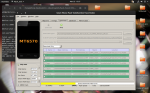
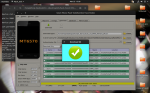
But then i try to download boot.img it stuck on download 37% stuck. show in photo uploaded

Can some one help me with that?
and how it can be fixed :)

Thanks for your time !

Attachments

  • Workspace 2_002.png
    Workspace 2_002.png
    408.9 KB · Views: 410
  • Workspace 2_003.png
    Workspace 2_003.png
    422.9 KB · Views: 237

auto factory reset

I want to reset my phone to factory settings but when I try to do that it asks for my samsung account information and I lost all my information (mail was deleted & forgot my password.. i know...)

So I saw the auto-factory reset setting and wanted to know if it would reset my phone without locking me out?
I would really appreciate the help! Thank you

Lost ability to edit in Gallery

Whenever I click the pencil icon to edit, it tells me allow permission in settings. Next to it in blue, the settings do nothing when clicked on.
There is absolutely nothing I can find in settings>apps>gallery>gallery settings to turn on any permission. In the gallery app info, all 4 permissions are enabled.
Anyone have an idea where I can find the permission needed?
Gallery version: 11.0.00.31
Best regards,

CoreIRC - a modern IRC client with DCC file transfers

CoreIRC is a chat client I decided to build due to not being satisfied with the options available on the Play Store. It features a modern design with the ability to be connected to multiple SSL or regular connections simultaneously, and receiving files over DCC.

CoreIRC also implements quite a number of IRCv3 features including SASL authentication through any of the Plain, External or SCRAM-SHA-256 mechanisms, and the following IRCv3 specs: cap-notify, account-notify, away-notify, chghost, echo-message, extended-join, invite-notify, multi-prefix and userhost-in-names. Support for more specifications will be added in the feature, with the ultimate goal being implementation of the full set of IRCv3 specs.

Here is a comprehensive list of features available.
<ul style='margin-top:0; margin-bottom:0;'>
<li dir='ltr'> Background connectivity</li>
<li dir='ltr'> Command autocomplete</li>
<li dir='ltr'> Channel list</li>
<li dir='ltr'> Chat message storage</li>
<li dir='ltr'> CTCP ACTION, CLIENTINFO, DCC, FINGER, PING, TIME and VERSION</li>
<li dir='ltr'> DCC (for receiving files)</li>
<li dir='ltr'> Ignore lists</li>
<li dir='ltr'> IRCv3 CAP 302, cap-notify, and SASL authentication</li>
<li dir='ltr'> IRCv3.1 account-notify, away-notify, extended-join, multi-prefix</li>
<li dir='ltr'> IRCv3.2 chghost, echo-message, invite-notify, userhost-in-names</li>
<li dir='ltr'> mIRC colour support</li>
<li dir='ltr'> Modern design</li>
<li dir='ltr'> Network editor with multiple servers</li>
<li dir='ltr'> Nick autocomplete</li>
<li dir='ltr'> Proxy connection</li>
<li dir='ltr'> Raw commands using /quote</li>
<li dir='ltr'> Robust notification rule sets (for each configured network)</li>
<li dir='ltr'> SSL support</li>
<li dir='ltr'> Timestamps</li>
</ul>

CoreIRC is currently available from the Play Store at https://play.google.com/store/apps/details?id=co.aureolin.coreirc.

Help factory reset - restoring phone # & MIN #

anybody know what the code is for is for restoring the phone # and min # in the dialer?

I'd get that info from the boost mobile community private mail, but they turned it off due to the stupid virus. so I can't retrieve it.

ZTE had me do a factory reset of the phone before I FED EX the phone for repair.

the phone #, I recorded, but I forgot to record the MIN #. not sure what to do about that one.

HCE random deactivation

Hello, I'm working on an HCE application being used with a TRF7970A RFID reader. The HostApduService gets deactivated when the link between the Android phone and the NFC reader is broken or when another HCE service is selected by the NFC reader. My service keeps deactivating randomly, with the two rules mentioned above unviolated.

Help Which Moto phone would you upgrade to?

I have a G6 which I bought used. It's been a great phone, but I'm wondering what others here may be contemplating for an upgrade. I'm not worried about rooting/etc., as long as everything works without exhibiting strange behavior. I'd like to stick with Moto, since their price/performance ratio is good for me (used is fine as well). Thanks for any recommendations.

Didn't find class "java.nio.file.Paths"

I recently update my app and when I run again I got the error java.lang.ClassNotFoundException: Didn't find class "java.nio.file.Paths" this is an extract of my build.gradle file:

android {
compileSdkVersion 28
defaultConfig {
applicationId "xxx.xxxxx.xxxx"
minSdkVersion 21
targetSdkVersion 28
versionCode 12
versionName "9.1.0"
testInstrumentationRunner "android.support.test.runner.AndroidJUnitRunner"
}
buildTypes {
release {
minifyEnabled false
proguardFiles getDefaultProguardFile('proguard-android.txt'), 'proguard-rules.pro'
}
}
}

the error is when I try to create a file with:

File(Environment.getExternalStorageDirectory(), filename)

Kid bypassing phone addiction restrictions

Greetings All,

I have a problem that I have been working on for almost a year with level 2 Verizon tech support and have just learned that they can do nothing to help. Guess I was expecting that, I have not yet found a parental control or restriction App for phone or computer with any carrier or platform that works with my kid.

Verizon IT says that the issue is with the manufacturer of my kids electronic devices (IE Google Android Development in this case), and not with the Verizon Smart Family product that allows the parent to create settings such as how many hours and what hours the kid can be on their phone, access to gaming and porn, phone location alerts, sleep times, and if wifi is accessible or not and if so when.

Great App! IF IT WORKED, especially when the kid is addicted to gaming, and to their phone in general, and does not have the ability for self regulation (see nature of electronic addiction https://www.psycom.net/iadcriteria.html), nor much hope of learning it until their prefrontal cortex finishes developing (see the addicted brain https://www.health.harvard.edu/newsletter_article/how-addiction-hijacks-the-brain).

I need to find a way to limit my kids phone use for gaming, watching videos, and general time spent on it for things that do not involve making or receiving phone calls - especially during school hours and sleeping hours.

I need a way to restrict WiFi use, and very few of the parental restriction and control apps do this.

During this last round of my kid vs. top IT staff, my kid won because he simply changed the VPN the phone was using, and since Verizon Smart Family runs of a specific VPN, Smart Family no longer functioned. Changing the VPN is not one of the blockable settings that can be password protected on an Android Phone. Did you know? Verizon didn't. They do now.

My kid can get around any (so far) Android smart phone family protection app in this way. And since Android phones do not have a way (that we have been able to find) to block my kid from changing the VPN, no parental restrictions work. At all. Grrrr! Maybe my kid will get a job in cyber security or be an app engineer when grown, if I can get them to pass high school with good enough grades to get into university and if they can stay focused long enough to get thru that too. I keep waiting for engineering to be smarter than the kids using their products - and to keep evolving fast enough to stay ahead of the challenge some users see in such products.

Development of a product that includes restrictions that can be set by the user should said user become mature and aware enough to realize they have a problem and want help self regulating.

I should think that there would be a good market for this in today's world.

Apple products on Verizon do not restrict wifi with the parent being able to change settings as needed without the battle for the physical device itself.

Apps for Android are mixed but the VPN change gets around all of them so far.

Anyone have a solution?

Have Android development engineers considered this problem and come up with a solution for us parents and those people who need some help self regulating their addictions?

If Google is looking for a kid vs IT Engineering Staff test subject on parental control apps, we are happy to volunteer. There must be many parents feeling the way I do, where my kid is a teenager and too old for physical confrontation, but too young to self regulate. Gee, even I know a few dozen adults who would be happy for such a product to help them regulate their phone-in-the-face time or help with self regulating their use of specific types of phone activities.

Thanks in advance for any constructive help that is offered,

--- irritated parent

microSD card partially malfunctions

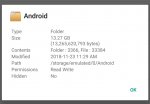
What would cause an Android phone's microSD card to become partially unusable? A couple days ago my phone has started up with a message that the card is missing, even though it's plugged in. I rarely move the card so I doubt the connector is worn. Apps installed on the card crash as soon as they're launched. The card can no longer be written to, but photos and podcasts stored on it can be viewed and played. Videos on it can be played through the photos app but can no longer be played through VLC, a video player.

What's likely to fix this? Reformatting the card? Replacing it?

Android APK App Shorcuts

i had to download an apk for for an app that is no longer available on Play store. does anyone know where i can get the shortcut for this app for my homescreen? tried under play store, app drawer.
i can find it under settings-apps, but no idea how to make a shortcut?

anyone know how to do this

Filter

Back
Top Bottom