• After 15+ years, we've made a big change: Android Forums is now Early Bird Club. Learn more here.

Problem deleting emails

My wife has a Galaxy J5 running Android 6.0.1. She is experiencing a really annoying problem when trying to delete emails from her inbox. As soon as she's deleted them they immediately pop up again in the inbox. Each deletion adds a new copy to the recycle folder. It's as if the email client isn't registering the fact that it's already downloaded the emails and so is downloading them again. This behaviour only stops after she's read them on her main computer and deleted them from the mailserver.

I'd be interested to know if anyone has encountered this problem and/or has any suggestions on how to deal with it.

What a Ride

Hehe. A couple weeks late for this post, but who here remembers logging into VZW first thing the morning of November 6, 2009 to order your Motorola A855?

Because whatever iDon't, Droid Does!

And then the rooting and plethora of websites that have come and gone in its wake. This is one that is still around, but sholes.info, alldroid.org, and a few others are history now.

[APP]-GamerROM Downloader™ (Download GamerROM OS Client)

dragon-logo-vector1024_orig.jpg

Welcome to GamerROM Downloader™

GamerROM Downloader allows you to find a supported device to download and install GamerROM OS™ fast, free and securely.

Download: https://play.google.com/store/apps/details?id=com.gamerrom.downloader

Notice: On December 1, 2019 you will no longer will be able to access most pages on our website, as apart of improving our services we are moving all our devices and builds assoiciated with these devices shown on our website to the GamerROM Downloader application. So ensure your up-to-date with our changes by reading our blog!

Glitch in Android Auto, is it my phone or the car?

My Jeep has uconnect w/o GPS and I use Android Auto which will show up on my car monitor when I plug it in. When I just bought the car, Android auto worked fine. I did the updates etc. I noticed a problem first when I went on a road trip and when I plugged in my phone and google maps came up it placed my physical local in the city I lived in, not where I currently was. The location wasn't one of my stores /saved areas on google, but I place I went once a week.
At the time I thought it was just a one time glitch but it keep happening and since then I have moved to a new state (NY to Arkansas) and most times (not all) I plug in my phone it places me 20 hours away in NY when I am trying to get directions to the local grocery store! The Google maps /gps works fine when not plugged in.

I thought it could have been my phone, I had S8, but I just bought a new phone and the same thing happened last night night and this morning.

I did try the usual, updating, uninstalling etc.

Has this happened to anyone else? Any thoughts how to fix it?

I want my old ringtones!

I just purchased the Note 10 yesterday and one of the first things I attempted to do was change up my ringtones.
I previous had a S8+ and was using the "knock" tone for my notifications. I loved it because it perturbed the hell out of everyone because it sounded life like.
I went to change my notifications and it's no longer there on the Note 10. I tried to see if there was a third party app that would provide the same or similar tone but no luck. So my question is, is there any way to download/ transfer the tone to my Note 10 from my S8+? I tried looking through the files but the folders were empty. Maybe I'm missing something.
If anyone has any insight it would be much appreciated, it would allow me to continue to prank my coworkers! Lol and thanks.

Glitch

For some odd reason when I went to the UK in August my Spanish Digimobil sim wouldn't get data.They sent a new APN but it never fully worked so I used friends and families wifi.When I got home again no data again although calls and text fine.They weren't very helpful so I started using the Tesco sim which gets 4G in both sim slots,but after 3 months I fell foul of their well hidden T&Cs which block roaming data after 12 weeks out of the UK.Yesterday I bought a Lebara Spanish sim and it's the same tale,calls and text but no data connection.I've tried switching slots,leaving the Tesco sim out of the phone to try to rule out any hardware problems,but still the same, this morning borrowed a friends Giffgaff sim 4G no problem??

Cant view my files on my phone..can i override these denials

$ ls /dev/socket
ls: /dev/socket/webview_zygote: Permission denied
ls: /dev/socket/.tcpdump_socket: Permission denied
ls: /dev/socket/tombstoned_intercept: Permission denied
ls: /dev/socket/tombstoned_crash: Permission denied
ls: /dev/socket/sap_uim_socket1: Permission denied
ls: /dev/socket/qosd: Permission denied
ls: /dev/socket/fwmarkd: Permission denied
ls: /dev/socket/mdns: Permission denied
ls: /dev/socket/napproxyd: Permission denied
ls: /dev/socket/dnsproxyd: Permission denied
ls: /dev/socket/netd: Permission denied
ls: /dev/socket/imsd: Permission denied
ls: /dev/socket/zygote: Permission denied
ls: /dev/socket/sdp: Permission denied
ls: /dev/socket/lmkd: Permission denied
ls: /dev/socket/ppm: Permission denied
ls: /dev/socket/epm: Permission denied
ls: /dev/socket/dir_enc_report: Permission denied
ls: /dev/socket/frigate: Permission denied
ls: /dev/socket/cryptd: Permission denied
ls: /dev/socket/vold: Permission denied
ls: /dev/socket/logdw: Permission denied
ls: /dev/socket/logdr: Permission denied
ls: /dev/socket/logd: Permission denied
ls: /dev/socket/property_service: Permission denied
bsd
iwt
mlaudio
mtp
nps
uibc
vaultkeeper
wsm_socket

Developing an ID Card Scanner

I need to implement an ID card scanner for my app. The User Interface can be similar to a QR Code scanner or like the one in CS scanner app. Need to read QR/bar code data to capture and save the image when both a QR Code and face is detected in the ID Card.
Another functionality need to implement is to take a selfie (in another activity) when our face is detected and crop the face part and save the image.
Which free libraries and SDKs are available for the above mentioned functionalities?

Stuck on FRP, how to identify owner account?

I have serveral Samsung S7 phones for business. an employee broke the screen on one, so was given another one to swap out. the employee had trouble with the screen unlock, and rather than ask for help, took it to the verizon store, which took the sim card out of the working phone and threw it away, then put the sim card from the phone with a broken screen into the working phone, and did a factory reset...

Now I can not use the phone, and I can not figure out what google thinks is the original account for this phone to get past the FRP during setup because I don't have the sim card that was in it.

I am looking for any information on how to look at anything on the phone, or a way to contact someone at verizon,samsung, or google that can tell me the account that the phone is looking for. I have tried many different accounts that I thought it could be, but after giving proper email/password it flashes on the screen to use an owner account for the phone and starts the process over.

I have tried following several FRP bypass methods, but apparently this phone is updated to latest security and none of them work so far.

All I really need is a way to know what account it wants me to log in with.

Any help is appreciated.

Line Puzzle : Math and Word

Game play base on the famous game Line 98.
Just find a line (length >=3) which creates an English word (Word mode) or a correct operator (Math mode)
Google Play link: https://play.google.com/store/apps/details?id=com.sinphan.LineofStudy

Attachments

  • Screenshot_20191111-081054.png
    Screenshot_20191111-081054.png
    488.7 KB · Views: 145
  • Screenshot_20191114-221320.png
    Screenshot_20191114-221320.png
    337.1 KB · Views: 129
  • Screenshot_20191114-221629.png
    Screenshot_20191114-221629.png
    181.8 KB · Views: 152

Microwave handle busted

Man, this place is falling apart, including now the microwave oven. It's been that way for a few days. It obviously needs a new screw, but I'm not quite sure how to take it apart and reassemble it. I suppose I could somehow pull out the screw and take it to the hardware store. P. S. I was able to load the googly photo, but when I tried this, no dice. I downloaded that photo resizer app, which I guess did make them smaller (40%). However, the use function apparently did not work, and of course I could not upload the originals. Somebody please FIX IT!

Great News!

We just got the test results back. My daughter had a contrast MRI. She doesn't have cancer!!!!

She had kidney cancer (slow moving. They cut it out and there was no follow-up chemo or radiation necessary) ..she had kidney cancer the same time my late wife was battling and ultimately lost her battle with cancer.

This popped up on her MRI, but further tests show it to be benign. Praise the Lord! Thank You, God! Needless to say, I'm on happy dad. Thanks for reading and sharing in my joy!

Steven

Request Password Authentication

I am trying to understand how the authenticator.requestpasswordauthenticaion() method works. This method is part of the class Authenticator. It says in the official documentation that "it asks the authenticator that has been registered with the system for a password".
What is this authenticator that has been registered with the system? and where is the password actually stored? Where does the method get the password from?

Please HELP?

I found a app on my galaxy 8 today by the name of "Chameleon v4.1.1 497kb" so I googled it and I did not like what I read. The reason for my dislike is I have a serious hacker on my device. I have had someone spying on me thru my camera, taking over all my gmail accounts and has complete control of this device and any other device I have tried to use. I have waited this issue out and have collected tons of IP addresses, web activity, devices logged in and slot of other things. I know who he is and how he got on my device but now the question is, how does one remove him? This chameleon app doesn't show up when looking thru my apps it showed up after installing a app uninstaller. There are a few other apps on there too such as: Ese plugin, carrier login engine, multi-link settings, sprint OMADM and a sprint OMADM PHONE INTERFACE. Getting new devices and accounts have proven useless so I need to address this issue head on. I need to gather evidence and loose this loser. I'm not very techy but I am learning quick. Can someone please offer any advice?

Voicemail Issues On Sprint...

Recently I've not been able to access my voicemail using the phones dialer app. Once I connect to the voicemail service it asks for my passcode. I type it in using the keypad and hit the # symbol and the service asks again for my passcode. I type it in again and it asks for my passcode yet again. It's like the voicemail service isn't recognizing I even made a keypad entry. Yet I can use my keypad to make a phone call entering numbers manually.

Sprint, of course, says I should try their visual voicemail app. I don't want to install another app just to check my voicemail. My wife and brother are on the same account as I am and they both have Pixel devices. My stepson and mother are also on this account but they have an IPhone and an old flip phone. And they're not affected.This just started after the most recent security update on Nov. 5 2019.Is anyone else having this issue? I can't be the only one.

  • Poll Poll
[GAME][FREE]Nepero - Free math and logic game

Do you enjoy it? (:

  • Yes sure!

    Votes: 1 100.0%
  • ea..

    Votes: 0 0.0%

Announcement of a new game

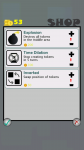
Nepero is a free, simple and funny math game.
Your main objective is to create the number indicated for each level, using all the 4 numbers and 4 operations you have available.
With increasing levels the difficulty will increase more and more!
It's a good method to spend some free time and stimulate your brain at the same time, even for child thanks to a colorful and simple UI
Download it for free and if you enjoy it, please make a good review :goofydroid:

Link: https://play.google.com/store/apps/details?id=com.nepero.appstudio.robertobertocchi

unnamed-4.png
unnamed-2.png
unnamed-3.png
unnamed.png

Google Chrome installing for 3 weeks - won't finish

I have a 3a, runs fine. Apps install and/or update to new versions fine. But Google Chrome has been "installing" for about 3 weeks, never finishes.

Android 10, all Google updates, Chrome Version 78.0.3904.62 reported. Tried disabling Chrome, no change, restarted 'phone - no change . Force stop - no change. Other apps update fine. Otherwise all OK. I'm confused! Any suggestions folks please?

Thanks in advance

Filter

Back
Top Bottom