• After 15+ years, we've made a big change: Android Forums is now Early Bird Club. Learn more here.

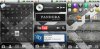
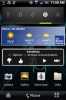
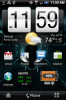
Lets see your UI layout!

From left to right and finally the lock screen. Using the Droid Does ROM, love it.
 

Attachments

  • mixed11.jpg
    mixed11.jpg
    179.8 KB · Views: 278
  • mixed22.jpg
    mixed22.jpg
    167.7 KB · Views: 320
I just rooted so I haven't done alot of customization.... yet. That why I'm really only using 4 screens and why the wallpaper id covered up still.
 

Attachments

  • deviceL.png
    deviceL.png
    86.8 KB · Views: 261
  • device1.png
    device1.png
    93.9 KB · Views: 213
  • device2.png
    device2.png
    98.6 KB · Views: 289
  • device3.png
    device3.png
    80 KB · Views: 214
  • device4.png
    device4.png
    110.7 KB · Views: 201
Latest:

Caviar Dreams system font

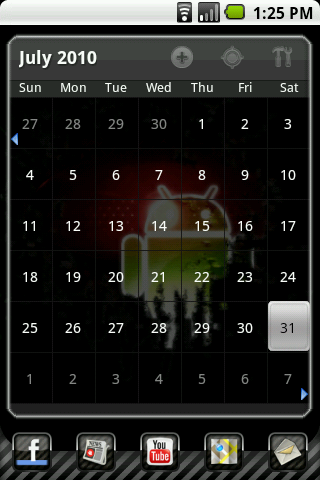
Left Screen-
Pure Grid Calendar
Android Agenda Widget
snap20100728_170336.png


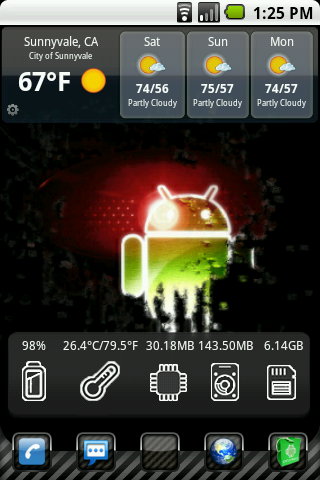
Center Screen-
Beautiful Widgets
BattStatt
Weather Forecast Widget (Donate version)
snap20100728_170331.png


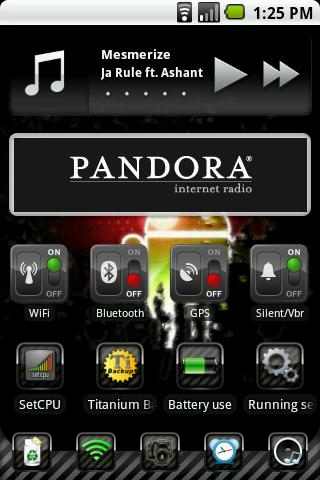
Right Screen-
Launch-X Pro
SwitchProWidget / Reboot Control Widget
AudioManager Pro (custom skin)
app icons / Set CPU
snap20100728_170341.png
 
I got bored so decided to post up some screens. Rooted running suave smush with launcher pro, Oc'ed to 729. Dock icons are Tha Icon Pack by The Phlash.


Center Dock 1
ab034e52.jpg


Fuzzy clock widget

Left 1 Dock 2
3dcd9407.jpg

Handcent SMS widget

Left 2
85a39f20.jpg


Right 1 Dock 3
cc13f67e.jpg

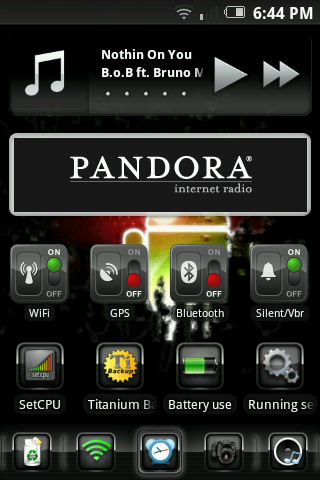
Stock music widget
Pandora widget

Right 2
d0933b0b.jpg

The Weather Channel widget

Right 3
33eafa68.jpg

SetCPU Widget
Switch Pro Widget
 
rooted with evil eris 3.0

screens goe from left to right like on phone the 4th one on top is my default screen
 

Attachments

  • 3.jpg
    3.jpg
    110.8 KB · Views: 155
  • 7.jpg
    7.jpg
    111.4 KB · Views: 160
  • 6.jpg
    6.jpg
    115.4 KB · Views: 194
  • 5.jpg
    5.jpg
    133.6 KB · Views: 162
  • 4 default.jpg
    4 default.jpg
    140.8 KB · Views: 194
  • 2.jpg
    2.jpg
    130.6 KB · Views: 198
  • 1.jpg
    1.jpg
    132.4 KB · Views: 174
Create a folder on your SD card where you want to keep them ... I named mine Icons. Copy the files to that folder and install BetterCut from the Market. Used BetterCut to create shortcuts on your screen, it allows you to change the Icon. When you click the "Change Icon" option, navigate to the Icon folder and select the icon you wish to use. Its actually quite easy. You can also change the name under the icon using BetterCut

I got bettercut... and I got it to change the icons on my shortcuts.

I was making a mail and messages icon and now whenever i get a message or mail, it reverts back to the old icon.

Why is this happening? i got a refund for bettercut, and got shortercut (in my opinion better layout) and it does same thing. I just want personalized logos for my mail and messages!

any help?
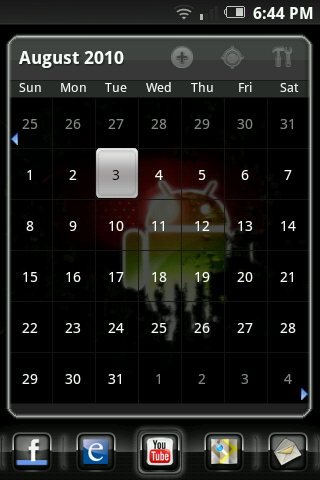
 
I got bettercut... and I got it to change the icons on my shortcuts.

I was making a mail and messages icon and now whenever i get a message or mail, it reverts back to the old icon.

Why is this happening? i got a refund for bettercut, and got shortercut (in my opinion better layout) and it does same thing. I just want personalized logos for my mail and messages!

any help?
That kept happing to me with bettercut make sure that its the right shortcut. Also try restarting your phone then make the short cut again. It stop switching back.
 
After weeks and weeks of nothing but frustration, I finally rooted this weekend. So far, it's been like night and day. I actually really like my phone now. I went with a more minimalist approach instead of what I had on there before. I'm only using 2 screens and 3 docks at the moment:
 

Attachments

  • screenshot_2.jpg
    screenshot_2.jpg
    220.4 KB · Views: 176
  • screenshot.jpg
    screenshot.jpg
    210.9 KB · Views: 182
  • screenshot_3.jpg
    screenshot_3.jpg
    201 KB · Views: 154
Started to theme my Eris. :D
The theme I am using is Minimal Matte which can be found here: Minimal Matte 1.5 8/3 - xda-developers
Icons can be found here: Customized iBox Icons by Matth3w - Droid Forum - Verizon Droid & the Motorola Droid Forum
LauncherPro dock can be found here:http://launcherpro.droidicon.com/sites/default/files/lpdocks/gray_v2.png
Wallpaper can be found here:Download Black Droid wallpapers to your cell phone - android apple droid - 14827191 | Zedge

Left
Pure Grid Calendar Widget
snap20100803_184444.png


Home
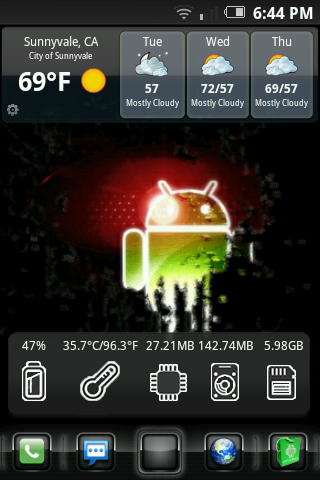
WeatherBug Elite
System Info Widget ($.99)
snap20100803_184422.png


Right
DoubleTwist Music Widget
Pandora
Curvfish Widgets
snap20100803_184436.png
 
Here's my setup:

ROM:Cyanogen Tazz | LAUNCHER:LauncherPro | THEME:Minimal Matte | ICONS:Rough Draft | ICON MANAGER:AppOrganizer

WIDGETS
AUDIO:AudioManager Pro | CLOCK:Tajm | BATTERY:BattStatt | WEATHER:yr.no | CALENDAR:Agenda Widget | POWERBAR:SwitchPro | PICTURE:Picture Frame
attachment.php

attachment.php

attachment.php

attachment.php
 
Back
Top Bottom