BringTheRain403
Android Enthusiast
Also does this have SWYPE in it?
Follow along with the video below to see how to install our site as a web app on your home screen.
Note: This feature may not be available in some browsers.

is everyones overclock app working

My DX/D2 overclock app no matter what setting i use causes my phone to reboot, then it will stay on load up past boot for about a minute, then reboot again...idk what's going on...


Guys, the Gingerbread keyboard is a smaller keyboard. It just is. It's not density problems or anything weird. It's just a smaller keyboard. The keys are more square than the stock keyboard and the whole thing is shorter.
The density issues were extreme and actually distorted the keyboard. This is just the keyboard being different.

First off, sorry to be "that guy". I've spent quite a bit of time reading through old posts and I can't seem to find anything that mimics my situation.
A few days after initially receiving Froyo OTA from Verizon I installed ApeX RC1. I proceeded to go to RC2 and 1.0 in due time. About a week ago I went from ApeX 1.0 to 1.0.2.2 (because I hadn't installed the leaked .320). A few days after that I installed the ApeX 1.2.1 update (which, now that I think about it, shouldn't have worked?), and shortly afterwards, the hotfix and the Gingerbread theme. I have NOT received the latest .340 OTA from Verizon nor have I SBF'd to the leaked .320.
The thing that confuses me is that my "About phone" tells me my System version is 2.3.320.MB810. Is this just because I installed the ApeX 1.2.1 update accidentally and it was intended for users running the leaked .320? Is it safe to flash ApeX 1.3 over my 1.2.1 installation? If not, would it be better to SBF to the leaked .320 or try to go back to my stock nandroid from a few months ago (taken right after Verizon first released froyo) and attempt to update via the .340 OTA update? I know fab said you can install ApeX 1.3 if you're running at least .320, but I don't believe that my phone is telling the truth haha
I'm just trying to be really cautious. Any input would be greatly appreciated!
Also, fab you're the man! Your ROMs are the best and I'll be sending you some beer money in the near future
Fab, another 6 pack on the way to you. Honestly, thank you for all you work.
Vitaliy
It is working fine for me. I have mine set at 1.25GHz or 1250MHz and running incredibly smooth.
Edit: I did run into a problem where I lost the bottom bar of ADW that holds the App Launcher. Had to reboot and it came right back. Tricky...
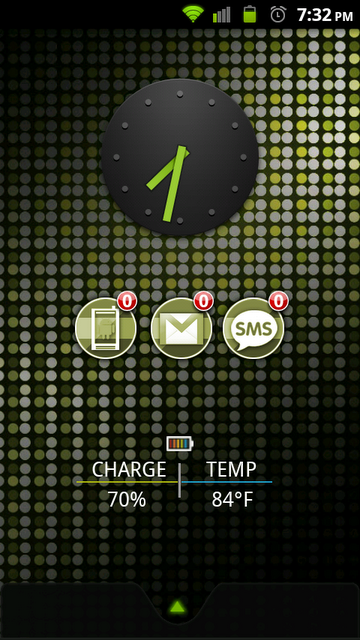
Fabolous said:Goodies pack 1: This includes the battery icons with percentages by tom108 seen here as well as AppWidgetPicker, which groups multiple widgets of the same app together. You can read about it here.
ApeX_V1_3_0_Goodies1.zip
That's actually a feature of ADW, you can tug up on the app launcher to reveal a dock underneath, which you can load up with infinite shortcuts. Just swipe down again over the dock to get the hotseat back.

Your phone is lying. Try playing music and it won't work, right? That means you're still on the 2.3.15 kernel.
You can use the SBF to .320 only if your bootloader is 30.03 or higher. Otherwise, you can try the OTA from your old nandroid, OR, use the original .320 leak update.zip
Either way, you need to get to .320 to load up 1.3.0
.
It is working fine for me. I have mine set at 1.25GHz or 1250MHz and running incredibly smooth.
Edit: I did run into a problem where I lost the bottom bar of ADW that holds the App Launcher. Had to reboot and it came right back. Tricky...
So. What would happen if I did an advanced restore in nandroid and restored the system and left the data alone? I'd really like to not have to re-download all my apps and lose my data. I have the stock rooted .340 OTA update...
Also does this have SWYPE in it?
Also does this have SWYPE in it?
Thank you!Yup.
So. What would happen if I did an advanced restore in nandroid and restored the system and left the data alone? I'd really like to not have to re-download all my apps and lose my data. I have the stock rooted .340 OTA update...
 Always best to start over fresh.. it takes a little longer but you'll avoid most "bugs".