
Install the app
How to install the app on iOS
Follow along with the video below to see how to install our site as a web app on your home screen.
Note: This feature may not be available in some browsers.
-
After 15+ years, we've made a big change: Android Forums is now Early Bird Club. Learn more here.
You are using an out of date browser. It may not display this or other websites correctly.
You should upgrade or use an alternative browser.
You should upgrade or use an alternative browser.
Sad: Stock Messaging Emoticons
- Thread starter HotDawg
- Start date
I'm a little sad today - The stock messaging emoticons are no longer little droids.Still green, but not droids. *snif*
They are for me, but I'm using the messaging app I pulled from CM7 on my OG Droid.


Agh! What?!?
Is it your app, or data transfer from your old phone that kept them?
I'm nervous about rooting.
No root needed on the Bionic.
I just went into /system/apps on my OG Droid with CM7, grabbed the Mms.apk and transferred it to my Bionic. I then installed it and set it as my default Text Messaging App.
I loved the Stock Messaging app. Never did much like Handcent or any of the others out there.
I did the same thing with the clock app and it works perfectly. Much better than the included Alarm & Timer App that comes with MotoBlur on the Bionic.
Here's a link to the Stock Android MMS App. It's what I'm using now and it has the little Droid Faces.
Mms.apk - Dropbox
Mms.apk - Dropbox

HotDawg
Android Enthusiast
!!!
Tosa, can I thank you more than once on a post?
Will try this with the clock, maybe this evening, probably not until Sat. You can install CM7 on the OG without being rooted? Thanks for the file!
I never cared much for Handcent, either, and I was just whining about the clock app this week!
@Bogie - we'll get the droids we are looking for!
Tosa, can I thank you more than once on a post?
Will try this with the clock, maybe this evening, probably not until Sat. You can install CM7 on the OG without being rooted? Thanks for the file!
I never cared much for Handcent, either, and I was just whining about the clock app this week!
@Bogie - we'll get the droids we are looking for!
!!!
Tosa, can I thank you more than once on a post?
Will try this with the clock, maybe this evening, probably not until Sat. You can install CM7 on the OG without being rooted? Thanks for the file!
I never cared much for Handcent, either, and I was just whining about the clock app this week!
@Bogie - we'll get the droids we are looking for!
No you can not. I thought you were referring to rooting the Bionic. Both of my OG Droids are rooted and running Identical copies of CM7.
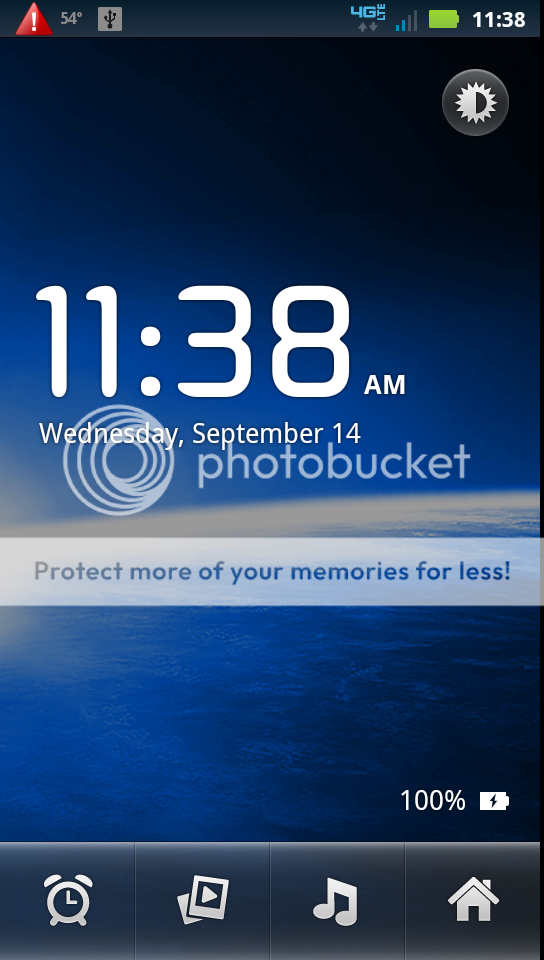
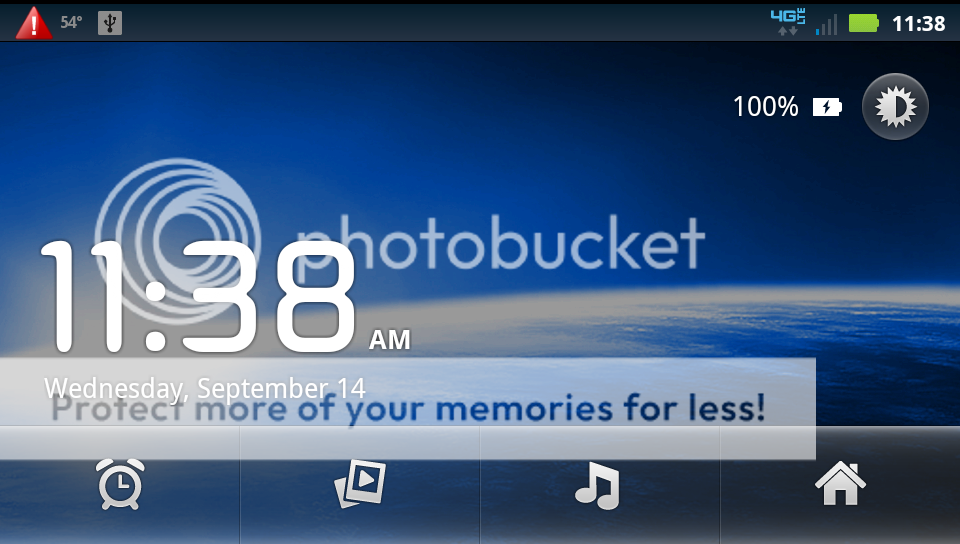
Also, here's the clock App, it's the same app that comes up when you use the Desk Dock on the OG Droid.
DeskClock.apk - Dropbox
Pictures of the App:
Portrait:
Landscape:
Thanks! I'm noticing the messaging app isn't showing contact photos. May have to play with it.
I got way to used to my OGD.
I don't know about the contact photos. I usually don't text and I don't use contact photos. I actually just recently dropped down to the 250 texts per month plan bedsides I was only sending like 20 per month.
If you want any of the other apps from the OG Droid let me know and I can pull them and test them on my phone to see if they work.
Great discovery, however I seem to be having a bug where I would get 2 of the same text.
I set the original droids messenger as the default. but it seems like the Bionics is still trying to work.
Reopen the Blur Text Message App.
Press Menu > Messaging Settings > Scroll Down > Uncheck Notifications at the bottom of the page.
Now you should only receive notices from the Messaging App.
EDIT: Actually upon further digging it appears that both apps are using the same settings file somewhere.
Reopen the Blur Text Message App.
Press Menu > Messaging Settings > Scroll Down > Uncheck Notifications at the bottom of the page.
Now you should only receive notices from the Messaging App.
EDIT: Actually upon further digging it appears that both apps are using the same settings file somewhere.
I, too, installed the Mms.apk, and now I am also receiving duplicate messages. Is there any update on how to fix this issue?
TIA,
Vaudun
I know I'm a little late, but if you use Handcent, you can select the old android emoticons if you like.
Well, I tried Handcent, and don't care for it too much. I'd just like to kill the default SMS program on the Bionic and install the OGD Mms.apk.
Has anyone had any luck in this arena?