• After 15+ years, we've made a big change: Android Forums is now Early Bird Club. Learn more here.

Help Customizable Grid issue

lolroger

Lurker
I've noticed that when I set the view type to "customizable grid" in the app drawer, all my apps seem to be arranged in a very haphazard manner. To clarify, there are some blank pages between full pages as well as some pages that have only one or two apps on them. It would seem as though apps are put in an arbitrary location when they are installed since I have hitherto not made any of these customizations myself.


Do you know if there is some sort of "default" for the customizable grid view? Is there any way to reset it? I generally stick to the alphabetical grid view so it's not a huge problem; I just want to know what the underlying issue is and it can be pretty annoying when I'm trying to make folders. There are 20 some odd pages in the customizable view when I only really have 11 pages worth of apps. Any help or advice would be appreciated--please let me know if I can clarify anything.

Thanks!
 
i never had this happen, but an old pc trick is "when in doubt, turn off".

so, try turning off your phone, without the charger in, and then wait 30 seconds, then turn on.

we all forget these phones are really computers, which also happen to make calls.

i have found when my phone, be it my old captivate or my sgs2 acts up or weird, turning it off and waiting 30 seconds, then turning it on, has always fixed strange problems.

however, i have never had this happen.

good luck!
 
I'm having the same issue. I have my application screen set to the customized view grid. I have all my apps set in the order I want them in and save it. I notice that my phone will change the order of my customized grid. It'll place my apps in new pages and in a different pages I did not put them in. I notice this happens when I when I have a few apps open at the same time and I exit out of them. My phone will take a few seconds to load to the main menu screen and then when I go into my application screen my apps are all over the place.

Could this just be from having too many apps on my phone? I don't have that much apps and I only run about 3 to 4 apps at the same time.

It's very frustrating and annoying because I have to reorganize my apps every time it does that.
 
I'm having the same issue. I have my application screen set to the customized view grid. I have all my apps set in the order I want them in and save it. I notice that my phone will change the order of my customized grid. It'll place my apps in new pages and in a different pages I did not put them in. I notice this happens when I when I have a few apps open at the same time and I exit out of them. My phone will take a few seconds to load to the main menu screen and then when I go into my application screen my apps are all over the place.

Could this just be from having too many apps on my phone? I don't have that much apps and I only run about 3 to 4 apps at the same time.

It's very frustrating and annoying because I have to reorganize my apps every time it does that.

Ok so I figured out why my phone is doing that. In the settings menu, in the motion setting, I have it set on panning. I must be holding an app and turning my phone at the same time so it moves my app to a different page. D'oh! I turned the motion setting off hopefully this well not be an issue anymore.
 
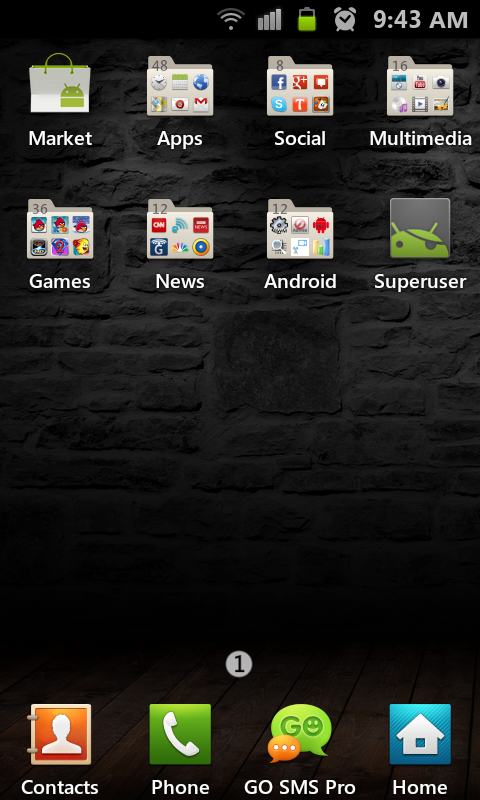
You can always organize your applications into folders inside your App screen. That way they stay put, AND you can find them much easier.

SC20120112-094347.png
 
i too have the same problem, but i have galaxy s plus GT-9001 with android 2.3.6 and could not figure out motion setting or panning setting :(
 
Back
Top Bottom