Incorrect.
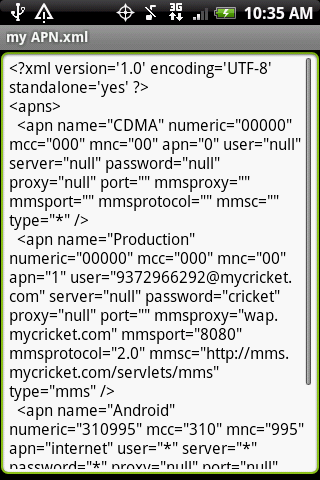
MMS/wap, etc connections are stored inside of a file in the android OS for CDMA. You must edit this file, it is editable without rooting by using an app in the market.
Download APNBACKUPRESTORE from the market (FREE)
Choose Backup APN
Mount your phone through USB on your computer, A file will be on your SD card that you can use notepad/textedit to edit these settings, your MMS settings will be listed inside of that text file, change them to what they need to be. Save the file (make a backup of it just in case something gets messed up so you can restore it to defaults).
Unmount from USB, go to Apnbackuprestore
restore the file.
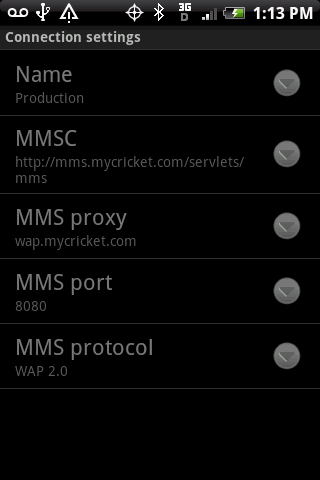
Go to Messages>menu>settings>connection settings
Your settings will now be changed permanently.
You can restore to default settings inside of messages settings menu also instead of restoring from your backed up APN file to make things easier.
-steve



 Thanks for backing me up Steve.