• After 15+ years, we've made a big change: Android Forums is now Early Bird Club. Learn more here.

Root [International] Need help with flashing google apps on custom rom

grantoid

Newbie
I flashed SuperNexus rom on my phone but forgot about the googleapps file.

When the phone booted I realised they were missing. I then copied and pasted the googleapps file to the internal memory again and booted my phone into recovery. When I tried to install the zip from my phone memory these were the only options available...

0/
legacy/
obb/

Why are there only three folders in my internal memory after installing the rom?

I plugged my phone into my PC to make sure googleapps was definitely in the internal memory and it was there. How can I get them on my phone now...is it possible to flash them through odin? :confused:

Edit - when I try to mount sdxc card it says damaged sd card
 
I think I need to reformat the card through a program on my PC. I'll worry about that later though. For now I just need to know how to get the google apps on my phone. Can anyone help me with that?
 
Is the Gapps zip on the root of internal storage or still in download folder mate? It shouldnt be in a folder :thumbup:
 
Is the Gapps zip on the root of internal storage or still in download folder mate? It shouldnt be in a folder :thumbup:

Not sure what you mean pal, most of this stuff goes over my head! :)

I copied the file and pasted it to the internal memory of my phone when it was plugged to my PC. I didn't put it in a folder in my phone memory. But it's still in a folder on my PC, if that's what you meant?
 
I don't understand what you mean?

The reason recovery shows folders called 0 and legacy is because recovery isn't aware that the latest version of android has moved /sdcard (internal sd)

On the s3 /sdcard used to be in /data/media. Recovery by default looks here to show you your files. However, its been changed now to /data/media/0 so all your files have moved into 0. So you must go into 0 to find the files.

Legacy is the same. 0 and legacy both point to the same place. Either of those options should show you the same data
 
No i meant on the phone. If its just in internal memory (internal memory is called Sd Card or SdCard0 on the s3.. confusing i know) then you should be able to see it in recovery and flash it.
Can you see it on a phone file explorer? try the My Files app that came included if u dont have a different one and make sure the file is where it should be
 
The reason recovery shows folders called 0 and legacy is because recovery isn't aware that the latest version of android has moved /sdcard (internal sd)

On the s3 /sdcard used to be in /data/media. Recovery by default looks here to show you your files. However, its been changed now to /data/media/0 so all your files have moved into 0. So you must go into 0 to find the files.

Legacy is the same. 0 and legacy both point to the same place. Either of those options should show you the same data

Worked a treat. Thanks!

Ahh. listen to SU mate. I didnt know this :thumbup:

I appreciate your help too mate. :)
 
I've got my pics and music but just noticed I have no contacts and my saved games are back to the start. How do I get those back?
 
Contacts come back when you sign into any of the Google apps providing they are Gmail contacts.

Did you titanium backup or anything before flashing?
 
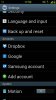
You should have contacts if they were sync'd to google. Is GOOGLE under ACCOUNTS in settings like this?
1363716045151.jpg
If not, Add Account, Google.

To save game progress etc you would have to have backed up app data using an app like Titanium before u flashd the rom mate sorry :thumbup:
 
Contacts come back when you sign into any of the Google apps providing they are Gmail contacts.

Did you titanium backup or anything before flashing?

I did do a back up with titanium so I'll hopefully be able to get them back through that. Cheers

You should have contacts if they were sync'd to google. Is GOOGLE under ACCOUNTS in settings like this?
View attachment 51273
If not, Add Account, Google.

To save game progress etc you would have to have backed up app data using an app like Titanium before u flashd the rom mate sorry :thumbup:

Yeah I do have a google acount and synced before I backed up but for some reason they didn't transfer. No worries though :)
 
just install titanium backup from the market and open it and go to batch and restore missing apps + data. you should get all apps and data back. If i am not mistaken i think u can restore contacts from titanium also just search for contacts it should show up in red colour just restore that.
 
Back
Top Bottom