• After 15+ years, we've made a big change: Android Forums is now Early Bird Club. Learn more here.

xScope, a multitouch pinch zoom browser

Just bought this, thanks for your great work! Is there any chance of organizing favorites at some point? I like to sort things in a order I prefer like in IE. Also, can you make a permanent "windowed" option in the future as well?

@zippy...
I'm sure Xscope will answer you soon, but I suspect you are referring to the notification bar disapearing when you select windowed. If this is the case....

goto settings and uncheck "Swipe for notification bar"

it will then stay permanently "windowed" if this is what you were getting at.
 
@zippy...
I'm sure Xscope will answer you soon, but I suspect you are referring to the notification bar disapearing when you select windowed. If this is the case....

goto settings and uncheck "Swipe for notification bar"

it will then stay permanently "windowed" if this is what you were getting at.


Excelle2nt thanks a bunch...
 
Is there any chance we can have an option to use the Bookmarks as opposed to xScope-specific "Favorites?" I like the Sense Bookmarks widget but I would have to manually enter my bookmarks to keep them in sync with the Favorites.
 
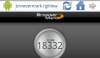
Anyone else having issues running Browsermark with Xscope? The test runs from start to finish but once it gets to the end I get a message saying something to the effect that "Browser has failed" or something like that.

Works on Stock, Dolphin & Opera from my test?

If it isn't just related to me but the browser itself does anyone know what the issue could be? Is there a bug in the software somewhere preventing it from doing a certain task?
 
I tested too. If you look carefully, you will find that somehow it skips the first test(a flash and then over to next) while the stock browser doesn't. That's the reason why it fails I think.

I will do more research on it and see what is going on.
Just tried Browsermark with xScope. It definitely has issues with it just as you said.
 
Found the problem.
I will upload a fix later.

Anyone else having issues running Browsermark with Xscope? The test runs from start to finish but once it gets to the end I get a message saying something to the effect that "Browser has failed" or something like that.

Works on Stock, Dolphin & Opera from my test?

If it isn't just related to me but the browser itself does anyone know what the issue could be? Is there a bug in the software somewhere preventing it from doing a certain task?
 

Attachments

  • browsermark.png
    browsermark.png
    39 KB · Views: 83
Thanks dev for this amazing browser.
I just purchased for the task and file management abilities.

1)I would love to use the bookmarks widgets that are built into my phone or I would love to have an xscope favorites widget just because I don't want to load the whole app, then go to home then click the link I want if I could just click IMDb (for example) from my home screen.

2)I need your help! Other browsers I have tried have not given me this problem so I'm hoping there is a quick fix. I do not want the "mobile" sites to be the default all the time. Or if they are the default, I should be able to override it to go to the full site. Not all websites have a link at the bottom to toggle between mobile and full sites so for those sites I should be able to go to the address bar and delete the part of the address that formats it for mobile phones. On xscope when I do that it still goes back to the mobile version.

Thanks in advance for your help!
 
2)I need your help! Other browsers I have tried have not given me this problem so I'm hoping there is a quick fix. I do not want the "mobile" sites to be the default all the time. Or if they are the default, I should be able to override it to go to the full site. Not all websites have a link at the bottom to toggle between mobile and full sites so for those sites I should be able to go to the address bar and delete the part of the address that formats it for mobile phones. On xscope when I do that it still goes back to the mobile version.

Go into the Settings and change the User Agent to "Desktop." I believe you can even do that globally or just for individual sites.
 
For 1) maybe you can try this:
1. Make xScope as your default browser (clear stock browser default if necessary)
2. Create a shortcut of your bookmark.

Then effectively, clicking on the shortcut will launch xScope to load the bookmark.


Thanks dev for this amazing browser.
I just purchased for the task and file management abilities.

1)I would love to use the bookmarks widgets that are built into my phone or I would love to have an xscope favorites widget just because I don't want to load the whole app, then go to home then click the link I want if I could just click IMDb (for example) from my home screen.

2)I need your help! Other browsers I have tried have not given me this problem so I'm hoping there is a quick fix. I do not want the "mobile" sites to be the default all the time. Or if they are the default, I should be able to override it to go to the full site. Not all websites have a link at the bottom to toggle between mobile and full sites so for those sites I should be able to go to the address bar and delete the part of the address that formats it for mobile phones. On xscope when I do that it still goes back to the mobile version.

Thanks in advance for your help!
 
Just got a Moto Droid. Stock browser is poo. Tried Dolphin (too confusing), then Opera (okay but text is almost impossible to see) and based on information here, decided to try xScope.

YAY! It's pretty! It works great! The icons/menus are clean and logical and intuitive. I am very happy. I do like the techy stuff, but the first thing that captures my eye is the looks and simplicity of use. You've definitely captured that!

A few questions:

1. Did you get enough money to pay for the bird? :p

2. When I click on the icon in the app market, it reads, "THE fastest? READ 'Tutorial'. If you don't read yet complain, I will laugh at you"

This should be changed whether its a joke or whatever. This should be a one or two liner that grabs someone's attention and makes them want to download your app. Right now it seems to be an insult. If it were not for the reviews on this forum, I would have passed it by due to that alone.

3. An idea for an icon . . . have an android looking figure in a white shirt open to reveal the globe with a white X on it. Kinda like superman opening his shirt to reveal the "S".

 
Thanks a lot for the feedback!
I think I am going to throw a thanksgiving party this year. Bring your own beers. Birds are on me :D
The icon for the lite version is from a contest in the past week. It is differernt from the paid version. But eventually they will be the same.

Just got a Moto Droid. Stock browser is poo. Tried Dolphin (too confusing), then Opera (okay but text is almost impossible to see) and based on information here, decided to try xScope.

YAY! It's pretty! It works great! The icons/menus are clean and logical and intuitive. I am very happy. I do like the techy stuff, but the first thing that captures my eye is the looks and simplicity of use. You've definitely captured that!

A few questions:

1. Did you get enough money to pay for the bird? :p

2. When I click on the icon in the app market, it reads, "THE fastest? READ 'Tutorial'. If you don't read yet complain, I will laugh at you"

This should be changed whether its a joke or whatever. This should be a one or two liner that grabs someone's attention and makes them want to download your app. Right now it seems to be an insult. If it were not for the reviews on this forum, I would have passed it by due to that alone.

3. An idea for an icon . . . have an android looking figure in a white shirt open to reveal the globe with a white X on it. Kinda like superman opening his shirt to reveal the "S".
 
Oh forgot:
whoever has a one liner joke that makes people reading the tutorial, please post it here!

I meant that when people see the description for your app, they should see something like, "Download this browser to see what everyone is talking about! The tutorial is a must read!"

Make more sense? :confused:

p.s. I didn't get the Russian tutorial joke. Is it a movie reference?
 
Back
Top Bottom