• After 15+ years, we've made a big change: Android Forums is now Early Bird Club. Learn more here.

Root [ROM] Android 2.2 FroYo - Brought to you by MDW (OC & Flash 10.1!)

Only thing not working is Google Maps, I cant get it to install for some reason, any suggestions?
The Market showed Maps as free and erred out when I tried to install it, but then I realized that it was already included in my apps. I'm thinking FroYo may already have a more recent version than is currently on the Market? I ran the app and it has me pinpointed dead on my house. Under stock 2.1 I always had it to within 2500 foot accuracy. Sure you don't already have a version in your app tray?
 
Good luck bricking your Droid...I suppose it's theoretically possible, but I have never seen or heard of it happening (except for a few devs who where working on specific roms in the creation process)...


I never said I bricked my Droid, I was saying when I rooted back in late Dec. early Jan. I read and read and read some more to make sure I did not brick it. I was new to Android and a friend bricked his G1 and that scared the crap out of me so before I tried anything I knew what I was doing.
 
OK, I tried to run Titanium Backup, and when it asked for Root, I said yes, but it failed to achieve it - do I need to go through the problems button to DL busybox?
 
I never said I bricked my Droid, I was saying when I rooted back in late Dec. early Jan. I read and read and read some more to make sure I did not brick it. I was new to Android and a friend bricked his G1 and that scared the crap out of me so before I tried anything I knew what I was doing.

First, I never said you bricked your Droid, I said good luck doing it, as in, it is very difficult to do.

Also, I must apologize...I misread your post and thought you where saying you didn't want to root because you might brick your Droid...Sorry about that...
 
Maps is already installed. Just ignore the market when it says there's an update or it's free. I also unchecked autoupdate for it.

Maps works just fine, btw. I used it to navigate this morning.
 
Everything's working great for me with the updated 1.0GHz - at first it was a bit sluggish, as others mentioned, but I suspect that's the stock launcher. Went back to LP and it's like butter, a tiny but noticeable improvement over the 5.0.7.1 I was already happy with. :D Stuff like the camera, gallery, etc are snappier. I also really like the new Exchange stuff, wondering whether to use that over Touchdown now. Hmm.

Also, the only problem I can't figure out yet is ROM Manager - when I try to run fix permissions, it goes to the screen then errors out with 'An error occurred while attempting to run privileged commands!' No other problems so far.

edit: already tried rebooting, downloaded busybox via titanium backup and reinstalled clockwork, going to try removing and reinstalling the app itself next
 
Ok, this may seem like a very noob question but I used clockwork to flash this. I went to Nandroid-Restore and selected the folder. Should I have done a wipe first or will this wipe everything? If a wipe is needed first which options do I choose in clockwork?
 
First, I never said you bricked your Droid, I said good luck doing it, as in, it is very difficult to do.

Also, I must apologize...I misread your post and thought you where saying you didn't want to root because you might brick your Droid...Sorry about that...


Ok since we are apologizing I know you were not saying I bricked my Droid I just was not sure how you got that from my post, BUT it all makes sense now a misread, that happens to me all the time. :D

I was talking about someone who was asking "Whats the Sp and clockwork options. How do I know which one I need to assure a proper install." on another forum and did not mean any disrespect but I said "Wow, I know you have to start somewhere but really..." which was wrong of me.
 
Is HelixLauncher still on the market? I have mine backed up in Titanium Backup, but it won't restore. I hate the current launcher.
 
Ok retrying with a wipe. Will titanium backup restore all my text messages from handcent if I backed up the app + data?

I never did get it to work correctly, if I were you I'd instead get SMS Backup and Restore and back it up to and XML file on your SDCard that you can later restore.

When I wipe the partition, do I wipe from front to back or back to front?

Huh? You mean the order? order is irrelevant - just be sure to wipe them all.
 
NexBeast v1 is just TOO PERFECT on my phone. So, I'm gonna hold off on this until there's a more stable version (preferably a BB/NexBeast creation).

I'm with you on this. I bet Pete's been on this already, so I'm gonna wait and see what he comes up with rom-wise. BB1.1 is flawless on my Droid and the last thing I want to do is mess that up.
 
Hulu works, and Kongregate games work great. The ROM is a little sluggish but I trust Pete and Fab to put some sweet tweaks on it and smooth it out like NexBeast. I'm still using ADW launcher because the factory launcher has the lag while scrolling. The browser scrolling could be better.

All in all, I LOVE IT! And I can't wait for all the new ROMs to come out based on 2.2. :D
 
have been trying to get htc_ime to run but FC every time i open it, have had no problems on 2.1 roms so if anybody has had any luck with this can you lead me to the correct .apk so i can install it or tell me how to configure my current download.
 
My outstanding problems:
1) Hulu claims I'm using an anonymous proxy tool when using the about:debug mode with the widget/player site. This isn't intentional so how do I fix it? Occurs on both my home wi-fi signal and 3G.
2) I don't see an option for wi-fi hotspot tethering
Anyone having similar issues or know of a fix?
 
Thanks! I completely overlooked that as I've gotten off that SP Recovery. It's been added to the OP as well.


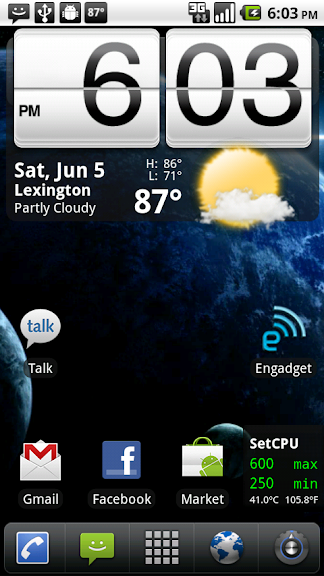
On another note...I find the default theme a little refreshing. Maybe it's just the delicious froyo getting to my head.

froyo.png


also.....Fab how do you get your icons colored and not grey on launcherpro....have browsed the preferences but i must be missing it. Thanks
 
I'm having a problem with the OC kernels. I've got 2.2 running, and I'm rooted again. All of the kernels I've tried won't install. I downloaded them, renamed to "update" (not update.zip, since it's already a zip file), and put them in the root directory on the SD card.

When I boot into SPRecovery, go to Install, Install /sdcard/update.zip (deprecated), I get:

Finding update package...
Opening update package...
Verifying update package...
E:update.zip install blocked
Installation aborted.


Can't get past this part. Can I get a little help?? :D
 
Whoosh! That's the sound of the joke whizzing over your head :p

At first I thought it *was* a joke, then I though "What if he really is serious?"

I've been reading the DF thread too damned long lmfao....

have been trying to get htc_ime to run but FC every time i open it, have had no problems on 2.1 roms so if anybody has had any luck with this can you lead me to the correct .apk so i can install it or tell me how to configure my current download.

That IME is probably for 2.1 ROMs and thus will not work on 2.2 - that would be my guess, anyway.
 
Back
Top Bottom