• After 15+ years, we've made a big change: Android Forums is now Early Bird Club. Learn more here.

Help 2 home areas

So there's a main home screen and then another area with applications.

Why not just put all those applications on the main home screen area? Am I missing something here. Why did they do this?
 
I like to set up different screens for different things. My main home screen has large calendar and weather widgets on it so I can just see at a glance when my appointments are without the surrounding clutter. The next screen has things I use all day, like news updaters, notebook, etc. Third screen has travel apps (e.g. Delta, FlightAware), fourth screen has games and less frequently used stuff.
 
So there's a main home screen and then another area with applications.

Why not just put all those applications on the main home screen area? Am I missing something here. Why did they do this?

That's just the way Android has ALWAYS been. It's not like the iPhone.
 
home screen vs app draw.

That's the beauty of Android, unlike the iphone where the apps are placed there no matter what, with android you have the choice to make the home screens anyway you like. Plus you have access to widgets. If you want to make your phone feel like an iPhone then just go into your app draw, long press on an icon and drag it to the home screen.
 
I have a bunch of apps on my phone that I use maybe once a month. I have other ones I use 10x a day. Why have them all visible when I only need to see the most-used ones?
 
I have a bunch of apps on my phone that I use maybe once a month. I have other ones I use 10x a day. Why have them all visible when I only need to see the most-used ones?

That's the thing. I want to delete the necessary app shortcuts (clock, contacts, settings, etc.) from that application screen because I already brought them out to the home screen, but I can't delete them from the app screen.

So I have shortcuts both on the home screen and on that application screen.

It would've been much more useful to only have 1 set of home screens and then allow us to create an application folder or some variant.
 
I guess it just depends on how you want to use it.

I think of the app shortcuts on the home screens as being like the shortcuts on your Windows desktop, or in the dock on a Mac -- often used ones you don't have to hunt for.
 
That's the thing. I want to delete the necessary app shortcuts (clock, contacts, settings, etc.) from that application screen because I already brought them out to the home screen, but I can't delete them from the app screen.

So I have shortcuts both on the home screen and on that application screen.

It would've been much more useful to only have 1 set of home screens and then allow us to create an application folder or some variant.

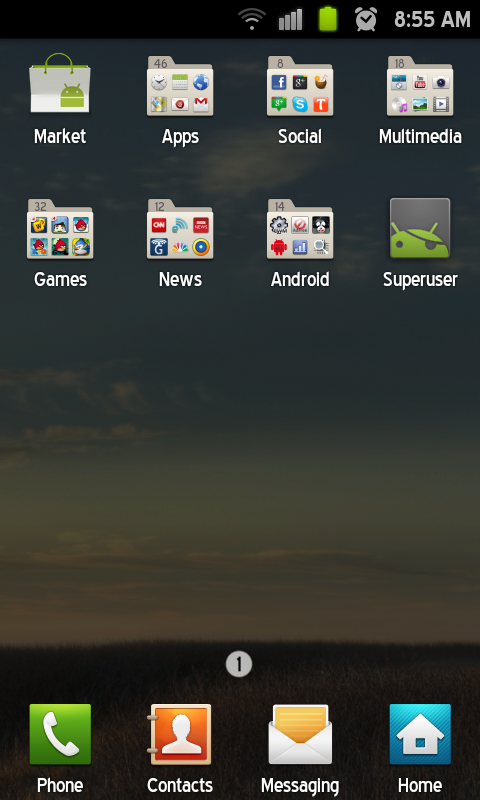
Why don't you just put all of your apps into folders INSIDE of the Application screen instead of dragging apps out and putting them all over your homescreens?? That's what I did. Only took me about 5 minutes after I got the phone to figure it out......

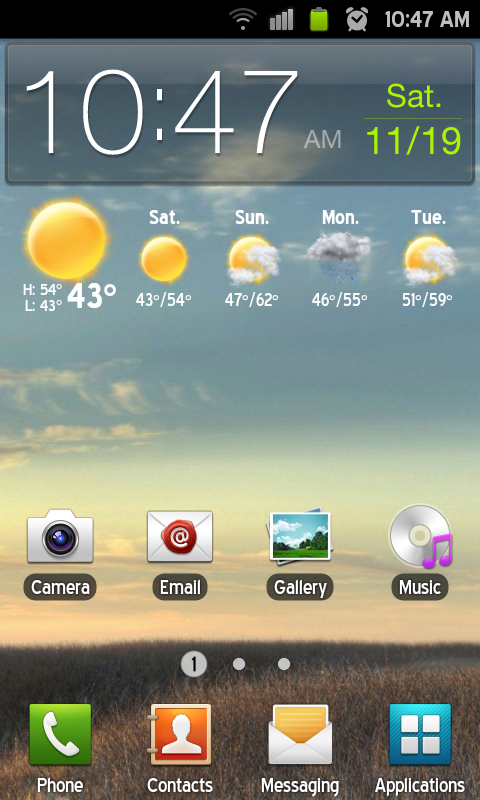
Homescreen:

SC20111119-104735.png


App Screen:

SC20111118-085518.png
 
Damn, that's a clean app drawer. I like touchwiz but I'm not really happy with the folder interface so I switched to Go Launcher which is a bit easier to update and maintain. Do you have any issues?

Also OP, if you really like the iPhone style you could flash the MIUI rom which would offer that sort of look.
 
I love the 'in app drawer' folder interface. I have never had any problems with it. :) Easy to drag and drop apps into folders.
 
Back
Top Bottom