

Dr0idWhisperer
Android Enthusiast
I have to say I have been a long time user of ADW EX so maybe Im biased but they have just updated and I have to say...ITS AWESOME!!! I believe they updated adw and adw ex both. So I just wanted to help people be aware that if you were using adw before it might be time to give it another try! Here are some pix but really the magic is in the settings...so many transitions (for home screen and app drawer) and indicator types and just quite a few new customization options. Like I said I really feel that its worth a look. BTW Im using ROM #2 2.5.4 with bits an pieces of the free ics theme from the play store so your results may vary! PICTURESSS!!!
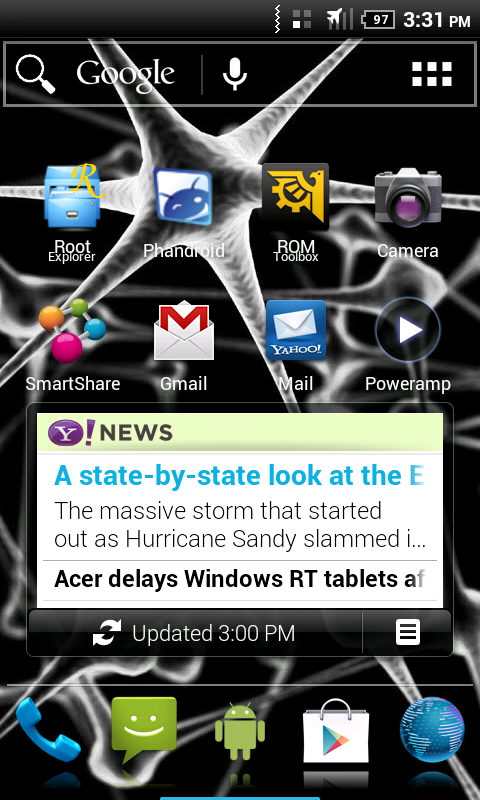
Home screen. Note the "action bar" at top (its removable). A lot of people commented they dont like it coz it makes the screen size overall smaller but I liked it and it also has different options for the way it looks!
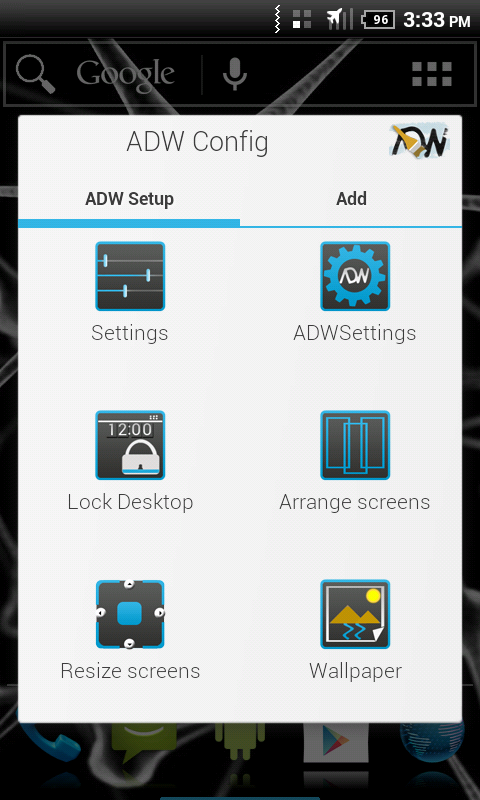
New settings menu (menu hard button) meh. is ok with me.
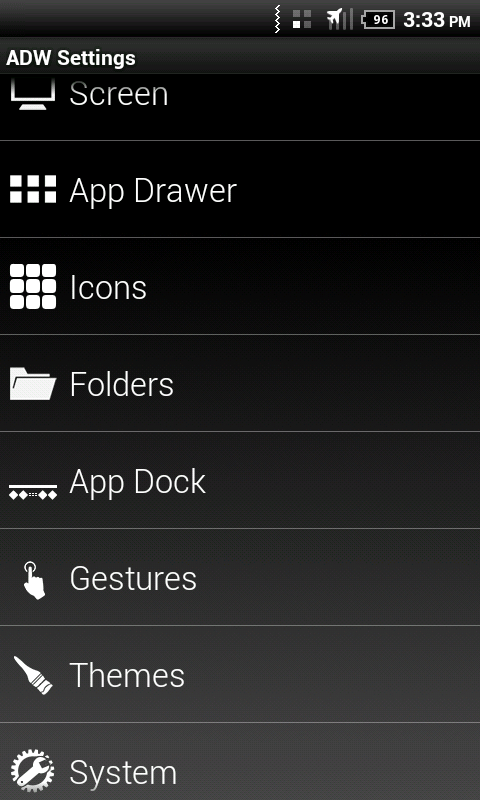
Inside the adw settings. *EDIT* I also forgot to note that if you see the gestures settings option there they have added support to configure MANY MANY different 1 and 2 finger gestures which is kinda cool to me. Also the theme selector area has been completely redone, I wish I had snapped a few pics of it but you'll just have to find out for yourself! =) It does include some nice dropdown boxes for selecting different elements of different themes to piece together your own ultimate theme!
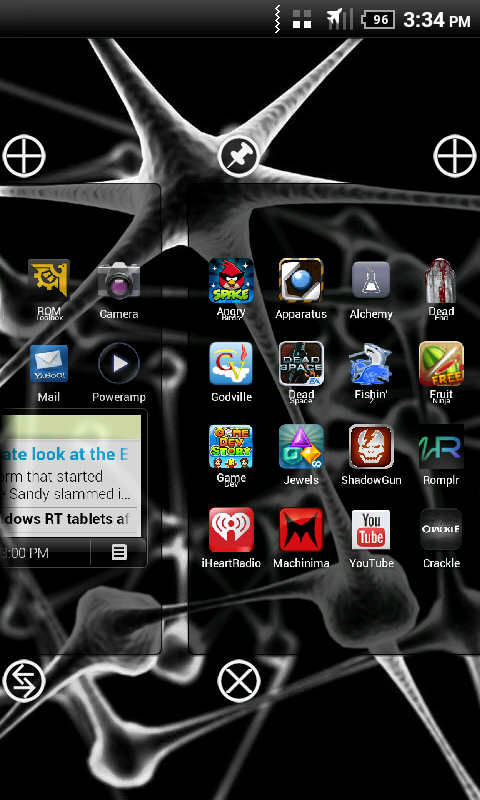
Arrange screens option
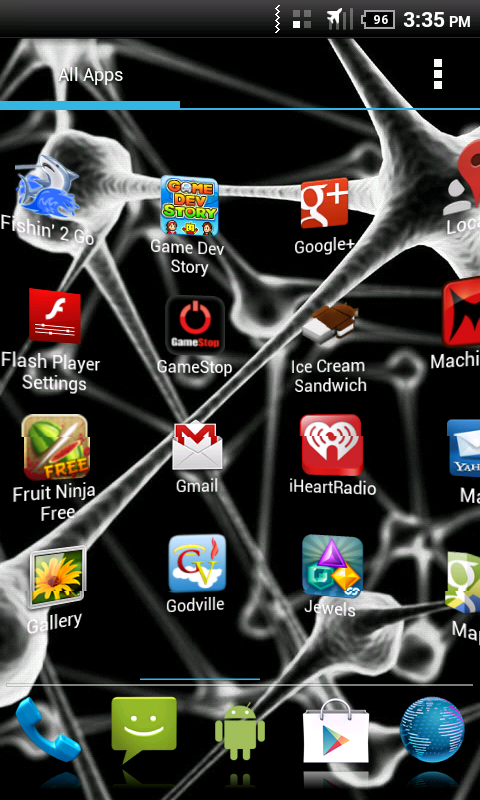
Me scrolling through the app drawer with "wall" animation. Its not the app that made it choppy in the middle that was something with the screenshot.
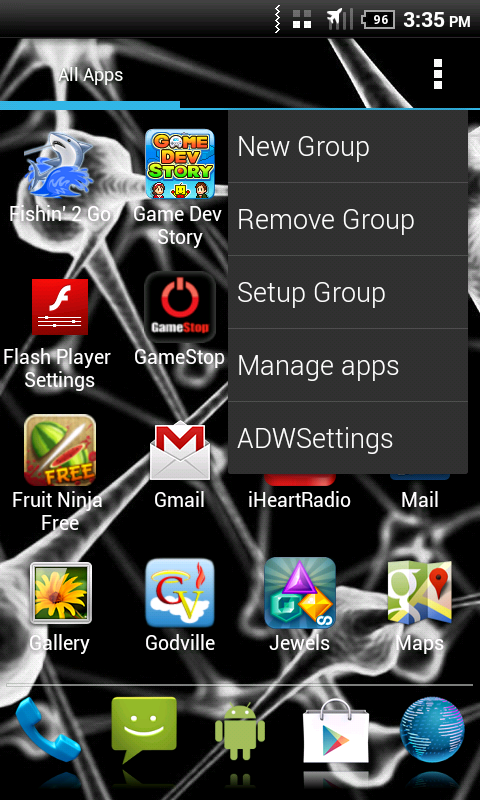
App drawer menu
So anyways, I hope you like and found this useful!
Home screen. Note the "action bar" at top (its removable). A lot of people commented they dont like it coz it makes the screen size overall smaller but I liked it and it also has different options for the way it looks!
New settings menu (menu hard button) meh. is ok with me.
Inside the adw settings. *EDIT* I also forgot to note that if you see the gestures settings option there they have added support to configure MANY MANY different 1 and 2 finger gestures which is kinda cool to me. Also the theme selector area has been completely redone, I wish I had snapped a few pics of it but you'll just have to find out for yourself! =) It does include some nice dropdown boxes for selecting different elements of different themes to piece together your own ultimate theme!
Arrange screens option
Me scrolling through the app drawer with "wall" animation. Its not the app that made it choppy in the middle that was something with the screenshot.
App drawer menu
So anyways, I hope you like and found this useful!


 i feel quite stupid for posting this now if its been out forever. lol

 I hate being out of the "loop" on these things it makes me all confusded. lol. Either way I'm liking it.
