• After 15+ years, we've made a big change: Android Forums is now Early Bird Club. Learn more here.

Root APN settings

JerrysKids:
Go back to apn unlock. Launch it. Click on apn unlock. Go back to apn settings.
For name make sure it says:
MetroPCS

For apn:
fast.metropcs.com

Then click on settings. Select save.
You should now get your network connection back.
 
Don't change the name to t mobile only the apn . And like said before it has to be like this Fast.t-mobile.com. I live in okeechobee fl and before I changed the settings I only got 1 mb download and 500kb upload speed. Now I get 3mb download speed on a slow day.
 
Ok. Will try leaving the name MetroPCS, but change the apn to Fast.t-mobile.com
Edit: Still no dice. Changed back to default and connected right up.
 
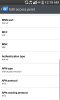
Check your apn protocol, it was ipv6 for me, and didnt work, i changed to ipv4 and it worked like a charm
 

Attachments

  • 1405581858148.jpg
    1405581858148.jpg
    35 KB · Views: 93
I added an apn instead of using an app to change mine due to fear of some type of brick, I kept everything the same but changed just the apn name to Fast.t-mobile.com and the apn protocol to IPv4, works as stated! Not much of a gain north of Tampa Bay Fl, but something is better than nothing! I also called Metro, told them my internet speeds sucked, they reset something, maybe radios or something, had me power down and remove the battery and sim card for a few minutes, and when I rebooted it was like a brand new internet, then switched to the new apn setting, even better! Thanks for the help and info!
Edit: I have found that not all websites work with this -tweak- probably due to changing the IPv6 to IPv4, but the majority do work. Just something I've noticed since I tried this...
 
Back
Top Bottom