
Install the app
How to install the app on iOS
Follow along with the video below to see how to install our site as a web app on your home screen.
Note: This feature may not be available in some browsers.
-
After 15+ years, we've made a big change: Android Forums is now Early Bird Club. Learn more here.
You are using an out of date browser. It may not display this or other websites correctly.
You should upgrade or use an alternative browser.
You should upgrade or use an alternative browser.
Help batterystats.bin push question
- Thread starter momopebl
- Start date
-
- Tags
- samsung behold 2

carbontulip
Lurker
Hey guys,
I quickly threw together this battery calibration app - enjoy!
Please note: for ROOTED phones only and use at your own risk.
the file was removed for some reason (may be you guys have complained about it being a malware, LOL)
I quickly threw together this battery calibration app - enjoy!
Please note: for ROOTED phones only and use at your own risk.
the file was removed for some reason (may be you guys have complained about it being a malware, LOL)
j0hnh0lmes
Android Enthusiast
Do not use above ^^ could be fraud as he only has 1 post. Probably mal-ware of some sort.

Some explanation of how the app works would certainly be welcome. Downloading unverified files from download hosts isn't the safest behaviour. 
carbontulip
Lurker
Do not use above ^^ could be fraud as he only has 1 post. Probably mal-ware of some sort.
app screens:
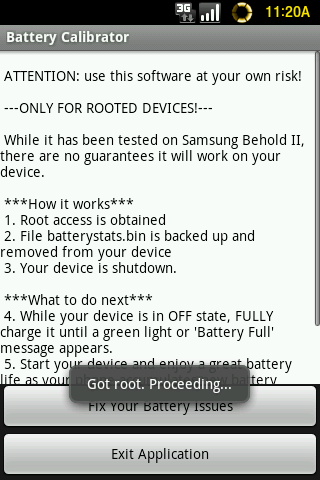
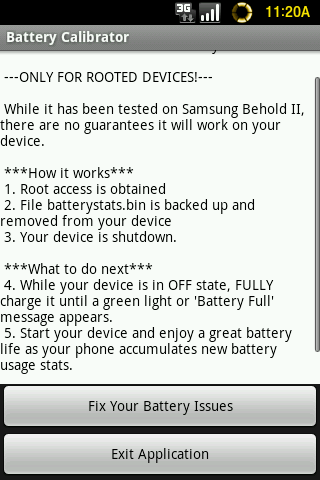
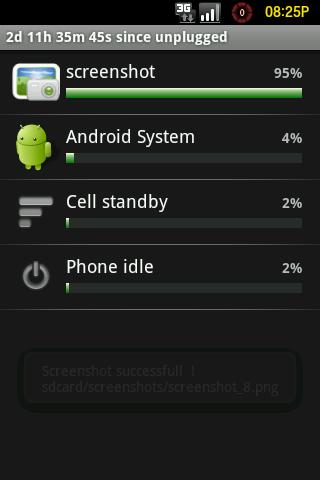
no malware in my app. The UI is not sexy as this was a quick app, but this is my screenshot:

carbontulip
Lurker
Some explanation of how the app works would certainly be welcome. Downloading unverified files from download hosts isn't the safest behaviour.
Hey Slug,
It is easy:
1. delete batterystats.bin when your battery is close to 0%
2. turn off the phone
3. charge the phone FULLY OVERNIGHT - this means full charge
4. turn the phone on in the morning and voila! your batterystats.bin regenerates, starts from 100%
I basically replicated the steps for removing the batterystats.bin file but without using ADB or executing any *NIX commands. That is why the root is needed so the files can be removed from the system and the phone may be shutdown.
I am getting 2 days 11 hours from my Behold II (1.6)
removed the link to rapidshare as it is now in Markethttp://rapidshare.com/files/441901670/BatteryCalibrator.apk
carbontulip
Lurker
...and now in Android Market: Battery Calibrator ~ Android Application v1.01 By DAMO Software | Tools

Hei see this
Androinica Tip: How to fix your Android’s battery issues (rooted devices)
delete batterystat.ibn when full charge or delete batterystat.bin when battery is close to 0%??? help me pls im so trouble
Androinica Tip: How to fix your Android’s battery issues (rooted devices)
delete batterystat.ibn when full charge or delete batterystat.bin when battery is close to 0%??? help me pls im so trouble