• After 15+ years, we've made a big change: Android Forums is now Early Bird Club. Learn more here.

Help Can't sync with my gmail account

Hi

I can't set auto sync with my gmail account. If i need to see my mail i just sycn in that moment but if i erase mail i will need to go to my laptop to 3rase too. Any help?
 
Are you using GMail app or Email app?

If using GMAil app, do you have the setting for syncing GMAil checked under accounts?
 
Yes i did that but only appears to do manual. Like i press the phone sync, download the email and that's it. Is basically the same when i go to the app and do refresh/sync.

Can you take a pic and post or send me to my email (duarteoliveira95@gmail.com)
 
Yes i did that but only appears to do manual. Like i press the phone sync, download the email and that's it. Is basically the same when i go to the app and do refresh/sync.

Can you take a pic and post or send me to my email (duarteoliveira95@gmail.com)

Set up label sync then. I am not willing to use my email address to send anyone anything.
 
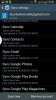
1370284079887.jpg1370284099966.jpg
 
So in the pic where it says your account is not being auto synced and the button to Turn gmail sync on, that doesn't work?

You may want to remove the pics and your email address. You never know what some evil person may spam.
 
I had the same issue, go to Settings -> Data usage -> menu key - > Auto Sync Data needs to be ticked. This fixed it for me.

Let me know if this helps.
 
Someone kiss this guy because he is a star on my book. He enter and bang solved the problem.

You should lock this topic because apparently is something that no one from your team knew it that can happen.
 
Oh one more thing. I'm on 3 with all-you-can-eat data so I'm not worry about when the gmail check, but my girlfriend who have the same issue from above in her galaxy 2. Where does she needs to tick for the gmail only check when she arrives home on the wi-fi?
 
I have figured it out.
I had this problem for almost 2 months. But I fix it today. Anyways

1. Go to Settings
2. Go to Application Manager
3. Go to manage application click the tab (All)
4. Find the following and Clear their Data by clicking "Clear Data"
(1)Google backup Transport
(2)Google calander sync (3)Google Contact sync (4)Google Partner set up
(5)Google Play services (6)Google services Framework.

And you are Done
Problem Fixed. Cheers
Go and Sync Your Account(Gmail)
i hope it works for you.
just signed up to help :)
 
Back
Top Bottom