• After 15+ years, we've made a big change: Android Forums is now Early Bird Club. Learn more here.

Change home page on Dolphin browser?

nathanotis

Android Enthusiast
Anyone using the most current Dolphin Browser? I can't find anywhere to set my own home page... Am I missing something?

Thanks.

 
Anyone using the most current Dolphin Browser? I can't find anywhere to set my own home page... Am I missing something?

Thanks.

I have not tried. The dev of that app incorporated adds into his landing page as a way to create revenue for the browser without having ot charge for it.

I say, if you like it enough to make it your primary browser, leave it and help support the dev so he will keep up the good work.

Just my .02
 
I may have found a way on my Droid.

Go to settings inside the browser (menu button then arrow for more options) then scroll down to system settings, here you should see the option to set the home page. Hope that works!!!
 
How about being given the option to keep the old version in exchange for a little $. The new version sucks. Thank god for nandroid backups and the ability to cancel updates when they start automatically!
 
How about being given the option to keep the old version in exchange for a little $. The new version sucks. Thank god for nandroid backups and the ability to cancel updates when they start automatically!
You may want to contact the developer about that.
Holy buried settings, batman! Thanks!!
+1 for you, buddy.
lol no kidding.

Being that I finally got to root my Hero, (woo hoo), I can actually provide screen shots with the step by step I did above.

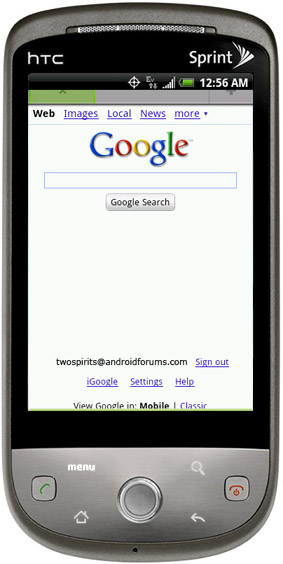
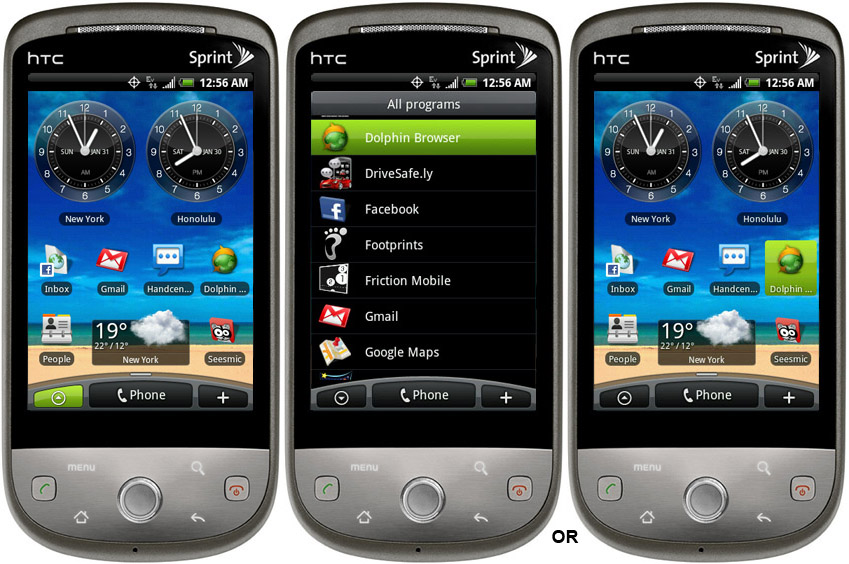
1-Open Dolphin Browser
(either by the application drawer, or from a icon on your screen.)
Dolphin00.jpg

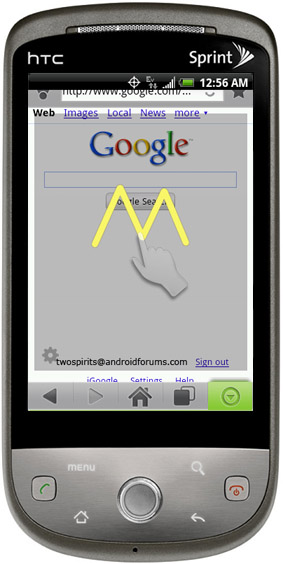
2-Click the Menu button
Dolphin06.jpg

3-Dolphin opens up, now click on the down arrow at the lower right side of the screen.
Dolphin08.jpg

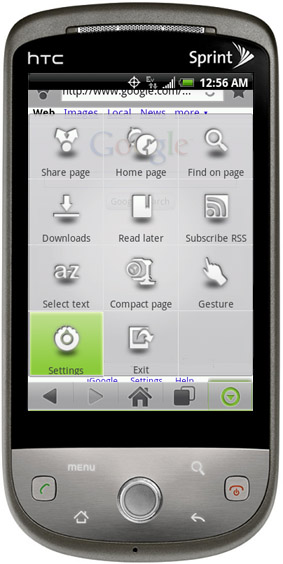
4-Select the Settings icon
Dolphin10.jpg

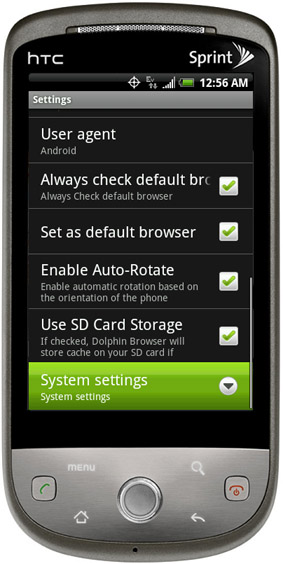
5-Scroll down to System Settings
Dolphin11.jpg

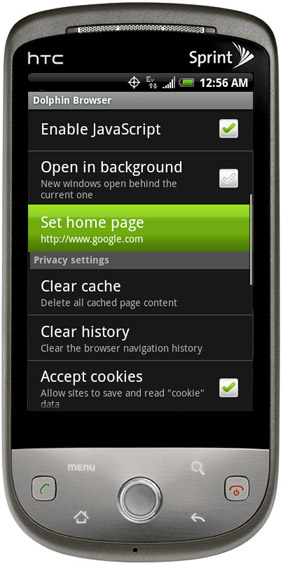
6-Scroll down to Set Home Page
Dolphin12.jpg

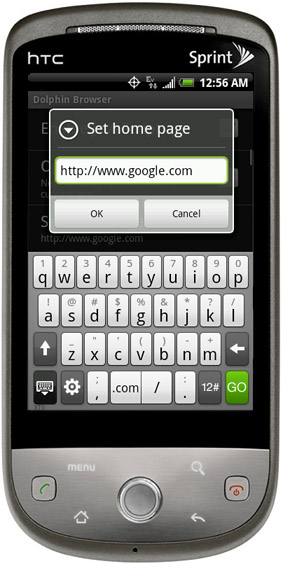
7-Enter the home page link.
Dolphin13.jpg


TS out
 
TS, unrelated to this thread, but what clock widget is that on your home screen, and is it available to NON rooted Hero users? I don't see it as an option under "Clock", on HTC widgets Thx!

added: I see a similar one, but it has a white dial vs dark,
 
1-Open Dolphin Browser
2-Click the Menu button
3-Click on the down arrow at the lower right side of the screen
4-Select the Settings icon
5-Scroll down to System Settings
6-Scroll Down to Data Storage Settings
7-Scroll down to Set Home Page
You are all set with your new home page.
 
Hi! Open Dolphin browser. Select your settings button (mine is on the far left). Select (more...). Select (settings). Select (Dolphin settings). Scroll down and you will find the option that,allows you to choose your homepage by selecting (set homepage).
 
Hi! Open Dolphin browser. Select your settings button (mine is on the far left). Select (more...). Select (settings). Select (Dolphin settings). Scroll down and you will find the option that,allows you to choose your homepage by selecting (set homepage).
Thanks Lordley,

That was great and easy to follow for a first timer to smartphones however, once I entered the home page URL and clicked enter - nothing happened. I clicked the enter key cos there was no 'save' field....so it reverts back when I leave the dolphin browser.

K
 
Back
Top Bottom