

dreze88
Well-Known Member
The Droid forum has a thread so now it's our time! I'll post from time to time but if you make some please post them here so we can have a thread only to sharing custom made LiveWallpapers, enjoy my friends.  I can't take any request since I might make an app and also I'm a father, husband, auditor and actually have things to do haha
  As always, this is at your own risk and I am not responsible for anything that happens to your phone (really nothing can happen that can't be fixed/reflashed).
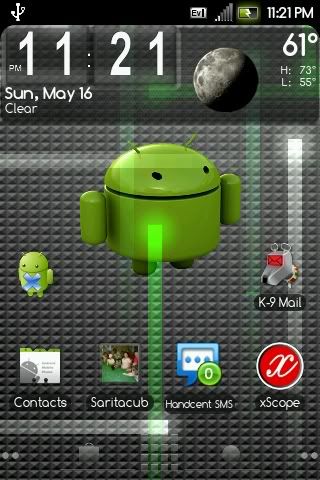
LiveWallpapersdreze88.apk
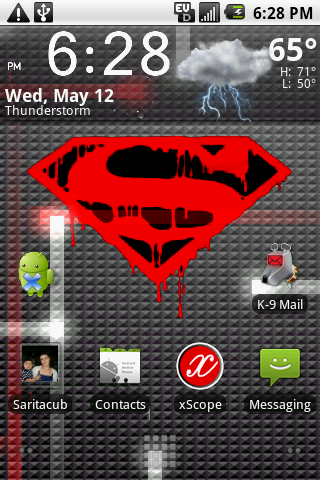
LiveWallpaperssuperman.apk

http://www.mediafire.com/?2yklyey3jdj
You can install these a number of different ways. Forget all that and let's make it easy! You must have root to do this.
1) Download file and rename to LiveWallpapers.apk
2) Place in root of SD card.
3) Open Root Explorer and go to SD card, then long press file (LiveWallpapers.apk) and select copy.
4) Back up and go to the System folder, then Apps.
5) Hit the big button on top to mount as Mount as R/W.
6) Press paste, it will ask you to overwrite file, press yes.
7) After this is done select the LiveWallpapers.apk and long press to bring up permissions. Change permissions to User- Read and Write, Group- Read, Others-Read then OK. Hit the big button on top to mount as R/O again!
8) Reboot and then long press the screen, bring up live wallpapers, then select Nexus, then enjoy!
Oh yeah, here's Root Explorer: rootexplorer.v2.9.4.apk
I can't take any request since I might make an app and also I'm a father, husband, auditor and actually have things to do haha As always, this is at your own risk and I am not responsible for anything that happens to your phone (really nothing can happen that can't be fixed/reflashed).
LiveWallpapersdreze88.apk
LiveWallpaperssuperman.apk
http://www.mediafire.com/?2yklyey3jdj
You can install these a number of different ways. Forget all that and let's make it easy! You must have root to do this.
1) Download file and rename to LiveWallpapers.apk
2) Place in root of SD card.
3) Open Root Explorer and go to SD card, then long press file (LiveWallpapers.apk) and select copy.
4) Back up and go to the System folder, then Apps.
5) Hit the big button on top to mount as Mount as R/W.
6) Press paste, it will ask you to overwrite file, press yes.
7) After this is done select the LiveWallpapers.apk and long press to bring up permissions. Change permissions to User- Read and Write, Group- Read, Others-Read then OK. Hit the big button on top to mount as R/O again!
8) Reboot and then long press the screen, bring up live wallpapers, then select Nexus, then enjoy!
Oh yeah, here's Root Explorer: rootexplorer.v2.9.4.apk

 Enjoy.