

sneaky_1
Android Enthusiast
Only thing I can find. From page 3 vm696-cm7 - cm7 port - Google Project Hosting
Follow along with the video below to see how to install our site as a web app on your home screen.
Note: This feature may not be available in some browsers.

Latest build failed for me. Back to the drawing board. This phone is a tough nut that is breaking my mind and tools. haha
 ... granting that I receive the donation phone
Ill be lending a helping hand soon enough

Cool, looks like things are starting to pull together. Seems like now everyone just needs to work together to get the phone to the people who can use it and the source codes, device trees and all.
Where's Giantpune when you need him...lol. Maybe Julian, Rukin, Jet, Downthemachine, and GP can all band together on this.
Only thing I can find. From page 3 vm696-cm7 - cm7 port - Google Project Hosting

Cool, looks like things are starting to pull together. Seems like now everyone just needs to work together to get the phone to the people who can use it and the source codes, device trees and all.
Where's Giantpune when you need him...lol. Maybe Julian, Rukin, Jet, Downthemachine, and GP can all band together on this.
Maybe your internet is sick? On my internet, it has a buildable device for cm7.Everything is empty.
Don't forget Dm47021... he's WAAAYYY more experienced than me

Maybe your internet is sick? On my internet, it has a buildable device for cm7.
Changes - vm696-cm7 - cm7 port - Google Project Hosting
/ - vm696-cm7 - cm7 port - Google Project Hosting
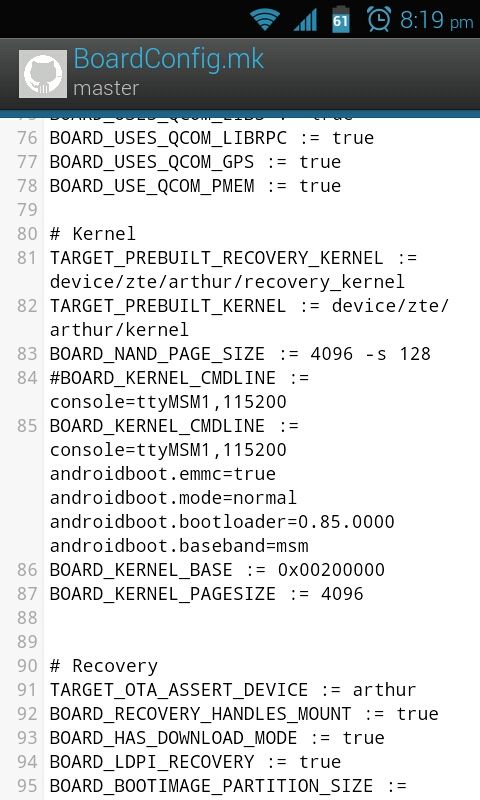
The reason for building the boot.img separately is due to the build system being broken. If you do "make bootimage" it will build it correctly, and use all the addresses that you specify in your boardconfig.mk. If you do "make otapackage" the resulting boot.img contains the incorrect ramdisk address. It comes from one of the python tools in the build process simply not checking that parameter.
I worked around this locally by creating a copy of that python tool into my device tree and hardcoding the "force-ramdisk-address" or whatever name the argument had.
The reason for building the boot.img separately is due to the build system being broken. If you do "make bootimage" it will build it correctly, and use all the addresses that you specify in your boardconfig.mk. If you do "make otapackage" the resulting boot.img contains the incorrect ramdisk address. It comes from one of the python tools in the build process simply not checking that parameter.
I worked around this locally by creating a copy of that python tool into my device tree and hardcoding the "force-ramdisk-address" or whatever name the argument had.


Currently working on a new app for the Galaxy Note 10.1, so I may have to put the development on hold for a couple of days.I will still keep you all up-to-date on the thread about my progress on the build. The good thing we have at least is more devs slowly pitching in to get development moving again for this device.Also forgot to mention If any developers want to help create the app with me I'm happy to have you aboard or even test it for me. Still learning all the ropes of app developing.
Actually... app development is my strongpoint... I began just a few months ago and have created a few of my own apps... I think ill be able to pitch in a little

If anyone just wants to get the source themselves, open up terminal on a Linux machine and type:
git clone https://code.google.com/p/vm696-cm7/