

• After 15+ years, we've made a big change: Android Forums is now Early Bird Club. Learn more here.

[FREE][Game] Sweet Cup

ykart

Newbie
Hi Friends,

I'd like to share with you my new little game called Sweet Cup.
Here is the description and hope you like it :)
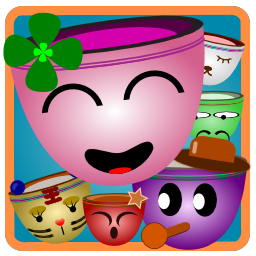
launcher_icon.png


Sweet Cup is a classic link up puzzle game with cute cup pictures.
The rule is very simple: connect two same cups to eliminate them.
Try your best to eliminate all cups as quickly as possible and 3-star score can help you earn the props.

There are 4 modes, each mode has 24 levels to wait your challenge.

Google Play: https://play.google.com/store/apps/details?id=com.ykart.game.sweetcup
 
Last edited:
Morse Code Generator is a useful tool that help you generate morse code simply and share the code to your friend easily.

Morse Code Generator also provides the training function, includes normal test and listening test. Give it a try, and you will like it.

In the latest version, it provides following functions
- Generate Morse Code simply
- A Play button to listen the sentence with morse code sound
- Provide training to help learn Morse Code

Google Play: https://play.google.com/store/apps/details?id=com.ykart.tool.morsegen

C5lgzE5RHEY9fDSvjHbaenM3wYY7hyvCvIHA8XPlaEN7cJQUlu_hYzBquUjCWI6hqtc=h310-rw
p58pz2F4DKDNAM9AbXPCCg_iTr9jt32rs-PnT_mi-8pep3WaQRiXw-gzwNfs4QKgJQ8=h310-rw
E_9_qSfoJy2emj6U4TCSHe6cntBq-rLC7OrwMaIk63HwzMQ587h4pGw3QuDaKMRQ-kg=h310-rw
 
Last edited:
It you want to use it for training, I hope it uses the Farnsworth or Koch method (or choice of either - I prefer Farnsworth myself).
 
I love to play puzzle game on my android whenever got time,it's so nice actually.Thanks for letting me know about this one,going to download it first.
 
icon.png


Hi All,

it is very pleased to let you know Handy Sidebar is been released, and any feedback is welcome. Hope you like it.

Handy Sidebar is a simple and convenient sidebar to help you launch your favorite App quickly at anytime and anywhere.

It is easy to use. Enable sidebar service first, then swipe left/right from the edge of screen to invoke the sidebar. Click "+" to add your favorite App to sidebar, or long press the app icon to remove it from the sidebar. There are at most 6 Apps could be added to sidebar (Premium version could have 20 Apps)

There are many settings you can config the sidebar includes:
- Position
- Background color
- Opacity
- Icon size

Features:
- Swipe the left or right edge of screen to invoke sidebar
- Long press on the App icon to remove it
- A shortcut icon in sidebar to launch settings page

Play store: https://play.google.com/store/apps/details?id=com.ykart.tool.sidebar
 
Running Text is a simple tool to let your message scrolling conveniently.

It can be used as a billboard for displaying slogan to your customer, or as a text board for showing message to your friend.
It provides many effects for editing. For example, scrolling speed, text size, text color, background color, blink effect, billboard effect, four scrolling direction, and a preview window to display the result in real time.

Besides, it also supports multiple line editing and display them line by line. You can try to split your message appropriately to obtain the best showing effect.

When you finished the editing, don't forget save it. Running Text can store 20 messages.

Free on Google Play
https://play.google.com/store/apps/details?id=com.ykart.tool.runningtext

i4TtTXMI37n9bqYbVs_K_iNfEZgjMnrGGmax1E0VK2Nl9tSNfL3jBF2MZEq3OkOs6vM=h310-rw
N7yLeEc35WBDDbJvM5dj3r3yDK6HoTACUwcVlkzxpQoWSyWUS1c2b3WZIARublcdEg5D=h310-rw
_BSQ7PkTEoY1un_q6IfXPpCWwFS8NawCuuYwc0oiQgCsTa_jDGGPYT2zTG6mAGYR=h310-rw
PfNlbOaH92XEHPr5UzNdcjHY6MQTAYgoEAKhyddsxJzPSsLqbmH17BjXA0Qu-Cag3_tk=h310-rw
 
Last edited:
device-2015-05-05-220833.png


Running Text v.1.0.1 released.
In this version, more mask are added, includes smaller circle, star, heart, striped and grid. Utilize these mask could let the text style more rich and different.
 
device-2015-05-11-085428.png

Running Text v.1.0.2 released.
A new color button placed between the foreground and background button. It provides shadow effect on the message with specified color. In addition, Italic and Boldface are also added in this version.
 
Idiom Clock is an alarm clock with Chinese idiom puzzle feature.
Setup an alarm, and Idiom Clock will remind you at the correct time.
You can just press the dismiss button to close the alarm, or enjoy the time to resolve idiom puzzle.

Features:
- Turn off alarm by resolving puzzle
- Snooze function
- Forbid the dismiss button
- Support up to 5 alarms
- Play special ringtone in Birthday

Google Play: https://play.google.com/store/apps/details?id=com.ykart.tool.puzzlealarmclock

dQIqULiySNLnjvy-PhKEi7YXnDUoxAIeLzM9hq8EsNfznT6YPNonMbtlfpBwL6K6AeA=h310-rw
sgbIgKPV57kJdigZLcGnqbf5ly1oWOVXBWNFDfgcqp1xWFZdsRlfZ3-2chi1IpU7be9q=h310-rw
YUsyfvR6FujFS2FAsX0Wl2BZjbRKmc2Adp4hA6Zbbu77kHIr_53nXau4tw30MaaARg=h310-rw
 
Last edited:
QR Code Generator is a simple and convenient tool that help you create QR Code image displayed on the screen. Several content types are supported, include Text, Url, Email, Phone number, Contact, Geolocation and SMS.

Usage:
a. Choose the type
b. Input the content
c. Select the style, or choose other Pictures as the background
d. Press 'Generate' button to create the QR Code image
e. In background mode, move the QR Code image to the appropriate position

Google Play: https://play.google.com/store/apps/details?id=com.ykart.tool.qrcodegen

t4AfspstRVIegwj84FJxZTqji5qelOPR3PJ7Qjzj6agl-rWdPy3qqjgXjefzvYeTsoE=h310-rw
r_xlm8e5bU_OZ6v_B2FJFUdGjeFOV6f17oiMKC7NFzdd_-eIIew2UlJSb9Z_r7hJfQ=h310-rw
ei2YpFOusgsYBJRPCcHNv3czNg7jqhdvurl_-SydFL7VwZa1_BVqroSeg2o09j9kIg=h310-rw
sxE0yQXSEZdgV7m72qu7dLh3ZEi3KB1BQ63pY-h1G2-uhIbqf7oNzDKuAKKjRFIR1-y8=h310-rw
 
Back
Top Bottom
