• After 15+ years, we've made a big change: Android Forums is now Early Bird Club. Learn more here.

Root Full GingerBread Theme! (Fission 2.3.1)

joe772

Newbie
THIS THEME IS BUILT FROM A sdkROM AS WELL AS A FEW IMAGES FROM ANOTHER PORT. I AM NOT CLAIMING THEIR WORK

I nor the rest of Team Defuse are not responsible for whatever happens to your phone. Do a backup and use at your own risk!!


If you appreciate my work, please help me out. Click on the donate button below. I am a broke college student, and every little bit seriously counts. Most of my free time is spent doing this stuff, for you guys, so anything coming back is always welcome.


GingerX Theme
GingerX v1.5: GingerX Theme

Notes
- This theme IS COMPATIBLE with the GBk
- This theme IS COMPATIBLE with Fission 2.3 and 2.3.1

Future Updates
- Fission 2.4 Update (Coming very soon. Contains blur camera and blur gallery)
- 100% Battery Increments
- Black Menus

Changelog
v1.5
Regular lockscreen now themed.
v1.4
Transparent status bar pulldown added
v1.3
Removed the need to have stock keyboard installed
v1.2
Created a D2 port
v1.1
Battery fix applied.
v1.0
Theme built from SDKrom. All apps themed. (Phone, etc. etc.)

Installation
1. Download file and place on the root of your SD card.
2. Use Koush's Bootstrapper to reboot into recovery.
3. Install .zip from sdcard, choose zip from sdcard.
4. Install Ginger X.
5. Enjoy!

gingerbread-UI-360x600.png

gingerbread-homescreens-600x302.jpg

(image credit to Droid Life: A Droid Community Blog - All about Android and the DROID lineup of phones, Rooting, Apps, Reviews and Videos.)


Help me get through college
 
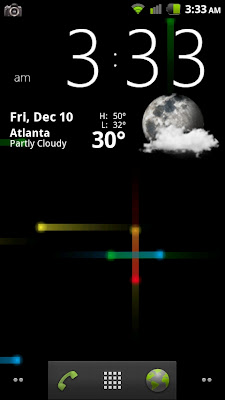
Theme is extremely polished for something pushed out so quickly. I'm seriously loving this so much. If you use launcher pro, the dock background thread has the background and icons so you can achieve an identical look. Here is my phone complete with gingerbread keyboard. Now if I can just get some cool wallpapers :) .

CAP2010121003331.jpg


http://www.launcherpro.com/forum/viewtopic.php?f=11&t=854&start=1830

The dock is at the bottom of that page. Icons on the next page.
 
Here is a picture of my homescreen with this theme. I am really liking the black, white, and green look! Might stay with this one for awhile. Fission 2.3.1 and GingerbreadX:D
 

Attachments

  • Screencap.jpg
    Screencap.jpg
    87.2 KB · Views: 212
Question why does your battery look facing left and the pictures from theme look facing up... :confused:

Yeah I opened up the framework res file- looks like the old battery icon is being used whenever the battery percentage is at 30, 50, 70, or 90. Does anyone know how to remove those? I'm sure it is a quick and simple fix, I just don't know how to do it myself.
 
Yeah I opened up the framework res file- looks like the old battery icon is being used whenever the battery percentage is at 30, 50, 70, or 90. Does anyone know how to remove those? I'm sure it is a quick and simple fix, I just don't know how to do it myself.
Version 1.4 fixes it
 
Is there a way to keep the blur camera and gallery while using this theme?

Edit
Nevermind, I just copied the apk and copied to system via adb since I couldn't get Root Explorer to mount system
 
where can i find the weather and clock widget that you are useing in this screen shoot..thanks


Theme is extremely polished for something pushed out so quickly. I'm seriously loving this so much. If you use launcher pro, the dock background thread has the background and icons so you can achieve an identical look. Here is my phone complete with gingerbread keyboard. Now if I can just get some cool wallpapers :) .

CAP2010121003331.jpg


LauncherPro Forum • View topic - Share your custom dock backgrounds!

The dock is at the bottom of that page. Icons on the next page.
 
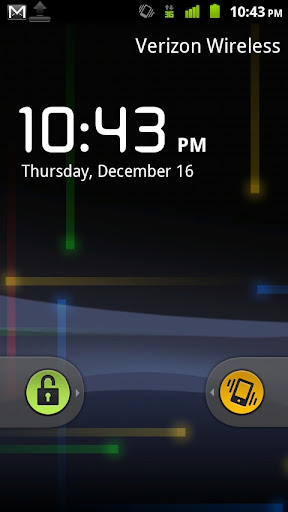
I just updated to 2.4 with the new theme and noticed one small bug. When the phone is on silent the right lockscreen slide is the also froyo image. Personally I prefer the old sliders but I thought I would pass it along for the next release.

I also just noticed that the android email icon reverted to the older one as well
 
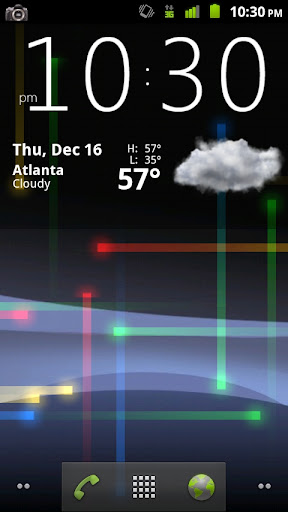
Weather widget is Beautiful Widgets: Home Weather. The clock skin is Carl Nelson's hcw.

The wallpaper in that screen is just Nexus Revamped from market with stock black background. Over at XDA they have made a port (really just a look-alike lacking the depth of field and varying particle sizes and speeds) of the nexus S one.

Here [App] (12/16 UPDATE!) NEW Nexus S live wallpapers.apk - xda-developers

Make sure you mount system when you install. update.zip version worked for me.

CAP201012162230.jpg


CAP201012162243.jpg


EDIT: This theme has been updated for Fission 2.4 Check fission rom manager or thread in XDA forums for the latest.

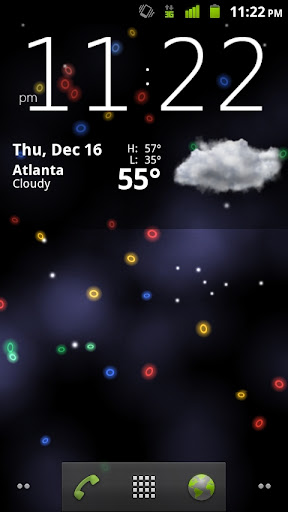
And the microbes wallpaper from XDA. Totally awesome but not as fast as nexus. You tap the screen and little white dots become food for the little google colored microbes.

CAP2010121623221.jpg
 
I downloaded this, did everything correctly. When it rebooted, I received multiple pop up notifications that an application has stopped unexpectedly, and to please try again. Whenever I force close any of these, they pop up again right away. I'm stuck on this and can't get anywhere. I can't even get to my homescreen. I've tried pulling the battery and when it turns on again, the same thing happens. Can anyone help with this?
 
I downloaded this, did everything correctly. When it rebooted, I received multiple pop up notifications that an application has stopped unexpectedly, and to please try again. Whenever I force close any of these, they pop up again right away. I'm stuck on this and can't get anywhere. I can't even get to my homescreen. I've tried pulling the battery and when it turns on again, the same thing happens. Can anyone help with this?

Have you tried rebooting into recovery, and simply reboot device?

Or revert to your backed up rom, I'm assuming you have bootstrapper and rom manager.
 
hi!
please somebody help me to install it? how can i get koush's bootstrapper?

Have you been studying how to root your phone, create backups, and recovery options?

I don't mean to sound like a killjoy, but if you don't know where to get bootstrapper, then you need to do a few weeks of studying about your phone. It might just save you from creating a $500 dollar paper weight.

You have all the info you need on this forum to mod your phone safely, but you have to put the time in studying, and learning what to do an what not to do.

Good luck...
 
Have you tried rebooting into recovery, and simply reboot device?

Or revert to your backed up rom, I'm assuming you have bootstrapper and rom manager.

Yeah it took a while, but I finally rebooted it into recovery and used a back up rom. Thing is I really would like to use this gingerbread theme, and I don't know what's going on with my phone that it would do that. It works fine from the backed up rom though. Thanks for the advice.
 
Back
Top Bottom