rockhound51
Lurker
This is my very first time posting on any forums. So yay to you all for getting to read this.
Yesterday I did a very foolish thing. Here is my problem.
I have a Samsung Galaxy S I9000M phone. It had Android 2.3.3 installed on it, with no chance for upgrade in my area (Western Canada).
I read online on this forum and other forums how to install Android 4.0 or the CyanogenMod. So I proceeded with the first step from the Wikipedia Full Update Guide.
1. I installed the ClockworkModRecovery and updated the drivers.
2. Then I wiped data and cache.
3. Then installed the Cyanogen Mod using the Heimdall suite.
When I went to reboot the phone it just kept looping the load screen. I tried rebooting over and over.
Here's where the stupid part came. In my panic I wipd the data and cache again then formatted everything from within the phone. The boot, system, data.
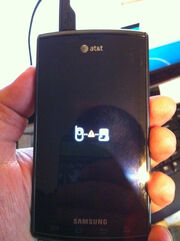
Now when it starts I see a cell phone and computer symbol with an exclamation point.
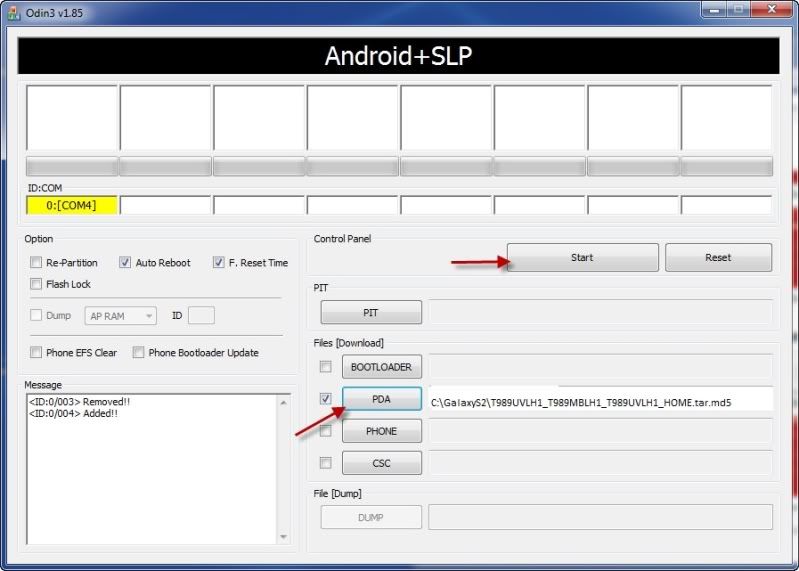
After reading many other forums and work arounds I tried many times to use Odin to re-install the stock ROM from Samfiles. Odin can see the device but it never gets past the setup connection. I tried for 8 hours last night with no luck.
I am able to access the downloading part of the phone.
Is there anything else I can do? Please Help.
Yesterday I did a very foolish thing. Here is my problem.
I have a Samsung Galaxy S I9000M phone. It had Android 2.3.3 installed on it, with no chance for upgrade in my area (Western Canada).
I read online on this forum and other forums how to install Android 4.0 or the CyanogenMod. So I proceeded with the first step from the Wikipedia Full Update Guide.
1. I installed the ClockworkModRecovery and updated the drivers.
2. Then I wiped data and cache.
3. Then installed the Cyanogen Mod using the Heimdall suite.
When I went to reboot the phone it just kept looping the load screen. I tried rebooting over and over.
Here's where the stupid part came. In my panic I wipd the data and cache again then formatted everything from within the phone. The boot, system, data.
Now when it starts I see a cell phone and computer symbol with an exclamation point.
After reading many other forums and work arounds I tried many times to use Odin to re-install the stock ROM from Samfiles. Odin can see the device but it never gets past the setup connection. I tried for 8 hours last night with no luck.
I am able to access the downloading part of the phone.
Is there anything else I can do? Please Help.