• After 15+ years, we've made a big change: Android Forums is now Early Bird Club. Learn more here.

Glass screen surface lopsided... normal or QC issue?

TakmaN

Lurker
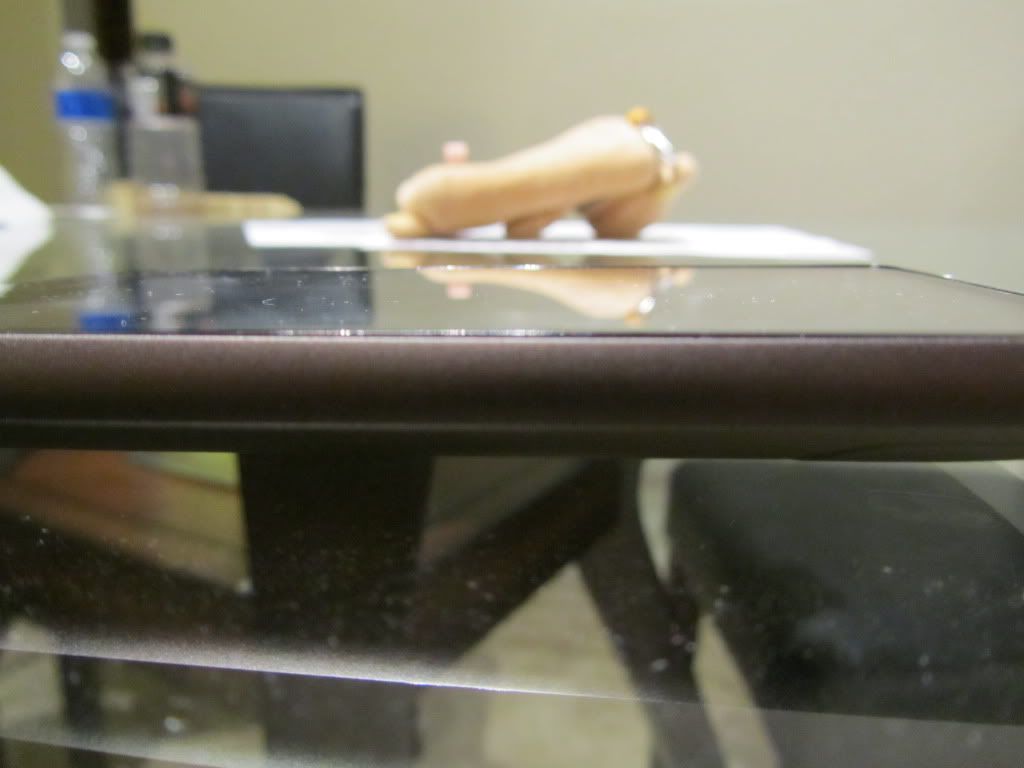
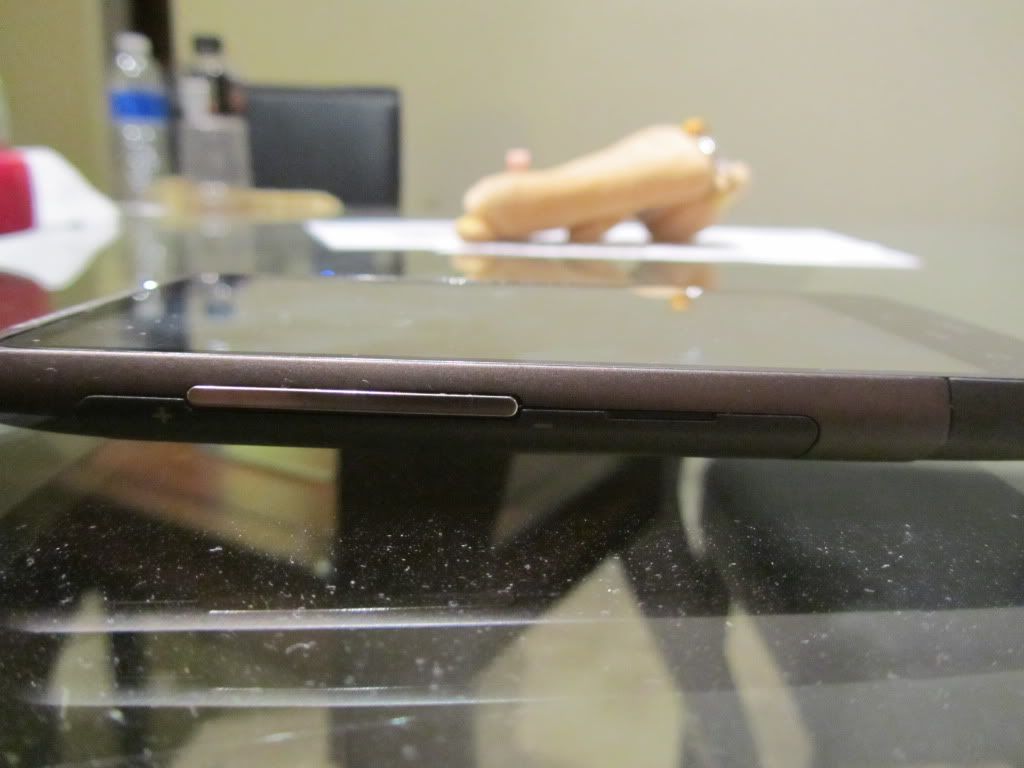
I just noticed this today, a day after I purchased my phone from Costco. It seems like the glass screen is ever so slightly lopsided. I can see the glass protrude above the case on the right side of the phone but on the left it sits just below the side of the case. Same with the corners, some are flush or sit just above the case but other corners sit below the corner of the aluminum body. Is this a common problem or an anomaly? Am I being picky or should I go back and request a new phone? I posted a couple of comparison shots below.

TIA!

Flush side:
IMG_1243.jpg


Raised side:
IMG_1244.jpg
 
Mine is like that too! Just under the body on left and just above on right.... Weird
 
Now the bottom right corner creeks when.pressed like its loose of the adhesive isn't sticking as well. This is also the raised side of my screen...
 
i got lucky with mine..my screen is on the phone evenly..btw what the hell is that thing in the background??
 
Mine is like that and I have the creeking as well. But I realized the creaking is the sim card cover pressing against the back of the phone.
 
Mine is like that and I have the creeking as well. But I realized the creaking is the sim card cover pressing against the back of the phone.

Pretty sure mine is the screen itself... on the bottom right corner, when pressed firmly I can feel the screen go in a little bit and creek. The other corners do not have this issue.

I may try to get a replacement, I'd hate for it to get work or loose enough to where dust and moisture could get under the screen.

The issue is, my mother in law got this phone for me using her upgrade. She didn't want a smartphone or anything too grand. It was a big three way phone swap just so I could get the Inspire not being eligible for an upgrade. It was bought at Best Buy, so even though it was bought under my MILs account, with my credit card, would she have to be present to get it replaced?
 
I'd say she'd have to be present even to exchange at BestBuy...

UNLESS she put you as an "authorized user" on her account.

My first one I had to exchange at BestBuy, and I had to be on the account and know my brothers last 4 of his SSN.


Pretty sure mine is the screen itself... on the bottom right corner, when pressed firmly I can feel the screen go in a little bit and creek. The other corners do not have this issue.

I may try to get a replacement, I'd hate for it to get work or loose enough to where dust and moisture could get under the screen.

The issue is, my mother in law got this phone for me using her upgrade. She didn't want a smartphone or anything too grand. It was a big three way phone swap just so I could get the Inspire not being eligible for an upgrade. It was bought at Best Buy, so even though it was bought under my MILs account, with my credit card, would she have to be present to get it replaced?
 
Pretty sure mine is the screen itself... on the bottom right corner, when pressed firmly I can feel the screen go in a little bit and creek. The other corners do not have this issue.

I may try to get a replacement, I'd hate for it to get work or loose enough to where dust and moisture could get under the screen.

The issue is, my mother in law got this phone for me using her upgrade. She didn't want a smartphone or anything too grand. It was a big three way phone swap just so I could get the Inspire not being eligible for an upgrade. It was bought at Best Buy, so even though it was bought under my MILs account, with my credit card, would she have to be present to get it replaced?

Try removing the sim card cover and see if the sound still occurs. Mine creaks but as soon as I take the sim cover of it stops when I press in the corner. Perhaps it is the screen rubbing against the side of the sim card door.
 
My screen is even all the way around, just ever so slightly protruding from the body of the phone.
 
Yea the creaking is the sim card cover. After taking it off I didn't notice any sounds. Fortunately for me, my screen is flush on both sides.
 
I just got mine, and its even all the way around.

The sim cover on a previous one stuck out really bad. This one seems to sit flush.

But the famous bitch-of-a-battery-door doesn't sit flush (didn't on the last one).

The sim card cover and the battery door is a different color than the rest of the phone.

Seems to work good, so I am sure this one is good to go.
 
I just noticed mine started creaking too. It is worse in the lower left, but does it in the lower right as well. It is definitely not the back cover (which is what I thought it was at first) because it does it even with the cover off. Also, if I look closely I can actually see the screen flexing (and I'm not even pushing hard). Why does this have to happen on Day 31? Just my luck.
 
Back
Top Bottom