• After 15+ years, we've made a big change: Android Forums is now Early Bird Club. Learn more here.

Google Play Services not working

nina011

Lurker
bb0ce182-f5fd-4a68-a4d2-4be29982d1ad

9758b8c2-0ddd-4150-84f7-b815804b0c25

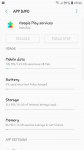
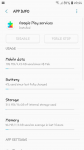
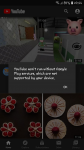
Does anyone know how to fix this. Google Play disappeared from my home screen and when I go to certain apps like youtube I get the above error message.
I've tried to uninstall and it says it was unsuccessful. Force stop, disable it greyed out. Really don't know what to do.
I have a Samsung A3 2017.
 

Attachments

  • upload_2020-5-31_20-47-13.png
    upload_2020-5-31_20-47-13.png
    828.6 KB · Views: 325
  • upload_2020-5-31_20-47-27.png
    upload_2020-5-31_20-47-27.png
    182 KB · Views: 293
  • upload_2020-5-31_20-48-50.png
    upload_2020-5-31_20-48-50.png
    182 KB · Views: 294
you said play store disappeared on your homescreen, but what about in your app drawer? was this all of a sudden or after an update?

It happened suddenly and there were no updates.
It is in the app drawer but not on the home screen
 
It happened suddenly and there were no updates.
It is in the app drawer but not on the home screen
ok so it was the icon shortcut was only deleted. you can add that back by long pressing in your app drawer and move it to your homescreen.

as far as youtube goes make sure your play services are up to date. just go into the play store and click on the "hamburger" (that's the 3 lines at the top left corner) and select my apps. it should list all of the apps that need to be updated. check to see if the play services is one of them.
 
ok so it was the icon shortcut was only deleted. you can add that back by long pressing in your app drawer and move it to your homescreen.

as far as youtube goes make sure your play services are up to date. just go into the play store and click on the "hamburger" (that's the 3 lines at the top left corner) and select my apps. it should list all of the apps that need to be updated. check to see if the play services is one of them.


Thanks for your reply. I cant long press for some reason. And when I go to Google play in my browser there's no option to uninstall or update. Also it's shows me a bunch of really old apps I deleted ages ago.
 
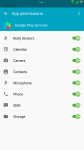
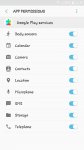
How about permissions ?

In Google PS is it activated or deactivated?

Screenshot_2020-06-01-04-51-44.png
 

Attachments

  • Screenshot_2020-06-01-04-46-04.png
    Screenshot_2020-06-01-04-46-04.png
    382.5 KB · Views: 294
Last edited:
How about permissions ?

In Google PS is it activated or deactivated?

View attachment 151077

Permissions are all ticked.
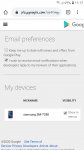
But when I access GPS online, under devices, it's got my tablet and not mobile phone. Not sure if that's the issue?
 

Attachments

  • Screenshot_20200601-111502_Package installer.jpg
    Screenshot_20200601-111502_Package installer.jpg
    101.8 KB · Views: 294
  • Screenshot_20200601-111719_Chrome.jpg
    Screenshot_20200601-111719_Chrome.jpg
    145.9 KB · Views: 306
Back
Top Bottom