• After 15+ years, we've made a big change: Android Forums is now Early Bird Club. Learn more here.

Root [Guide] Change notification/clock/pull down text colors

Here is my notification and pull down bar.

8yxg5s.jpg

Thank you for sharing the knowledge! I look into the zip file you post but can't find the png for the background. How did you turn the background color from white to dark (probably not black)?

Thanks.
 
I have used colorChangeV3 to change the services.jar and edited status_bar.xml to use white fonts in mine, yet the notification items, like "New Voicemail" and "Dial *86" are still black.

You can no longer change status_bar_extended. Or the event one. There are no colors to change in it.

I've been asking for days and no one seems to have an answer for me. Can you help me out?
 
I have used colorChangeV3 to change the services.jar and edited status_bar.xml to use white fonts in mine, yet the notification items, like "New Voicemail" and "Dial *86" are still black.

You can no longer change status_bar_extended. Or the event one. There are no colors to change in it.

I've been asking for days and no one seems to have an answer for me. Can you help me out?

Don't know if it is possible in the newer ROMs - or, more to the point, if ColorChangeV3 works on the New ROMs, as I think some things were moved around.

however, if you find a theme developer (go look in the Droid - All Things Root - Android Forums forum) and PM them they may be able to help you out.

Can you get the HTC Hero screen to stay lit while talking?

No offense, but this is the Motorola DROID forum - you'll be better off asking in HTC Hero - Android Forums
 
Sorry if this has been said before, but for most uses, to change the font color of the Ongoing Downloads text, you have to edit status_bar_ongoing_event_progress_bar.xml in the DownloadProvider.apk. Should be in the layout folder
 
Thank you for sharing the knowledge! I look into the zip file you post but can't find the png for the background. How did you turn the background color from white to dark (probably not black)?

Thanks.


Here is the status bar background image. It goes in the same spot as the rest. I must have forgot to put it in there.

I see some parts of this guide might not be working with newer roms. I finally got around to flashing a 2.2 rom so I'll try to figure out what parts still work sometime this weekend probably.
 

Attachments

  • status_bar_background.png
    status_bar_background.png
    447 bytes · Views: 106
i have been trying forever to get this to work and i cant. i was wondering if i can give someone my files and they can do this for me and then give me the new files? i want the color to be blue. i have a droid 2, i dont know if that matters..
 
i was able to do the first set of steps fine. I am stuck on the framework-res.apk tho. Im running rubix blurry most recent release, using bigdx's serinity theme. I edited my hex's, found two to edit in two of the xml's and 3 to edit in the final xml. dropped back into framework-res.apk, and pushed. everything seems to work then i get a bootloop on reboot command. im going for a nice glowing green so my edited hex value is 33 FF 33 FF. I will say my sd card wants to mount to my pc regardless of charge only being selected...idk? But that didnt affect me getting the first set of steps done. please help!

thankx in advance

Well from reading a little i see its probably my newer phone and the fact that im post froyo. Can someone point me to instructions to finish this off? Like i said the first steps worked with only one minor tweak.

Talent
 
dumb ass question right here but were in the hell do I put
"java -Xmx512M -jar colorChangev3.jar theme.zip clock=FF0000FF date=FF0000FF" in tools dir ?? thanks lol
 
i was able to do the first set of steps fine. I am stuck on the framework-res.apk tho. Im running rubix blurry most recent release, using bigdx's serinity theme. I edited my hex's, found two to edit in two of the xml's and 3 to edit in the final xml. dropped back into framework-res.apk, and pushed. everything seems to work then i get a bootloop on reboot command. im going for a nice glowing green so my edited hex value is 33 FF 33 FF. I will say my sd card wants to mount to my pc regardless of charge only being selected...idk? But that didnt affect me getting the first set of steps done. please help!

thankx in advance

Well from reading a little i see its probably my newer phone and the fact that im post froyo. Can someone point me to instructions to finish this off? Like i said the first steps worked with only one minor tweak.

Talent


Here is some info for Froyo. I haven't tried it so I can't say if it works for sure. [Solved!] Changing Notification Application Text Color - FroYo XML Editing - xda-developers
 
dumb ass question right here but were in the hell do I put
"java -Xmx512M -jar colorChangev3.jar theme.zip clock=FF0000FF date=FF0000FF" in tools dir ?? thanks lol

I'm not sure if colorchangev3.jar still works with Froyo so you may have problems with it.

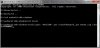
But that command should be entered into the command prompt (start > run > cmd) Make sure you are in the directory that has all the files.
 

Attachments

  • cmd.jpg
    cmd.jpg
    23.7 KB · Views: 77
Does anyone know what xml file controls the text color of the pop-up windows? Like the power menu that comes up when you long press the power button?
 
Sigh, I wish I could get this to work. Ive tried changing the color in the 3 xml files. Things are just weird. The I only have 1 occurance of 08 00 00 1c in each of the 3 files even though I know one has 2 and the other has 3. I found another way on XDA that decodes the xmls into plain text, you edit them, and then recompile them, but they wont recompile for me.

If possible, could someone change these for me and send me the XMLs. I would like the code a5 92 63 to be used for status_bar.xml and status_bar_expanded.xml in both places. Also use a5 92 63 for the first occurance in status_bar_latest_event_content.xml and then ff ff ff ff for the other 2 occurances.
 
I am getting this error "Error:Unable to access jarfile colorChangev3.jar" when executed this command
"java -Xmx512M -jar colorChangev3.jar theme.zip clock=FF0000FF date=FF0000FF"
i have placed the colorChangev3.jar in the correct folder my folder was here
"C:\android-sdk\tools" and also the folder structure is correct. I also tried to run cmd as administrator but the error persists.
Am i missing anything?:(
 
Back
Top Bottom