I guess.. but i dont like the fact that i have to run away from the problem. Drops android/samsung quality in my eyes.
You're joking right?
I've been doing HDMI out to my TV from Android since 2010, MHL since day 2 (lol almost since day 1, within a month of its first appearance) and Chromecast since the same sort of day 2.
If your mind is made up, read no further and no hard feelings ok.

I recommended Chromecast for several reasons.
First, Samsung MHL behavior is pathological. The 11 pin nightmare was to accommodate their dock and their adapters. Secondly, they still advertise MHL support on one of their Tabs even though the kernel was compiled missing the module required to support it.
But enough about Samsung, let's turn to MHL in general.
You're using a phone that's busy wanting to multitask apps and services to provide a single, real-time function. Your picture quality can be quite great regardless - or not, it just depends. Nothing like a phone wanting to go into a high-priority syncing cycle while watching a movie. Or relying on its web functions to get what you want. So, it can be a great experience but you get no guarantees.
Enter screen casting.
Now the signal comes in through your router to your phone, out from your phone to your router, and out from the router to a TV dongle. Picture quality is now controlled by the home network bandwidth.
Enter Chromecast.
It uses a protocol developed by Netflix and the Google YouTube division called DIAL - discovery and launch.
The Chromecast itself runs a tiny Chrome OS with - wifi and a network stack, a highly specialized browser (that you don't actually see), and a media player.
You pull up a service - say Netflix - and turn on the Chromecast option by tapping the icon that appears at the top.
You browse to your movie and press play.
The media stream enters your router and goes straight to the Chromecast.
But the play controls are still on the phone.
Now with the Netflix (or whatever) controls are at the couch in your hands, not across the room at the TV.
The only multitasking Chromecast has to do is listen to the media stream on wifi, pump it out to the TV, and respond to remote control commands.
Simple and effective.
It never runs out of ram, it never gets busy with something else and it never runs out of storage space - the service apps are on the phone, not the Chromecast. Going strong for two years on the same model because there's nothing in hardware to go obsolete.
And for YouTube, it does a very important thing that you can't do on MHL without rooting, using the Xposed installer and the Xposed YouTube module - it plays YouTube full screen.
You may play youtubes on your phone in full screen all day long but plug it in to an MHL adapter and welcome to the terms of service, so you get less.
Chromecast is not for media pirates. The darling codecs of the piracy crowd are not supported and you can't install them.
But otherwise, you don't care.
And you'll rarely screen cast.
The email example you gave, sure. But how did you want your folks to navigate email with the phone plugged in to the TV? Bluetooth mouse? OK, but screen casting is better for that.
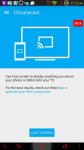
And Google - not Samsung - says that your Note 4 is supported for that -
https://support.google.com/chromecast/answer/6059461?hl=en
Now you do as you think best but I think that if you want the pain to stop and for your folks to not inherit any of it, you want to give them a Chromecast.