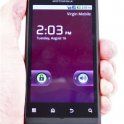
Now it's a matter of making the connection via USB cable from your device to your computer. Once you do that, drag down the status/notification bar and tap the "USB Connected" notification.
Turn on USB Storage by tapping that item, then just use your computer's file interface to view and transfer files of all types.
I don't even think you need the drivers? Just plug the USB cable in to a PC and select "USB connected" on the phone and turn USB on. Then it will show up as a USB drive. Then you have to find the video files on the USB drive (phone)
This site uses cookies to help personalise content, tailor your experience and to keep you logged in if you register.
By continuing to use this site, you are consenting to our use of cookies.