bg4m3r
Android Expert
I'd like to see a screenshot of that... Here's mine...Unfortunately yes and there's nothing we can do about it.
Follow along with the video below to see how to install our site as a web app on your home screen.
Note: This feature may not be available in some browsers.
I'd like to see a screenshot of that... Here's mine...Unfortunately yes and there's nothing we can do about it.


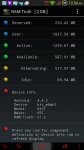

I just experimented with the OOM presets. I think I tried "Light" and also "Medium". You could also try "Very Light" but I think it's a tradeoff between responsiveness/closing apps, and a bit of lag if you get to permissive. I would recommend trying "Medium". If you set it to "Very Aggressive" it will start closing stuff in the background again, at least it did for me. There are other presets, but I haven't tried any of them. I think basically the OOM settings on this device were just set to some very aggressive / extreme setting so probably anything more gracious than that may solve the problem.
The version of Kernel Tuner I use is:
https://play.google.com/store/apps/details?id=rs.pedjaapps.KernelTuner&hl=en
Although there is a newer version, I have had problems with the newer version on another phone, would cause it to reboot when messing with the min and max CPU frequency settings so I'm hesitant to try that same one but who knows, maybe it was just an issue with the phone I was using at the time (Evo 3D).

okay... having the same issue. however, it seems to only happen:
- when i am running pandora in conjunction with maps
- when i am running pandora in conjunction with waze
- when i am running pandora and i open camera to take a picture

Have you tried developer options, advanced, and limiting background apps to 4?
So how has editing the OOM been working for everyone? My girlfriend is having the same problem with her Volt and is frustrating the hell out of her. With her Volt, not only does the music apps close but so does Facebook, the browser, and her launcher always resets upon returning to it. Also, her keyboard likes to close while in use as well, really pissing her off. And like they say, an unhappy girlfriend is an unhappy me lol
I haven't rooted her phone yet because I am not familiar with this problem and I know simply rooting doesn't change how a phone acts. On my past phones I used to keep apps resident in memory but the trade off is less memory for other apps. I was also thinking ad blocking could free up some RAM, especially while web browsing. (I forgot how many ads exist these days!) But if changing the OOM to be less aggressive works I will expedite this process asap!
Thank you very much! I will start this as soon as I'm able to before we head out for our workation. If all goes well she will love this.OOM settings have helped quite a bit, as well as ad-blocking and debloating, but the best thing you can do to help this phone is root and flash the Volt Uno kernel from here. It's overclocked to 1.6ghz and has a whole host of better governors and schedulers that make the Volt run like it should. Unlike switching to a whole new rom like cyanogen there will be absolutely no change to her user interface or data, everything works just like stock, and there are none of the side effects that some of our phone's roms have (loss of LTE, green tinted camera, etc).
I've been running it exclusively for a couple weeks and have had zero problems. Very stable.
one warning about overclocked custom kernels: be careful how hot you let the phone get, while it might not be an issue here, a phone can burn itself out into a brick if not careful.