offanairplane
Android Enthusiast
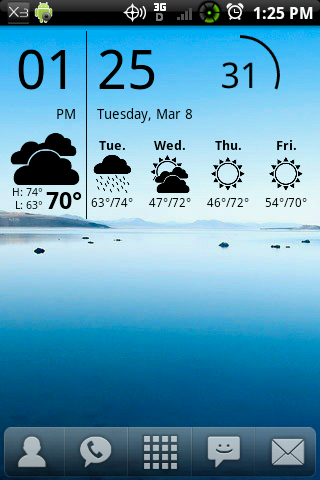
I rooted and installed xtr-ROM_5.0 and thus lost my HTC clock/weather widget. I bought beautiful widgets, and used that one. But it's just not the same. I miss the animations, like the windshield wiper, and snow, etc. (not that I see the snow animation very often in Houston, TX, but still. 
I could probably install xtr-Sense and get it back, but I don't know if I want it that badly. I have searched the market, and found several widgets that claim to be the official HTC clock/weather widget. Which one is the true 4 x 2 version that came on my stock Eris? And would it have all the animations just like the stock one?
If I could just download that widget, I would be happy. I really don't want xtr-Sense, because I love xtr-Rom, and there is just that one widget I am missing.
Anyone know?
Thanks!
I could probably install xtr-Sense and get it back, but I don't know if I want it that badly. I have searched the market, and found several widgets that claim to be the official HTC clock/weather widget. Which one is the true 4 x 2 version that came on my stock Eris? And would it have all the animations just like the stock one?
If I could just download that widget, I would be happy. I really don't want xtr-Sense, because I love xtr-Rom, and there is just that one widget I am missing.
Anyone know?
Thanks!