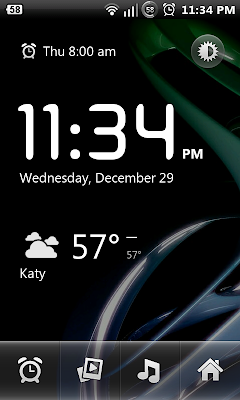
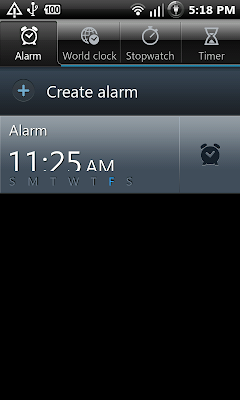
Here's a "How to" using nothing but your phone and computer (or Mac):
1.) If you JUST want the clock, you'll need to download onto your Mac or PC either "missing.zip" or "iofthestorm.zip" from here:
[RELEASE]Blackhole Version 4.01 now available in ROM Manager *02/03 update* - Page 6 - xda-developers
2.) Extract the zip file, and open the folder: missing>system>app. Both of these zips have extras bundled into them, so locate Clockpackage.apk. Now, keep this window open.
3.) You'll need a file manager (I like Root Explorer) that allows you to see the "system" (you won't see "" around these files w/in your phone) file. Within in the "system" file, is the "app" file . You'll need to remove the previously bundled clock, but before you do you have to bypass the "system" file's r/o permission. For noobs, r/o = read only. r/w = read/write.
4.) I don't have the link, so click search from w/in the Android Market on your phone and type: mount /system. It'll be the first app that appears on the list. Mount /System is literally the name of the app, so the spacing, etc., is not a typo. Download and install.
5.) When finished with step # 4, fire up your new app, Mount /System, and click the button that says, "Mount r/w."
6.) Remove your old clock from the system/app folder. I first made a copy into my download folder just in case anything went wrong. Once the copy was in a place I could locate again, I went back to system/app folder and deleted the previously bundled clock.
7.) I plugged my phone via usb (settings/applications/development/USB debugging) into my computer. Locate the folder in step #2. Find the clock. Then, drag and drop onto your system/app file.
8.) You're done! Close Root Explorer, and you should see your old Samsung Clock in your app drawer on your phone.
Please note, I'm not a software developer nor am I a hacker. I know only about my device, a Samsung Fascinate, so please don't ask me how to use this mod for other devices. Those who would like to do so would be better off following some of the adb tutorials posted on this or xda's forums.