• After 15+ years, we've made a big change: Android Forums is now Early Bird Club. Learn more here.

Root [MetroPCS/CDMA] Bootanimations For S III

nuttmeg

Extreme Android User
Just posting what i found, but you will have to change the permissions on it to work.

Thanks: Boot Builder From RootzWiki

Source: Boot Animations for Galaxy Nexus ~ Updated 11/05/12 - Boot Animations - RootzWiki

Install at your own RISK, dont blame me if your phone catch blaze.

Installation: I just downloaded the .zip file and pull the animation from the .zip and move it to my sd card, than using root explorer or a similar app copy and paste it in /system/media/ and change the permissions to rw-r--r. Check back often as i will be adding more. Thanks!!! :D

CleanPlay.gif

Download Here:
StainlessRed.gif

Download Here:
Stainless.gif

Download Here:
DarkRoastBeans.gif

Download Here:
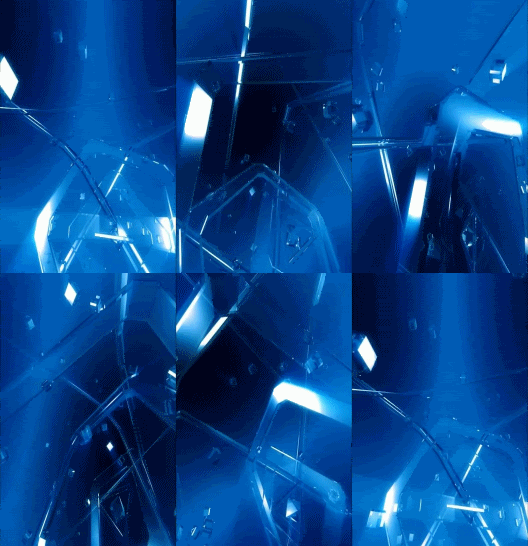
CrystalMachina.gif

Download Here
pDice3.gif

Download Here:
TheBlues.gif

Download Here:
AlienBlue.gif

Download Here
BluRotator.gif

Download Here:
Ribonz.gif

Download Here:
 
Nice. The one I'm using is quite simple.
And since I'm using aokp, I can just change it in the settings menu! :D
That Rom is awesome. :D

See attached for the boot!
 

Attachments

This is pretty cool. Can it work on stock? I tried to get in to the system folder but it says it's a read file only. I might go black bean completely, when I do should I delete the original boot animation first?
 
i tried this and it did nothing, i extracted the boot zip and put it in system media, rebooted and nothing happend? any ideas?
make sure u rename the old one that was already in that folder to something else. beacause having two boot animation zip in the same folder will not change anything.;)
 
make sure u rename the old one that was already in that folder to something else. beacause having two boot animation zip in the same folder will not change anything.;)

I did everything you said but nothing happened. I moved the zip to the system/media folder and changed the permissions to rw-r--r-- and rebooted. I'm on black bean, does that change where i'm supposed to put it?
 
I did everything you said but nothing happened. I moved the zip to the system/media folder and changed the permissions to rw-r--r-- and rebooted. I'm on black bean, does that change where i'm supposed to put it?

Yes i will have to find the location and the correct format, this was tested on cm10 and AOKP Roms.
 
Ok i just tested a bootanimation and it works, make sure your permissions look like this.
 

Attachments

  • Screenshot_2012-11-12-21-43-20.png
    Screenshot_2012-11-12-21-43-20.png
    29.7 KB · Views: 294
the location is the same with all these roms. lol the first thing with aokp was i changed the boot animation from that pink fruity unicorn to something else ill share when i get a chance.
 
only if you have root access then with root explorer swap the boot animation zip
Im not trying to be a smart a** so please dont take it the wrong way , but have you tried this on stock rom beacause the stock rom does not have a bootanimation.zip in the system/media folder. Or am I missing something?
 
Im not trying to be a smart a** so please dont take it the wrong way , but have you tried this on stock rom beacause the stock rom does not have a bootanimation.zip in the system/media folder. Or am I missing something?

lol dont worry and yes every android rom has a boot animation zip and folder let me go back to stock real quick and take pics for you guys having a hard time finding it. ill edit this post asap.

Edit:

oh geeze shabby just notified me they changed all that with ics seems its a qmg file in system/media called bootsmaung.qmg im investiagting it to try to extract it.
 
lol dont worry and yes every android rom has a boot animation zip and folder let me go back to stock real quick and take pics for you guys having a hard time finding it. ill edit this post asap.

Edit:

oh geeze shabby just notified me they changed all that with ics seems its a qmg file in system/media called bootsmaung.qmg im investiagting it to try to extract it.

Thats what im sayin...lol
 
Thats what im sayin...lol
I wanna thank you gave me a challenge and i found the fix ;)

Ok listen up for all ya on stock rooted ics rom the fix is easy yes put the zip file in system/media but now u have to go to system/bin and do this to allow your phone to use zip boot animations instead of qmg files.

Using the root explorer, navigate to system/bin
you will be working with 2 files.

*First find a file named "samsungani" (no file extension) and delete or rename it (ex samsunganiBAK)
*Secondly find a file named "bootanimation" (also, no file extension) and rename this file to "samsungani" without the quotation.


Thats it reboot and you should see your new boot animation boot up ;)

credits to sabreful from the xda for explaining the steps.

Edit some of the bootanimations are freezing like that red dice one i suggest ya do a back up before trying this!!!!!! DO not come back crying saying we ruined your phone!!! just incase ya do get stuck on a boot up animation ya might want to edit it before using it by doing this.

Get the bootanimation.zip file that you want to use (or create your own)

Unzip it to verify a little information is correct
Open the desc.txt file > you should see something like this (numbers will vary)
700 1116 18
p 1 0 part0
p 5 0 part1

Whatever bootanimation you use, make SURE that the number directly after the "p" is NOT 0 otherwise you will enter a never-ending loop.
 
lol when you asked me the way you explained it i was terribly confused.

the qmg files werent an ics thing itsa samsung thing

my bad i was juggling a few things behind the scenes lol even got a sneak peek at some new stuff coming for metro which im not allowed to discuss but ya will soon find out lol
 
I wanna thank you gave me a challenge and i found the fix ;)

Ok listen up for all ya on stock rooted ics rom the fix is easy yes put the zip file in system/media but now u have to go to system/bin and do this to allow your phone to use zip boot animations instead of qmg files.


Thats it reboot and you should see your new boot animation boot up ;)

credits to sabreful from the xda for explaining the steps.

Edit some of the bootanimations are freezing like that red dice one i suggest ya do a back up before trying this!!!!!! DO not come back crying saying we ruined your phone!!! just incase ya do get stuck on a boot up animation ya might want to edit it before using it by doing this.
Thanks works like a charm.
 
Back
Top Bottom