
Install the app
How to install the app on iOS
Follow along with the video below to see how to install our site as a web app on your home screen.
Note: This feature may not be available in some browsers.
-
After 15+ years, we've made a big change: Android Forums is now Early Bird Club. Learn more here.
You are using an out of date browser. It may not display this or other websites correctly.
You should upgrade or use an alternative browser.
You should upgrade or use an alternative browser.
Help OTA Updating for Note8
- Thread starter nfesto86
- Start date


Two possibilities, assuming the internet access is aright with it. It's a carrier version Note8, and do you have service and a SIM with that carrier? Or possibly it's a grey import device, and it's not in the region or country that Samusng intended to be sold and used in. These are often sold from third-party Amazon or Ebay vendors, and described as things like "international unlocked", but it might actually be a Hong Kong or a Saudi Arabia version or something.


If it came via Verizon preorder, I assume it has service and a SIM in it from Verizon? How long has this problem been going on for?

If you have a Verizon nanoSIM from your previous phone, you don't need the new SIM, by the way. Just put your old SIM in and turn the phone on. That would resolve any conflicts with the account. If you have already activated the new SIM, then never mind


Yes i read an update is forthcoming for carriers. I use a T-Mobile variant and dont yet have the update either. The phone states its on the latest version.
Each carrier may have a different wording, however it seems Verizon is just stumbling out of the gate...
Each carrier may have a different wording, however it seems Verizon is just stumbling out of the gate...

TrueFangz
Android Enthusiast
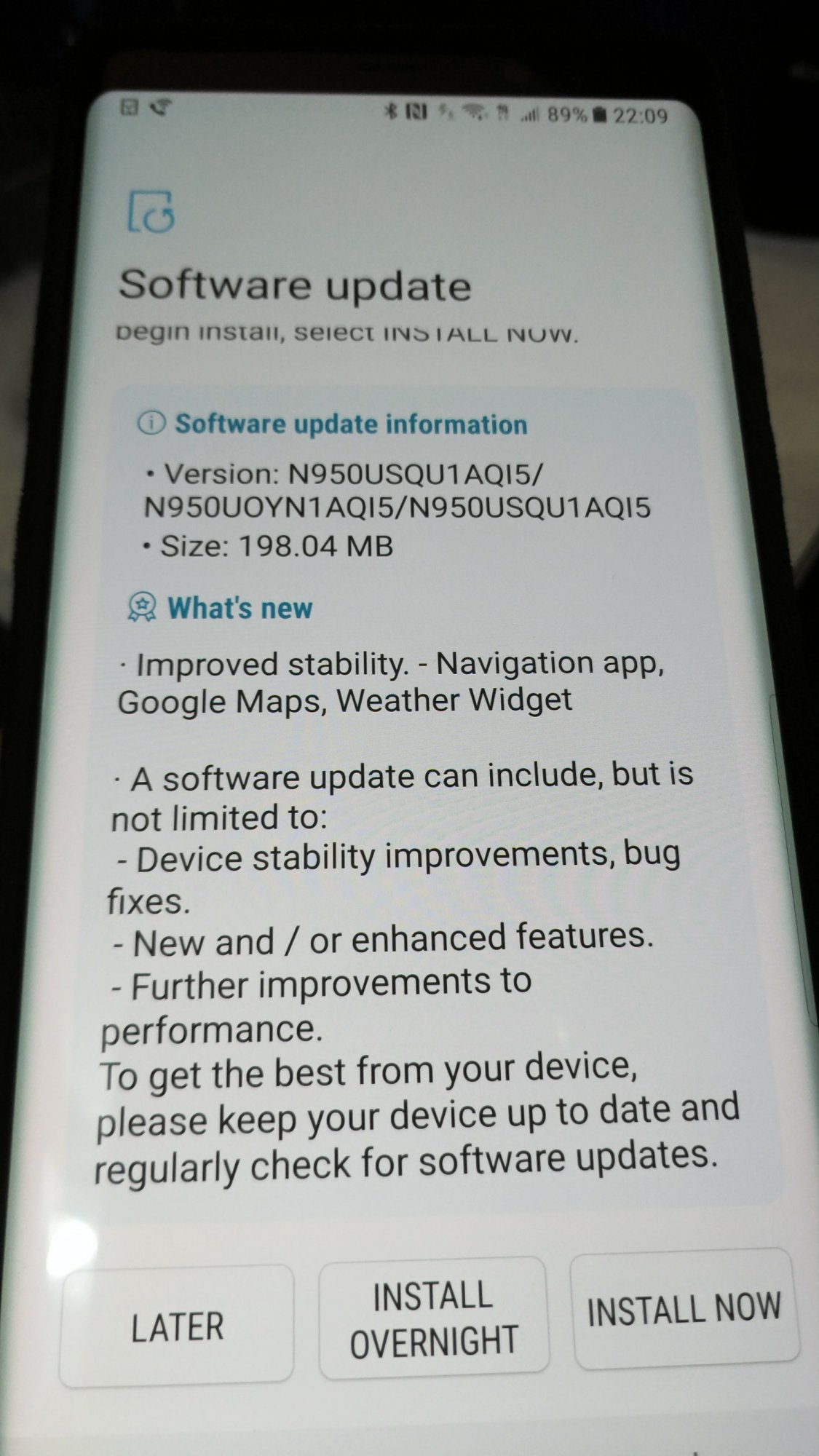
My phone just now automatically downloaded a system update. When it asked me if I wanted to install it now, I tapped on "learn more" and it just opened a blank white screen. I hit install later as I had no idea what it was, and why it downloaded automatically. Normally system updates tell you when there's one available and asks if you want to download it, but this one did automatically.
I found this from a Google search.
http://www.androidauthority.com/galaxy-note-8-update-prerelease-800254/
Figured what the hell and installed it. Still get a blank screen when I tap on learn more. Oh well, so far everything seems OK. I'll let you all know own if I notice anything weird.
I found this from a Google search.
http://www.androidauthority.com/galaxy-note-8-update-prerelease-800254/
Figured what the hell and installed it. Still get a blank screen when I tap on learn more. Oh well, so far everything seems OK. I'll let you all know own if I notice anything weird.
Attachments


Last edited:
Tmobile user here.
TrueFangz
Android Enthusiast
I just found out why mine updated automatically. I have developer options turned on and there's a setting in there that was toggled on to "Auto update system"
I turned it off now.
Funny thing now though, I just tried checking for new updates manually just for the no reason basically, and it sat there for about 30 seconds and I got an error saying it was having trouble authenticating my device, and to try again later.
Oh well, not gonna worry about it, hopefully it will sort itself out later.
I turned it off now.
Funny thing now though, I just tried checking for new updates manually just for the no reason basically, and it sat there for about 30 seconds and I got an error saying it was having trouble authenticating my device, and to try again later.
Oh well, not gonna worry about it, hopefully it will sort itself out later.

jrbevins1
Lurker
Looks like there was a camera update and August Security update.
http://www.androidauthority.com/galaxy-note-8-update-prerelease-800254/
http://www.androidauthority.com/galaxy-note-8-update-prerelease-800254/
Joseph Meeks
Lurker
I'm having a ota updating issue on mine. Says I have a update. But the only options I have are download later or download. But it click download, it them pops up with I can only download on WiFi. Can't seem to find a setting or option to change it. I have unlimited data with Sprint and Dowloading updates have never been a issue before. But I did purchase a unlocked phone from Best buy so....
Attachments



evohicks
Android Expert
No help but what theme are you using?I keep getting this message whenever I try to look for an update for my Note8. Any ideas on a way around this?
Joseph Meeks
Lurker
RainDrop_v2 haha NVM I'm dumb.