• After 15+ years, we've made a big change: Android Forums is now Early Bird Club. Learn more here.

Password-protected Lock Screen?

gordonwd

Well-Known Member
For the first time, I've set a password on my lock screen, but find that in general it's a PITA to have to key it in all the time. I guess I could go to the pattern method, but it's still extra stuff to do every time I pull my phone out.

So how necessary is it to have this level of security? My really sensitive info is in an app that has its own encryption and p/w, so that's safe, but anyone finding or stealing my phone would have access to all my online accounts: email, Google, Evernote, Facebook, etc.

So how bad would that really be? Anyone have experience or opinions on what level of protection is "enough" and how much hassle it would be if your smartphone winds up in the wrong hands? And how likely is that, anyway?
 
Its mainly needed. I didn't have I on for a while but to my phone has some important items on it like Gmail and Facebook sure its annoying to go into when you check your notifications. But you can set up how long it stays unlocked. I choose the pattern over the pin it was much faster to get into then the pin. I would put it on just case your phone is ever lost or stolen.
 
Doesn't it just depend on who you are and what you have on your phone? If you are the prez of USA with nuke launch codes on your phone, you should use the highest security available. If you are a 12 year old with just a few free game apps on your phone, who cares?
 
You should be able to set it up so it only asks you for the password after 30 minutes of sleeping. That way, you won't have to enter it in everytime.
 
I just started using a pattern lock a couple of months ago. An article about how many people who find lost phones tend to look at personal stuff on it made me start password protecting my devices. I use a pattern lock for my phone as I find it the quickest way to unlock a phone.
 
You should be able to set it up so it only asks you for the password after 30 minutes of sleeping. That way, you won't have to enter it in everytime.
I've been trying to find an option like this but so far no luck on either my Froyo or Gingerbread phones. Any idea where to find it?
 
I've been trying to find an option like this but so far no luck on either my Froyo or Gingerbread phones. Any idea where to find it?

Well on my HTC MT4GS which uses sense when I set up to use a password or pattern or whatever an option appears underneath where you set how you want to lock your phone that says "lock phone after" and has a few options from a drop down so maybe there is something like that in the options?
 
I rarely lock my phone because it's rarely out of my sight.
The only time I lock it is when I go to shoot pool, to a party, or out to dinner just in case.

I always have the PIN lock but I have a tasker profile to key it disabled.
When I go out, I switch profiles.
 
Try lockscreen settings, delay and timeout, screen timeout delay.

That's with an AOSP Gingerbread ROM.
I tried looking for it on my Samsung Nexus S (which, I would think, is as stock as it gets) and only found "Screen timeout" under "Display settings" and that only controls how long before the screen turns off. Under "Location & security settings" -> "Screen unlock", I only have 2 options: "Change screen lock" and "Use tactile feedback".

Also checked on my Nook Color with CM7 and found it under CyanogenMod settings so I'm guessing it doesn't come stock on Android 2.3 and lower. No idea if stock ICS has it. The only devices I have with ICS are running CM9 which does come with this option.

Well on my HTC MT4GS which uses sense when I set up to use a password or pattern or whatever an option appears underneath where you set how you want to lock your phone that says "lock phone after" and has a few options from a drop down so maybe there is something like that in the options?
Haven't found it on any of my Froyo/Gingerbread Android devices (Nexus S, Galaxy S 4G, LG Thrive, Xperia Ray, Nook Color [CM7], etc).

Found this bit of info:
So you want to use Android's built-in security -- either the pattern, pin or password lock. Good for you. We highly recommend it. But maybe you don't want it to lock every time you hit the power button. (Can't blame you there.)

Go to Settings>Security>Lock phone after and you'll have options as for how much time you want to pass before you have to unlock the phone. If you're going to be picking it up every couple minutes, perhaps "Immediately" isn't the best choice. But even 15 minutes is better than no security, right?

This option isn't available on all phones, but HTC Sense does have it, as do some newer TouchWiz devices.
 
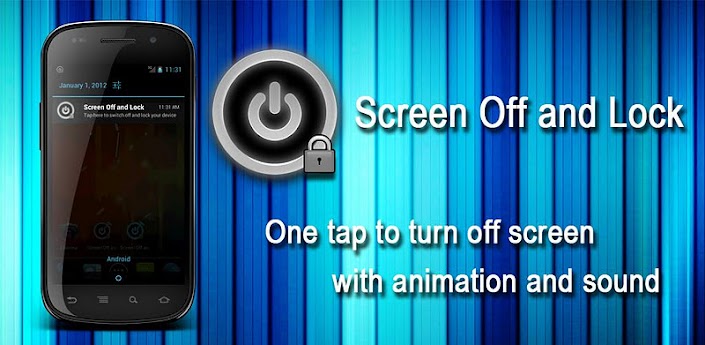
I down loaded this app and like it a lot


eoTDAloVVVz44S3c4FRMm9w1iPtp4dH5n40Eh2hAKfFhtCdNJfId7vKQkWxjlv4XDv0=w705
 
Back
Top Bottom