
Install the app
How to install the app on iOS
Follow along with the video below to see how to install our site as a web app on your home screen.
Note: This feature may not be available in some browsers.
-
After 15+ years, we've made a big change: Android Forums is now Early Bird Club. Learn more here.
You are using an out of date browser. It may not display this or other websites correctly.
You should upgrade or use an alternative browser.
You should upgrade or use an alternative browser.
Help Personal ringtone?
- Thread starter Foxspeed
- Start date
-
- Tags
- galaxy nexus
are you sure you're putting it in the right folder? it should be in /sdcard/Ringtones
it works for me so maybe there's something wrong with your file? Try a different file and see if it shows up
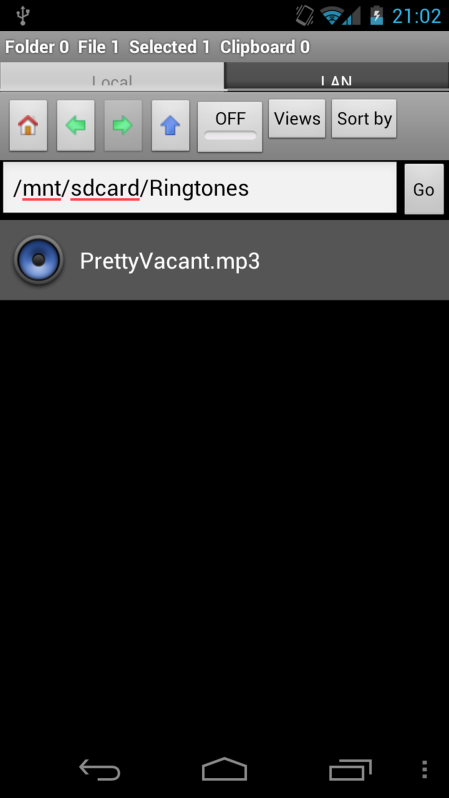
Positive its in the right folder and I have played the file from the folder and on the PC to be sure it works. I have also added another song from a different album and still none showing under Settings/Sound/Ringtone when I want to select the song.

jbarhorst2
Newbie
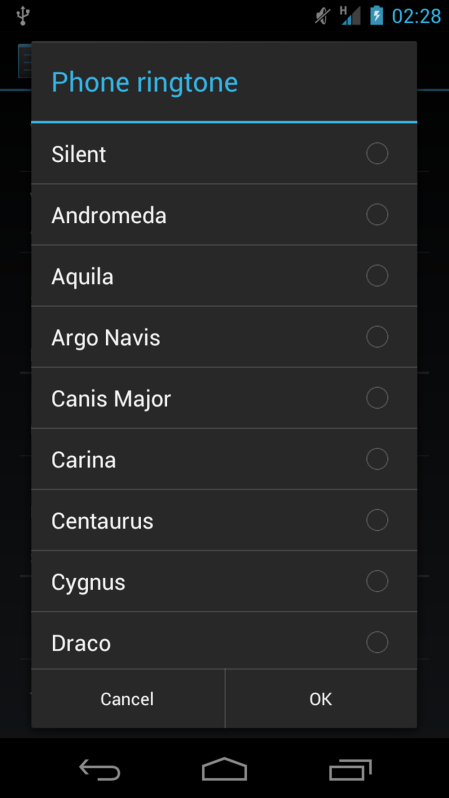
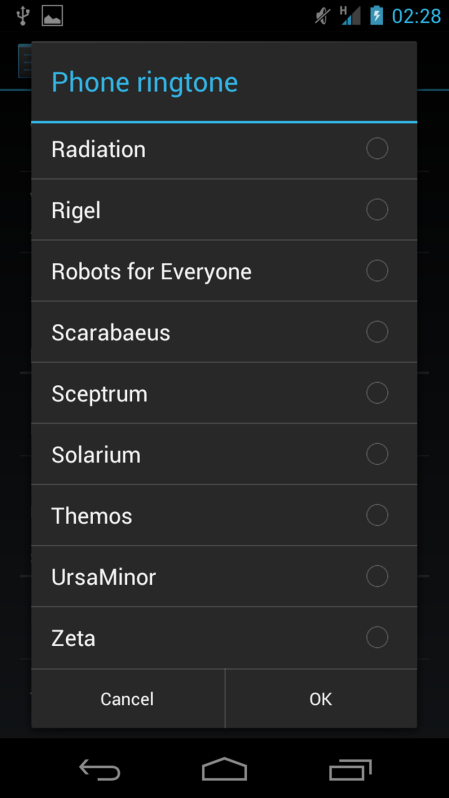
It may not be listed as the filename you see here. It may be listed as the embedded data info. Look for an out of place filename in your ringtone list.



stenzor
Android Enthusiast
^You skipped over the middle portion of your ringtone list there.. after Draco it's Girtab, Hydra, Machina, Orion, Pegasus, Perseus, Pyxis, then Radiation. If there's anything extra besides those it should be yours..
Also, not sure, but just a guess, maybe the permissions of the folder or the file have been changed?
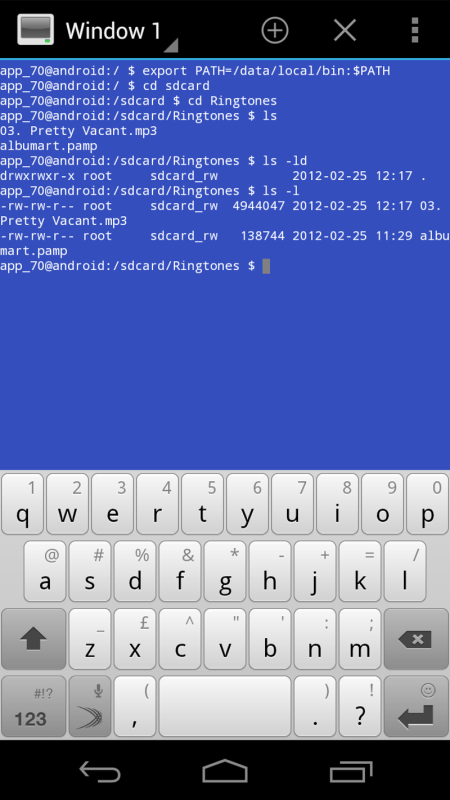
Try downloading Terminal Emulator from the market, then run it and type the following commands (in brackets are descriptors):
cd sdcard (this will go to your sdcard dir)
cd Ringtones (this will go to your Ringtones dir (make sure it's with a capital R, linux is case-sensitive))
ls (this will list the files in your directory, are they actually there? do they have acceptable filenames?)
ls -ld (this will list the directory's permissions)
ls -l (this will list the files' permissions)
Here's my readout:

Also, not sure, but just a guess, maybe the permissions of the folder or the file have been changed?
Try downloading Terminal Emulator from the market, then run it and type the following commands (in brackets are descriptors):
cd sdcard (this will go to your sdcard dir)
cd Ringtones (this will go to your Ringtones dir (make sure it's with a capital R, linux is case-sensitive))
ls (this will list the files in your directory, are they actually there? do they have acceptable filenames?)
ls -ld (this will list the directory's permissions)
ls -l (this will list the files' permissions)
Here's my readout:
Thanks for the informative reply but before I try this, I have noticed that all my music isnt listed in my Music app. It does all show on the 'SD card' when using Linda File Manager and in the PowerAmp app.
Could this be part of the problem?
I have deleted all my music and just installed one track. This track shows up in Linda File Manager inside both the Music folder and the Ringtone folders where I also put it. It plays from both sources but when I open the stock Music app supplied with the phone, it doesn't show any music and just this displays the following screen ????
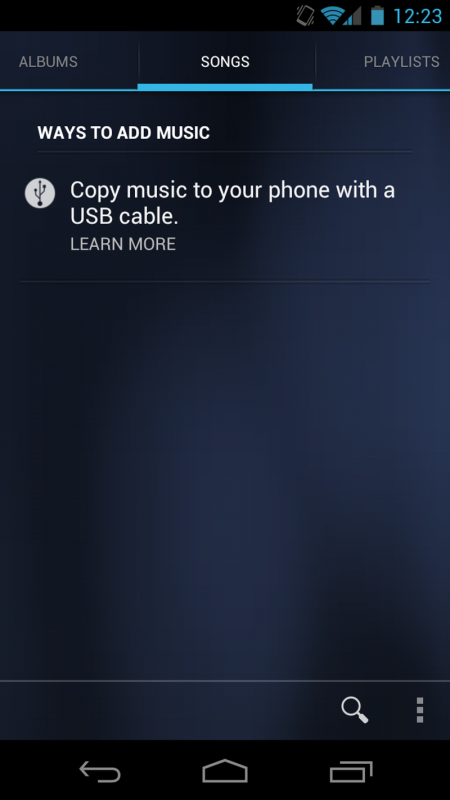
Could this be part of the problem?
I have deleted all my music and just installed one track. This track shows up in Linda File Manager inside both the Music folder and the Ringtone folders where I also put it. It plays from both sources but when I open the stock Music app supplied with the phone, it doesn't show any music and just this displays the following screen ????
UPDATE:
I have fixed it. I decided to delete the Ringtones folder using Linda File Manager and then created a new one via USB cable from the PC and now the track shows up in the ringtones list.
Why I had to do this is beyond me but all is well and I'm ahappy bunny once again.
Thanks for all the help given.
DOUBLE UPDATE:
I have done the same for the Music folder and now my music is showing in there too. One thing to note is that in each folder there was a file called .nomedia which was 0 bytes.
Any ideas?
I have fixed it. I decided to delete the Ringtones folder using Linda File Manager and then created a new one via USB cable from the PC and now the track shows up in the ringtones list.
Why I had to do this is beyond me but all is well and I'm ahappy bunny once again.
Thanks for all the help given.
DOUBLE UPDATE:
I have done the same for the Music folder and now my music is showing in there too. One thing to note is that in each folder there was a file called .nomedia which was 0 bytes.
Any ideas?

concreteguy
Newbie
I'm also having similar problems. My downloaded ringtones show up in the sound settings for phone ringer only, not text, calender, email etc.
concreteguy
Newbie
I just figured it out. I seem to have two files for tones "Ringtones" and "Notifications"(as viewed on my XP computer). I just copied the files (ringtones) to my Nexus to both files. Now they are showing up everywhere.
stenzor
Android Enthusiast
UPDATE:
I have fixed it. I decided to delete the Ringtones folder using Linda File Manager and then created a new one via USB cable from the PC and now the track shows up in the ringtones list.
Why I had to do this is beyond me but all is well and I'm ahappy bunny once again.
Thanks for all the help given.
DOUBLE UPDATE:
I have done the same for the Music folder and now my music is showing in there too. One thing to note is that in each folder there was a file called .nomedia which was 0 bytes.
Any ideas?
Glad you fixed it! The .nomedia files basically tell your phone to exclude the files in that directory from your music library, or gallery, etc (depending on filetype). Not sure what it was doing in your Music folder though... also, they are great to use in your porn folder
