
Install the app
How to install the app on iOS
Follow along with the video below to see how to install our site as a web app on your home screen.
Note: This feature may not be available in some browsers.
-
After 15+ years, we've made a big change: Android Forums is now Early Bird Club. Learn more here.
You are using an out of date browser. It may not display this or other websites correctly.
You should upgrade or use an alternative browser.
You should upgrade or use an alternative browser.
Post your homescreen
- Thread starter DMajor239
- Start date


Loota
Android Enthusiast
Lootas theme - YouTube
Sorry guys had to make a video lmao, the transition is what makes it come together for me
Made using screen caps from The Lonely Island video, along with MultiPicture Live Wallpaper and GO Launcher EX. Calendar Widget is Smooth Calendar and video was taken with Screencast Video Recorder.
Sorry guys had to make a video lmao, the transition is what makes it come together for me
Made using screen caps from The Lonely Island video, along with MultiPicture Live Wallpaper and GO Launcher EX. Calendar Widget is Smooth Calendar and video was taken with Screencast Video Recorder.
if youre talking about sweet animations for homescreen transitions you should check out adw ex and mix it with multipicture live wallpaper. I've got both on random transitions and it is pretty sweet.
If you have adw ex then go to adw settings> general behavior> animations and effects> screen transition effect. There are some pretty cool ones in there not to mention that adw is very customizable.
If you have adw ex then go to adw settings> general behavior> animations and effects> screen transition effect. There are some pretty cool ones in there not to mention that adw is very customizable.
Loota
Android Enthusiast
if youre talking about sweet animations for homescreen transitions you should check out adw ex and mix it with multipicture live wallpaper. I've got both on random transitions and it is pretty sweet.
If you have adw ex then go to adw settings> general behavior> animations and effects> screen transition effect. There are some pretty cool ones in there not to mention that adw is very customizable.
Cool thanks for the heads up... I would be using Zeam Launcher if it had a flip animation but it does not
 . How is ADW on footprint better or worse then go launcher?
Cool thanks for the heads up... I would be using Zeam Launcher if it had a flip animation but it does not
Are you talking about cpu usage or overall size? It's 752 kb file size, 0.14% rtcpu, and uses 3.92 mb ram. Additionally, if you would like you could install the notifier which is a little more ram and cpu. As for the comparison between the two, I really am not sure. I installed go launcher and uninstalled it within a day because I hated it. I felt as if go launcher required you to download anything and add on this and that for it to work or so you could have this feature. Personally, I think that it just took up too much space and ran waaaaay too many things in the background. More background processes= more dead battery. So no thanks on that (btw I get around a day and half with moderate usage). I believe my battery life was greatly shortened by it if I remember right but I can't be absolute bc of the short time I had it. Someone else may be able to give you their go launcher stats for comparison...?
Loota
Android Enthusiast
Ads EX, Agenda Widget, Beautiful Widgets 4 x 1 clock & toggles, Genie news widget
too small!

ChoznJuan
Well-Known Member
too small!
Sorry about that. Trying to figure out posting from tapatalk. How's this?
Attachments



mhrf90
Well-Known Member


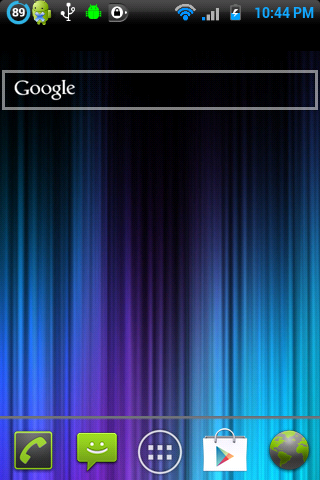
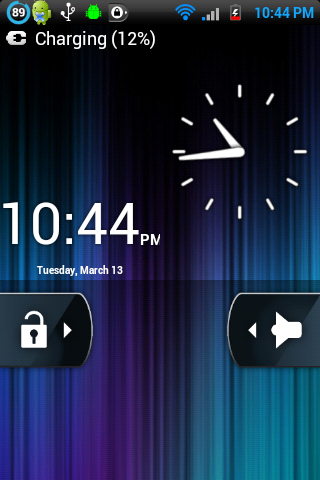
Rooted Stock ROM
ADW Launcher
Black Glass ADW Theme
ICS Icons for Phone, Messages, Drawer, Gmail and Browser
PlayerPro Widget
Power Management Widget
Juice Defender Widget
Flashlight Widget
PlayerPro and JEFIT shortcuts
GoWeather live wallpaper
Dock apps: Google Maps, GasBuddy, stock clock, Baconreader, Skype, Tinfoil for Facebook


Loota
Android Enthusiast
OK, OK, OK them are some sweet homescreens. Now what I'd like to know is how in the world were you able to post them here?
Let me rephrase my question...
How are you able to take a photo of your entire homescreen?
Geash, I sound like I know nothing LOL
Using a screenshot app. I used screencast for mine which I think is the only app out there that lets you take video of your phone better then 5 frames per second. In fact I was able to take 30 fps video with high resolution on this phone and it came out great!