Moozilla
Member
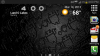
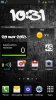
love the effect on your screen--how did you do it!!!!
Thanks
 I didn't do anything fancy because at this point I just wanted to get something completed and running for me to be excited about.
The icons are MetroStation. The battery percentage, wording next to the number icons, and days of the week are all Minimalist Text. The time and information under it is Advanced Clock Widget. I use Nova Prime as my launcher and had to adjust the screen grid to 9x4. I also unchecked the box for the divider between the dock and the desktop and also unchecked the notification bar so that it is not longer present. I downloaded some new fonts to use with Minimalist Text, which honestly was the most exciting part for me, hehe. That took a little bit of time for me to grasp, but it isn't hard. It all was time-consuming, but I made a basic lock screen in 20 minutes last night before bed so clearly I have learned a thing or two
It's addicting.I may have forgotten something, but I don't *think* so. Feel free to ask me any questions as I am more than willing to help anyone at all, though I am not sure I have much to offer in comparison to the awesome people in this community who have helped me!
Minimalist Text (free)
https://play.google.com/store/apps/details?id=de.devmil.minimaltext&hl=en
Advanced Clock Widget (free)
https://play.google.com/store/apps/details?id=org.zooper.acw&hl=en
MetroStation Icons (free)
https://play.google.com/store/apps/details?id=jp.u1aryz.products.metrostation&hl=en