
Install the app
How to install the app on iOS
Follow along with the video below to see how to install our site as a web app on your home screen.
Note: This feature may not be available in some browsers.
-
After 15+ years, we've made a big change: Android Forums is now Early Bird Club. Learn more here.
You are using an out of date browser. It may not display this or other websites correctly.
You should upgrade or use an alternative browser.
You should upgrade or use an alternative browser.
Post Your Screenshots
- Thread starter saptech
- Start date


dlinderaz
Well-Known Member
Hi.How did you get that?
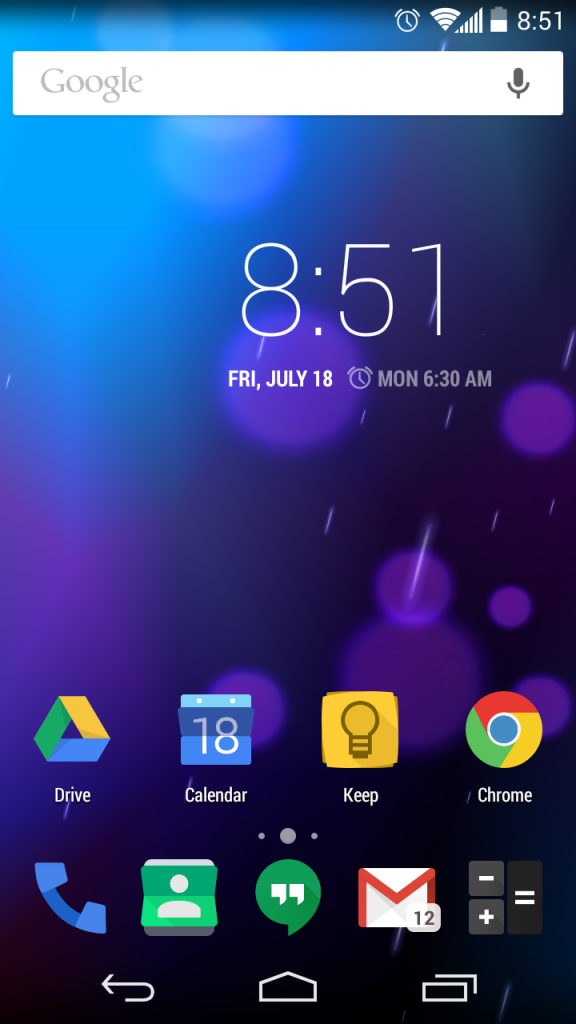
Icons: Fusion HD by Chris Banks, found at Deviantart.com.
Theme: CM11 Flat Pink theme by Yknx4, from Playstore.
Widget: Emerged Clock Zooper Widget by seraz007, with some minor personal modifications to meet my needs and likes.


dlinderaz
Well-Known Member
I love the L theme, it's really neat.Trying out Android L wallpapers. Look good on Moto G.



SuperRooter
Newbie





DeathToFlesh
Member
Feedback appreciated!!
Here's a few of mine.
Nova 3 prime
No status bar
No grid/margins
Zooper widgets/themes all by me.


Just a zooper clock widget I made..


My current setup..

If you like my zooper skins/themes circle me on g+ DeathToFlesh(at)gmail(dot)com
Hopefully my past & current projects will be in play store soon!!
Here's a few of mine.
Nova 3 prime
No status bar
No grid/margins
Zooper widgets/themes all by me.
Just a zooper clock widget I made..
My current setup..
If you like my zooper skins/themes circle me on g+ DeathToFlesh(at)gmail(dot)com
Hopefully my past & current projects will be in play store soon!!



SilentlyDriven
Lurker


snappwrench
Well-Known Member
All very cool and working on my own but I was wondering how you are able to change the navigation bar/menu bar to add more buttons?
dlinderaz
Well-Known Member
Thank you. You can use either a custom rom such as Carbon Rom (the one I'm using), go into the carbon settings and there is an option to add buttons, rearrange them, change the color, etc. You can also do this with the gravity box for the xposed module.All very cool and working on my own but I was wondering how you are able to change the navigation bar/menu bar to add more buttons?
http://repo.xposed.info/module/com.ceco.kitkat.gravitybox

