
Install the app
How to install the app on iOS
Follow along with the video below to see how to install our site as a web app on your home screen.
Note: This feature may not be available in some browsers.
-
After 15+ years, we've made a big change: Android Forums is now Early Bird Club. Learn more here.
You are using an out of date browser. It may not display this or other websites correctly.
You should upgrade or use an alternative browser.
You should upgrade or use an alternative browser.
Post your SGS2 homescreens!
- Thread starter 1080p
- Start date
-
- Tags
- samsung galaxy s2




Baldilocks
Android Expert
^ Ok, what clock widget are you using? I'd love to have a clear one like that?
Russell Ng
Android Expert
^ Ok, what clock widget are you using? I'd love to have a clear one like that?
That's just the standard clock widget with transparent theme. I have that too (if I want).
Baldilocks
Android Expert
I love the Touchwiz digital clock, just hate that I can't make the background transparent.

fonegyro
Well-Known Member
^ Ok, what clock widget are you using? I'd love to have a clear one like that?
It's part of theICS theme in the Checkrom Revolution Kitchen.
Russell Ng
Android Expert
I get a transparent widget for the stock when I add it to the home screen even in TW launcher. Can't remember how I did that now. Thought there was a setting somewhere. The only thing I have that could be different is having Go Launcher with Glass theme. But like I said, still get that transparent widget even in TW launcher.
Baldilocks
Android Expert
I want no background at all, the one that comes with TW has a translucent background,.
fonegyro
Well-Known Member
I want no background at all, the one that comes with TW has a translucent background,.
You need Checkrom Revolution 4... you can then download and install the Ice Cream Sandwich theme plus loads of other goodies through the built in Kitchen app.
Russell Ng
Android Expert
Beautiful widgets is nice with lots of themes. I use the smiley face theme for the weather 
But its raining season now, so yet to see the sun's smiley face yet.
But its raining season now, so yet to see the sun's smiley face yet.


darkmage06
Lurker

Whr do you get those rain drops wallpaper?

princeferoz
Lurker
My lockscreen


Wallpaper please?
princeferoz
Lurker
Keeping it simple. JKAY Deluxe v13.3.9
Model number
GT-I9100
Android version
2.3.6
Baseband version
I9100XXKI4
Kernel version
2.6.35.7-I9100XWKK5-CL754841 root@DELL144 #2
Build number
CheckROM RevoHD V4
Model number
GT-I9100
Android version
2.3.6
Baseband version
I9100XXKI4
Kernel version
2.6.35.7-I9100XWKK5-CL754841 root@DELL144 #2
Build number
CheckROM RevoHD V4
Attachments


How do yo uget your apps organized like that?my current theme:


Kie
Android Expert
You need Checkrom Revolution 4... you can then download and install the Ice Cream Sandwich theme plus loads of other goodies through the built in Kitchen app.
Or you can get my one. It's just called Digital Clock I think in the android market...free! Very customisable but I'm lazy.

Leonne
Member
Here's what mine has looked like the last couple of days.
I use WidgetLocker for the lock screen - the "Tool Mode" and "Long press..." text doesn't appear on the actual lock screen, but since I couldn't take a screenshot there, I grapped one from the customization screen instead.
For the home screens I'm using GoLauncher.
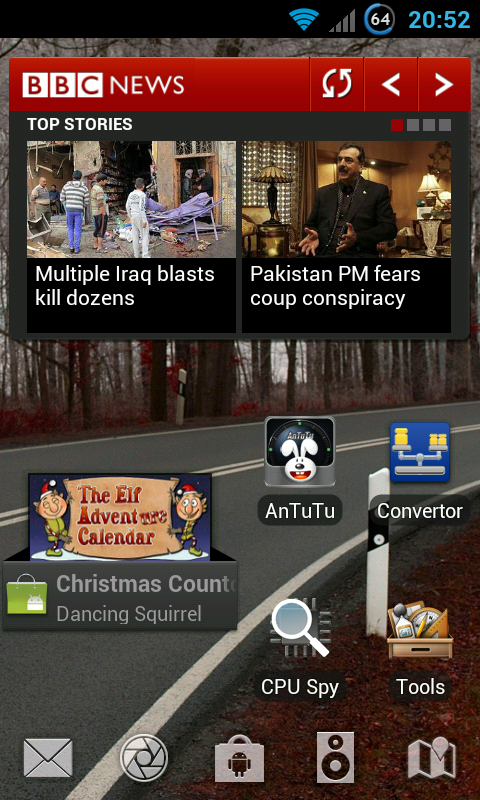
What is that news Widget you are using?
my current theme:
How did u do that folder-like ? The one you can take few apps into 1 "folder" K,know how to do it edi.. Just create folder and drag apps into it
Leonne
Member
Well time to share my homescreens:
I'm using Go Launcher Ex (changed from LauncherPro). The theme I'm using is a paid theme called "Clee 2", and I like it a lot. If you have any questions about any widgets or anything, feel free to ask. I have 11 screens so trying to say everything I have in them would take me long haha.
WARNING: HUGE pic below:

I'm using Go Launcher Ex (changed from LauncherPro). The theme I'm using is a paid theme called "Clee 2", and I like it a lot. If you have any questions about any widgets or anything, feel free to ask.
I have 11 screens so trying to say everything I have in them would take me long haha.WARNING: HUGE pic below:
Kie
Android Expert
@Leonne Your lock screen,how do you change to that using GoLauncher? I cant find a way to change my locksreen using that app..
Got it.. Need to install Go Locker...
JKay Settings will do it too, if you have a custom rom.
I decided to overhaul. First I tried Launch-X on the main screen, then I realised I was just cluttering it up so I put that on an adjacent screen. Here's the result of my clean-up. I'm quite happy with the simplicity now. Clicking the clock goes to Dolphin Browser.
