Install the app
How to install the app on iOS
Follow along with the video below to see how to install our site as a web app on your home screen.
Note: This feature may not be available in some browsers.
-
After 15+ years, we've made a big change: Android Forums is now Early Bird Club. Learn more here.
You are using an out of date browser. It may not display this or other websites correctly.
You should upgrade or use an alternative browser.
You should upgrade or use an alternative browser.
[Profile] [Light Sensor] V2 - Brightness adjust on Screen on
- Thread starter SUroot
- Start date
bberryhill0
Android Expert

bberryhill0
Android Expert
Aha! I didn't delete the tasks.
bberryhill0
Android Expert
I was getting unpredictable results so I changed the Context for GetLight to Display Unlocked. It seems to work now.
I also cut the brightness choices down to two. Above 1500 and below. I use 100 for the lower setting. I'll probably add back the really low setting for levels below 160.
I also cut the brightness choices down to two. Above 1500 and below. I use 100 for the lower setting. I'll probably add back the really low setting for levels below 160.
bberryhill0
Android Expert

bberryhill0
Android Expert
It runs faster because it doesn't go through all the checks.
bberryhill0
Android Expert
It still makes all the checks, just in reverse order. But yeah, Still start with the less than.
The point of the else is to skip the other checks if the first one matches.
For some reason on my phone this doesn't run on the lockscreen. That's why I changed to Display Unlocked.

SUroot
Extreme Android User
The point of the else is to skip the other checks if the first one matches.
Yes I know how it works. I use it in places too. However if is the last value, it checks everything before it first.
I'm not sure why you see 3 different brightness settings on your device. Theres no way your device is too slow, so why its acting so slow is beyond me.
Sure if this works for you better, use it. But I would still recommend having the less than setting first if you're having trouble getting it to run

bruce73
Android Enthusiast
My issue now is that, while the brightness setting will change, the screen won't usually show the change until I go into Display settings and pull up the slider (or access it through my Widgetsoid widget) and hit cancel. I don't know if this is a issue with my phone (HTC Vivid) or ICS.
SUroot
Extreme Android User
I mentioned that problem earlier with touching my notification bar. Also sometimes, it would be at 0 but the slider would register one of the profile values.
This happened a lot when I was testing alternative methods looking for a v2 candidate. Sometimes a reboot fixed. Other time I had to restore the entire app data.
I never got passed that to be honest. Thsts why v2 is how it is. It works reliably for me
This happened a lot when I was testing alternative methods looking for a v2 candidate. Sometimes a reboot fixed. Other time I had to restore the entire app data.
I never got passed that to be honest. Thsts why v2 is how it is. It works reliably for me
bberryhill0
Android Expert
My version seems to be working now. So far on the low end I've seen lightvalues of 160, 225 and 320. The high is 10240 or something like that. Do your phones have the same range of values?
* This is cool. I just tweaked my lowest level to < 230 to catch the 225 level because it was a bit bright. This is how auto-brightness should work.
* This is cool. I just tweaked my lowest level to < 230 to catch the 225 level because it was a bit bright. This is how auto-brightness should work.
bberryhill0
Android Expert
I changed the context for GetLight back to Display On and it didn't apply until the second time I turned the display on. Weird. Back to Display Unlocked.
On my phone Tasker takes about a second to process each line of code. I added a %Brightness variable so I can monitor %BRIGHT and the variable changes a second after the screen brightness changes.
On my phone Tasker takes about a second to process each line of code. I added a %Brightness variable so I can monitor %BRIGHT and the variable changes a second after the screen brightness changes.


Yeah, I'm getting 90
bruce73
Android Enthusiast
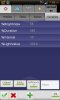
Forgive my ignorance (I am new to Tasker), but how do you check the Light Value?
Open up Tasker, go to the Variables tab, and you'll see the current value.
Open up Tasker, go to the Variables tab, and you'll see the current value.
Many thanks! I didn't have that tab, and then I realized I still had beginner mode selected. Appreciate the quick reply.