

SeattleYanksFan
Android Expert
Settings > Advanced > Hide Interaction Warnings
This will block other ones too however.
Awesome! Thanks.
Follow along with the video below to see how to install our site as a web app on your home screen.
Note: This feature may not be available in some browsers.
Settings > Advanced > Hide Interaction Warnings
This will block other ones too however.

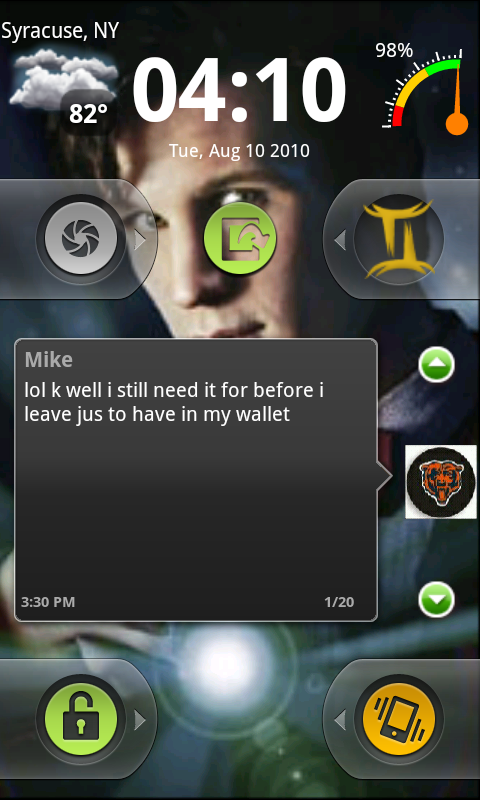
Kevin, any way to make your digital clock widget interactive so it opens up the alarm clock?
Also, any way to make it so that we can use the widget on our home screens?
Actualy the clock I am using allows you to link it to whatever app you want to (mine is to klaxon). It is called DigiClock and it is pretty customizable....here is the appbrain link:
DigiClock Widget - Android app on AppBrain
What do you mean by use the widget on your home screen?
Oh...I see what you mean now...I don't think you can use the Widgetlocker clock on the home screen, I don't see it in the widget list for home.

Correct. Thats why he was requesting it
I'm requesting we be able to use it on the home screen and Kevin add the ability to access my alarm by clicking his clock widget. That said, I will not be upset if it's not added as WidgetLocker already surpasses my expectations.
I use Sense, and I accidentally hit a Scene setting which cleared all my home screen layouts, so I put set up my wallpaper, widgets, etc. again. I have a Widget Locker icon on my main home screen, which I use to launch WL quickly before I put the phone in my pocket, etc. However, since this happened it always goes into Tool mode when hitting the icon. Before, it would go to lock mode. I looked at all the settings, and I can't figure it out. Anyone know what I am missing?
(and if anyone knows how to save my layout config in case this happens again somehow, i'd appreciate it.)

If you mean the entire home layout in Sense, hit Menu > Scenes > Save. It willl let you name the layout and save it. Not sure how many you can save, but I have about 3-4 so far.
But adding a shortcut to WL instead, which uses the same icon, takes me straight to lock mode.


Here is what I just set up:
Also, what is that messaging widget on the lockscreen above on this page?
Also, what is that messaging widget on the lockscreen above on this page?

I actually changed the setup, this is the new one, not much different, but I added a dialer button:
And whenever I try to use the handcent widget, it brings me to the settings screen, but never lets me place it on the screen?

dazzle does just about all of those.where did you get those power widgets?
guys how can you move those sliders?

