
tacomaster4000
Newbie
Definitely Megatron! I got it the day it came out and I loved it. Now I have the galaxy s2 and I can't find a Rom I like equally.
Follow along with the video below to see how to install our site as a web app on your home screen.
Note: This feature may not be available in some browsers.

I've seen if you use your phone as USB storage and write/delete big files from your sd card through the computer your LG Marquee will get fried. I've noticed two times specially when you delete file from your sd card through your computer. Anyone has this experience?

I really like this rom I was wondering if you have ever made any progress on the Cameras. I'm very pleased with the work its just having the camera not working properly that is a little off putting... anyways... Thanks.
Also is this project dead?
The cameras are waiting on the 3.0.8 kernel for the drivers to work. Tdm and co. were going to take another look at the kernel. If you want to follow the kernel progress, check out the development thread for CM
Sent from my LG-LG855 using Tapatalk 2
all this rom needs is camera and a donate button, Ill be so ready to use this everyday

what's wrong with Camera?
I just installed it and it works fine except flash.
You installed the MIUI rom on a Marquee and the camera works??

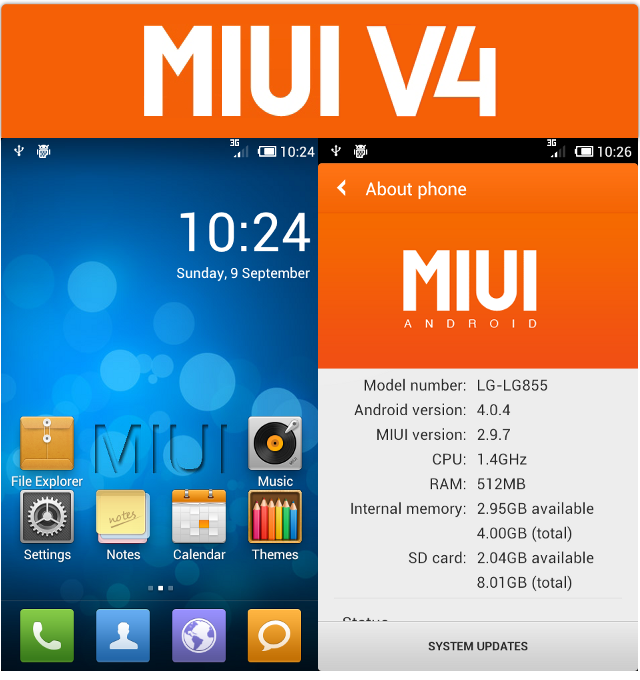
MIUI is one of the most popular Android ROMs in the world. It is Android-based, featuring a more comfortable user experience and robust theme selection.
BUGS:
- Cameras have problems.
- Regular GPS doesn't work, network GPS does.
- Torch app doesn't work.
- Built in tether doesn't work, use a app.
- If you turn Wifi off 3G doesn't automatically come back on, a phone call or reboot/hot boot fixes it.
- Speakerphone sound cuts out sometimes, turning it off and on fixes it.
CREDITS:
- tdm
- nunogil
- Lens_flare
- Xiaomi
- MIUIAndroid.com
- MIUI.us
Installation will wipe all your Data and Settings
When upgrading MIUI you can use the Backup application for backing up and restoring your data:
➯ Go to Security Center folder > Backup
➯ Press BACKUP
➯ Select both System and Applications
➯ Press START BACKUP
➯ After its finished follow the installation instructions below
➯ When the installation is finished and the phone boots up go back to Security Center > Backup
➯ Select your backup and select System and Applications again
➯ Press RESTORE
Installation:
➯ Copy the zip to your SDCard
➯ Boot into ClockWorkMod
➯ MAKE A BACKUP
➯ Select "install zip from sdcard"
➯ Select the MIUI.zip
➯ Select "yes"
➯ After its finished press back
➯ Select "reboot system now"
Downloads:
Boost Mobile alpha 4: Goo.im
Code:[center]MD5sum: d6ac31ba0220fe335a6e21f994aa76de[/center]
Sprint alpha 4: Goo.im
Code:[center]MD5sum: bef25cb82b7f61a3bd3eeaad68ca6f73[/center]
Code:[B][SIZE="3"]Changelog:[/SIZE][/B] [B]09/16/12 ALPHA 4[/B] New kernel build Patched MIUI to build 2.9.14. You can view the changes [URL="http://miuiandroid.com/community/"]Here[/URL] Improved performance, everything should be much smoother now Fixed Light sensor Fixed Theme force-closes Fixed Screen flicker when turning on the screen Switched the default lockscreen to a lighter one to get rid of lag, the regular one is still available in Themes > MIX > Lockscreen if you want it Probably some other things I forgot [B]09/9/12 ALPHA 3[/B] Patched MIUI to build 2.9.7. You can view the changes [URL="http://miuiandroid.com/community/"]Here[/URL] New kernel build New wallpaper and boot animation Removed Maps, Gmail and YouTube since you can download them from the market Added GooManager app and support Fixed LBE Guard FC when installing root apps [B]08/21/12 ALPHA 2[/B] Fixed MMS for Boost Added MIUI.us Toolbox [B]08/16/12 ALPHA 1[/B] Initial release

The inkrypted I will try that.
