• After 15+ years, we've made a big change: Android Forums is now Early Bird Club. Learn more here.

Root [ROM][Port] MokeeMod

kristopher5823

Android Enthusiast
Mokee OS - all translated :D
Original rom can be found at MoKee OS - Android

Pretty much it is CM7 on steroids Hope you like it ^_^


Wipe and rewipe at least 2 times i go for 3 myself

How to install MokeeMod:
- Copy the zip to your SDCard
- Boot into ClockWorkMod
- Make a backup
- Select "install zip from sdcard"
- Select the MokeeMod.zip
- Select "yes"
- After its finished press back
- Select "reboot system now"

Select first option at setup wizard screen

Wanna thank olicious370 for his awesome CM7.2 Build that i used as a base.
Wanna Thank trenchkato for his kato kernel
Wanna thank blovadova for helping me with the dialer issue
Thanks to everyone who has made the pervail a badass little phone

Roaming indicator off remover http://androidforums.com/galaxy-pre...42936-banner-remover-cm7b5-miui-data-ext.html

Bugs: Superuser from the settings will fc just use the one on the app drawer
Over clock in settings doesn't work use voltage control or any other one
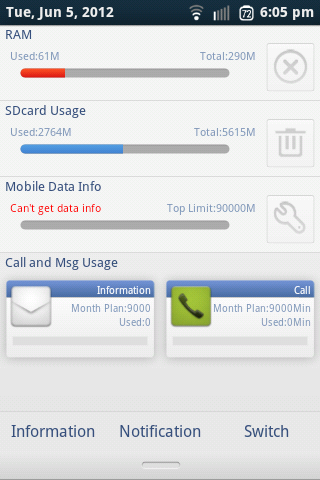
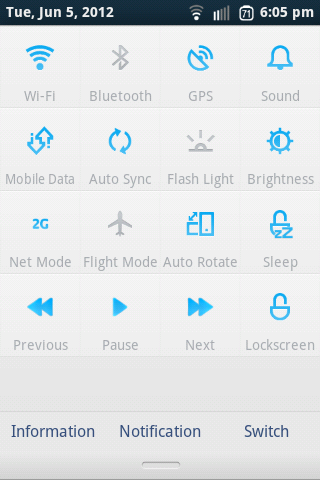
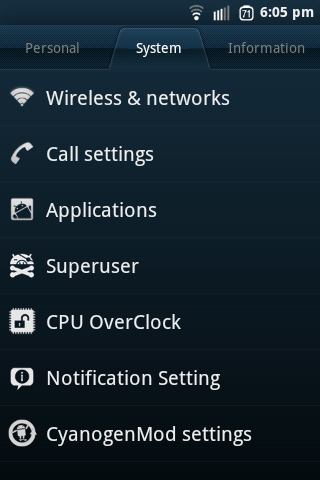
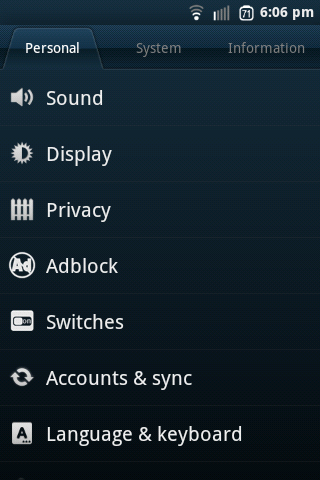
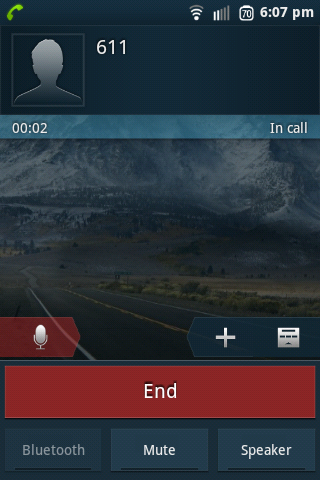
ScreenShot-3.png
ScreenShot-4-1.jpg

ScreenShot-2.png
ScreenShot-1.png
ScreenShot.png
screenshot-1338934068031.png


Fixed Dialer and contacts call log will fc from time to time but thats because mokee wasnt made for mdpi phones

Newest Download:fixed link http://www.mediafire.com/?jc60c5lfo42o1vx

Download: Mokee OS Beta2
MD5sum:A34C4FC5F3C5C2BF3E5BB33AB90C0A9F

Dethrottle for data ext like this rom is

delete files in /data/system/throttle
boot into recovery flash this http://www.mediafire.com/?6ds57po4gvyltb2
then you are good to go

Stock dialer back call log fc so i would use exdialer or something along the lines of that
 
Mokee OS - all translated :D
Original rom can be found at MoKee OS - Android

Pretty much it is CM7 on steroids Hope you like it ^_^


Wipe and rewipe at least 2 times i go for 3 myself

How to install MokeeOS:
- Copy the zip to your SDCard
- Boot into ClockWorkMod
- Make a backup
- Select "install zip from sdcard"
- Select the MokeeOS.zip
- Select "yes"
- After its finished press back
- Select "reboot system now"

Select first option at setup wizard screen

Wanna thank olicious370 for his awesome CM7.2 Build that i used as a base.
Wanna Thank trenchkato for his kato kernel
Wanna thank blovadova for helping me with the dialer issue
Thanks to everyone who has made the pervail a badass little phone

Roaming indicator off remover http://androidforums.com/galaxy-pre...42936-banner-remover-cm7b5-miui-data-ext.html

Bugs: Superuser from the settings will fc just use the one on the app drawer
Over clock in settings doesn't work use voltage control or any other one
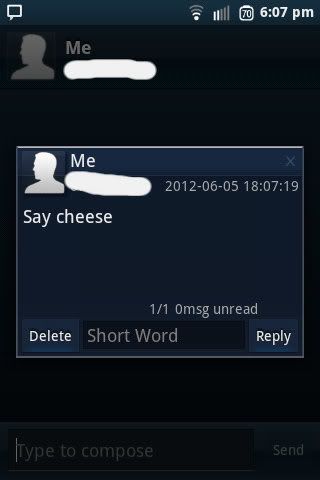
ScreenShot-3.png
ScreenShot-4-1.jpg

ScreenShot-2.png
ScreenShot-1.png
ScreenShot.png
screenshot-1338934068031.png

Download: Mokee OS Beta2
MD5sum:A34C4FC5F3C5C2BF3E5BB33AB90C0A9F

Took out stock dialer (too Buggy) Replaced with exdialer


This looks really awesome can't wait to try it out!
 
i had i lil problem...i couldnt syn mi google contacts to my phone!! :/ wat do i need to do to sync my contacts? & also i couldnt change the keyboard that comes by default

Edited: NVM!! i fix it (:
 
i had i lil problem...i couldnt syn mi google contacts to my phone!! :/ wat do i need to do to sync my contacts? & also i couldnt change the keyboard that comes by default

that was my mistake uploaded the wrong beta

Flash this to fix contact sync http://d-h.st/Wf1 and the keyboard i will change thank you for pointing that out to me
 
Holy crap kristopher. You must be more distracted than Da Vinci! You have impressive projects, I understand the last few bugs are hard to get but with distractions this massive you really dont have to!
 
I don't know if it is necessary, but after I get all set up on most of these roms, the first thing I do is look at the 3g speeds.

I change the permissions of the throttle folder and delete the two files inside and reboot. Don't know if it helps or not. read it in the guides in the sticky section and I always do it. I think CtMod has it removed.

was about 120 up and down before I changed it.
screenshot-1338952625825.png
 
I don't know if it is necessary, but after I get all set up on most of these roms, the first thing I do is look at the 3g speeds.

I change the permissions of the throttle folder and delete the two files inside and reboot. Don't know if it helps or not. read it in the guides in the sticky section and I always do it. I think CtMod has it removed.

was about 120 up and down before I changed it.
screenshot-1338952625825.png

Thanks ill make sure to unthrottle beta 3
 
I've been trying to check this one out but after installing it's just been stuck on the cwm boot up screen. Wont do anything else. Tried to reinstall it and still the same..
 
I've been trying to check this one out but after installing it's just been stuck on the cwm boot up screen. Wont do anything else. Tried to reinstall it and still the same..

Did you do a factory reset in the cwm options and clear the dalvic cashe?
 
Did you do a factory reset in the cwm options and clear the dalvic cashe?

Yep.
After about 15-20 minutes it went to a black screen..

Would it be possible to use odin to install it?
That's pretty much the only way I've ever been able to do anything on this phone.
 
I've been trying to check this one out but after installing it's just been stuck on the cwm boot up screen. Wont do anything else. Tried to reinstall it and still the same..

Mine is working fine, I would do a fresh install. Maybe someone will give you a quick fix.
 
Yep.
After about 15-20 minutes it went to a black screen..

Would it be possible to use odin to install it?
That's pretty much the only way I've ever been able to do anything on this phone.

When was the last time that you Odined back to stock, to reset everything?
Are you on the FA19 or the EJ06 ?
 
bugs:
1.umm in messaging app if you click on the contact which should reveal a promt it makes messaging force close
2.when your making a call you know how when the phone is on the screen itself is SUPPOSED to lock to ensure your not pressing buttons with your ear or some weird shxt well yea that lock dont work
 
Back
Top Bottom