Does anyone know how to root the nook color?
I want to try to do this, but if I do and if I louse it up. or even if it works
can I get back to the original state? I am just a newbie!
There are guides on how to get back to stock. I had to do it once and it takes about five minutes. It seems that the Nook Color is pretty much impossible to brick.
Also, there is a root guide at the top of this forum section.
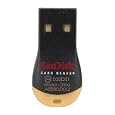
Buy a cheap 2 gb micro sd card that you can use exclusively for patching, should you have an issue... about $10. Make sure you also have a way to plug it into your computer. Many micro sd cards come with a sd adapter, but if your computer/laptop doesn't accept sd cards, you'll need a usb adapter.
Does anyone know how to root the nook color?
I want to try to do this, but if I do and if I louse it up. or even if it works
can I get back to the original state? I am just a newbie!
We used the Auto Nooter (CM7 - found it in xda developers. Just one thing. Once you sync the last 2 steps. remove the SD card. I couldn't figure out why my Kindle app didn't work (everthing else worked), took the SD card out and it has worked like a champ.
This site uses cookies to help personalise content, tailor your experience and to keep you logged in if you register.
By continuing to use this site, you are consenting to our use of cookies.