
• After 15+ years, we've made a big change: Android Forums is now Early Bird Club. Learn more here.

Help Samsung galaxy note 4 totally buggered

  • Thread starter Thread starter Deleted User
  • Start date Start date
D

Deleted User

Guest
So, up until the other day my phone was totally issue free. However, that changed about 3 days ago. Now, it is laggy, unresponsive, constantly freezing, the screen goes out and wont come back on, the phone switches off, and is reluctant to come back on. It has booted a few times in 'safe mode' (when it decided to reboot itself), but wont actually boot (though it did once) - all on its own. Several errors have appeared every now and then. I have taken the battery out for prolonged periods of time and that makes no difference. I have also done a factory reset and that has failed to do anything.

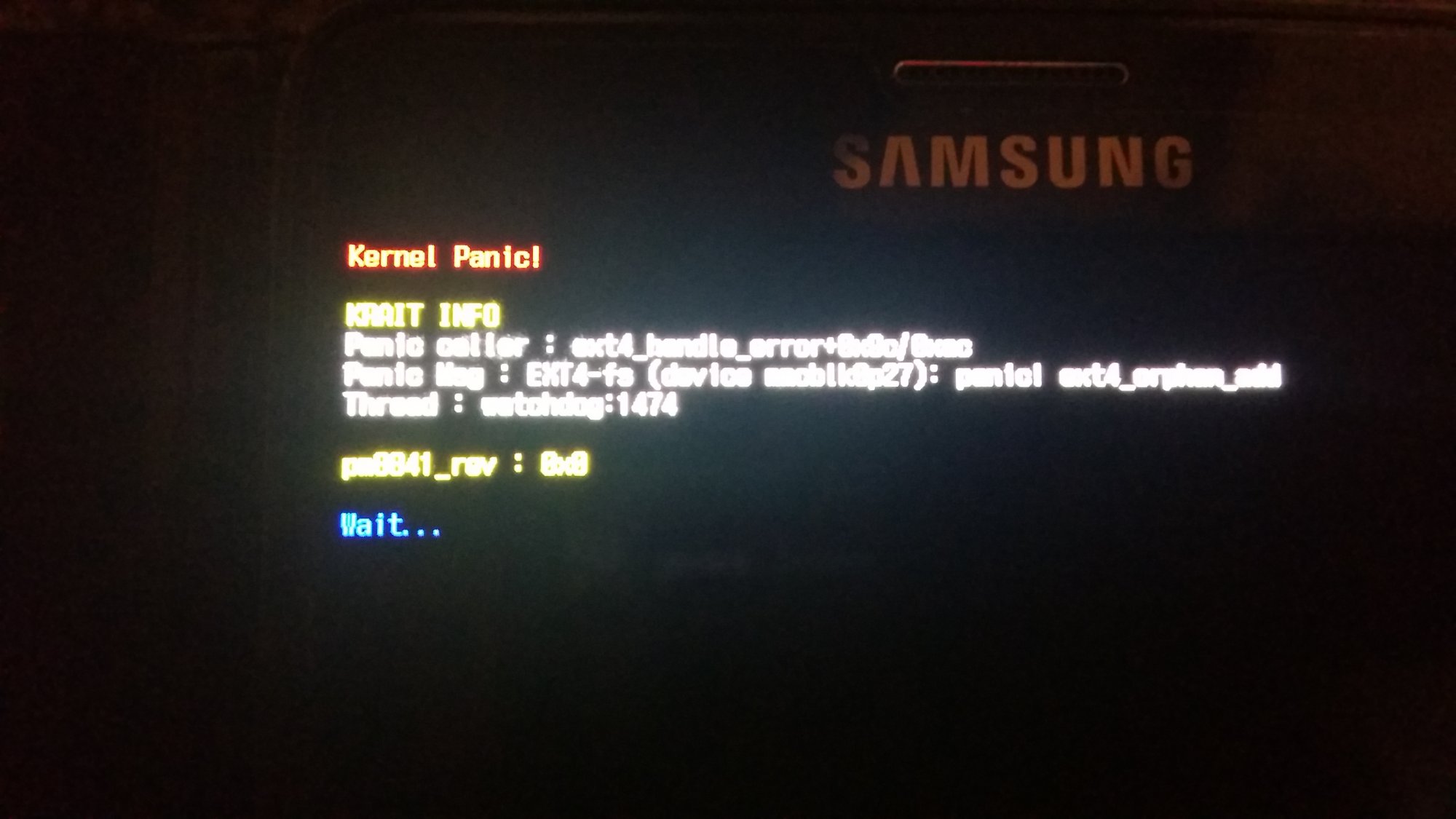
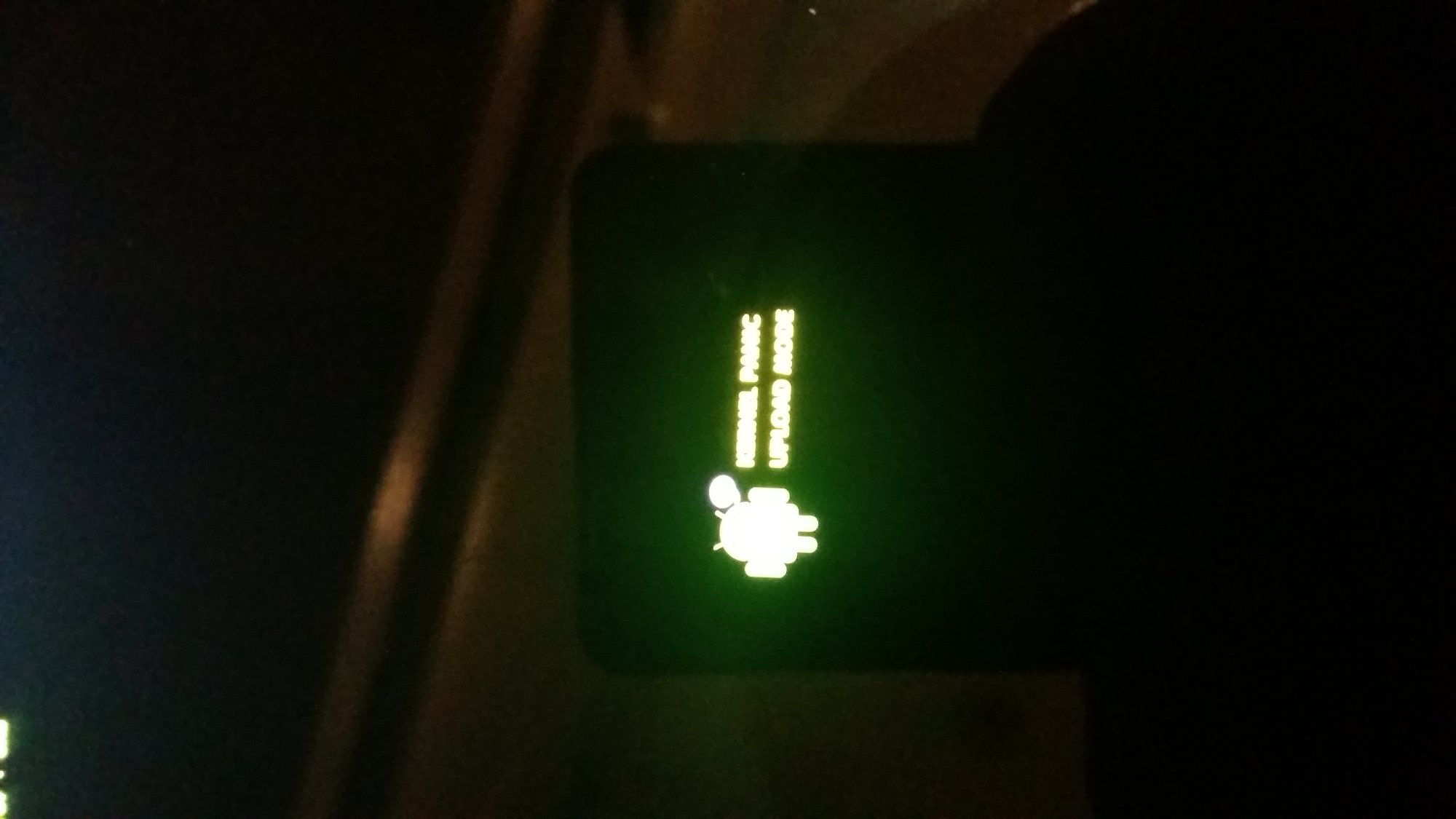
When I left work tonight I noticed an error that I haven't seen before. I have attached a photo to see if anyone can help me at all. Hopefully you can read it as the text was so small it was very hard to get in focus.
20160205_193515.jpg
20160205_193550.jpg
 
That message suggests a serious software issue related to addressing the internal storage volume.

I'd suggest a complete reflash of the official firmware using either Samsung's PC software or Odin. Alternatively it should still be within warranty, so another option is to return it to Samsung for service via the original retailer. Even if the first option is unsuccessful, your warranty will still be valid.
 
I have actually booked it in with a repair centre today. But was just seeing if I could get away with sending it and fixing it myself. I was thinking of updating it with Kies, but it is hit and miss whether it actually starts up and stays on long enough to actually do anything with it.
 
forgive my thickness, but I have entered download mode, and it just says downloading?
 
That's a good sign. Do you already have Kies installed on your PC? If so in kies, click on Tools in the top bar. Select Firmware Update and Initialization. It will ask for your phone model then serial number. Kies will begin downloading the correct firmware for your phone. Connect to PC in download mode then Kies will flash it when the download is complete. You can find your SN on sticker under your battery.
 
As long as your firmware is available (not AT&T) it should download the latest version basded on model/SN.
 
Everything I've googled so far points to hardware. Two different sites said to remove SD card and Reboot. Not looking good.
 
SD card has been removed. Just trying to switch it back on :mad:
 
You have been a great help. thank you :). Ill get it sent off tomorrow. Its just bugging me as to what has gone wrong.
 
From what I've read Kernel Panic is not a uncommon problem with the Note 4 and usually requires motherboard replacement. Never heard of it before today so something new to add to the memory bank.
 
So, up until the other day my phone was totally issue free. However, that changed about 3 days ago. Now, it is laggy, unresponsive, constantly freezing, the screen goes out and wont come back on, the phone switches off, and is reluctant to come back on. It has booted a few times in 'safe mode' (when it decided to reboot itself), but wont actually boot (though it did once) - all on its own. Several errors have appeared every now and then. I have taken the battery out for prolonged periods of time and that makes no difference. I have also done a factory reset and that has failed to do anything.

When I left work tonight I noticed an error that I haven't seen before. I have attached a photo to see if anyone can help me at all. Hopefully you can read it as the text was so small it was very hard to get in focus.


View attachment 100721 View attachment 100722
My phone just started doing this recently as well. I have done the basics, restart, remove battery, master reset, etc. Nothing. Still getting random freezes and shut downs and the same images you posted. Keep me updated on what you end up doing with yours. I am at a loss right now. The only thing that band-aid'd my phone for a shot while was removing the battery and holding the home key and power key for about 60 seconds. That seemed to clear it up for a little while, though I am about to the same issues again.
 
My phone just started doing this recently as well. I have done the basics, restart, remove battery, master reset, etc. Nothing. Still getting random freezes and shut downs and the same images you posted. Keep me updated on what you end up doing with yours. I am at a loss right now. The only thing that band-aid'd my phone for a shot while was removing the battery and holding the home key and power key for about 60 seconds. That seemed to clear it up for a little while, though I am about to the same issues again.

Well its come back today 'fixed'. Though I havent had it back long enough I dont believe it is fixed. They only had it a few hours and all I think has been done is the software 'upgraded'. Only time will tell...
 
Well its come back today 'fixed'. Though I havent had it back long enough I dont believe it is fixed. They only had it a few hours and all I think has been done is the software 'upgraded'. Only time will tell...
Did you send it off to the factory or take it to a repair clinic?
 
Well, if nothing else they have fixed the knox thing. As i rooted it a while back it stopped me from being able to install knox. Now it has come back from the repair centre I can install and use knox. Does that mean I will also now get ota updates?
 
Back
Top Bottom