• After 15+ years, we've made a big change: Android Forums is now Early Bird Club. Learn more here.

Share your themes! (no root required customizations please)

mastersoup

Android Enthusiast
I'm always looking for neat ways to spruce up my phone a bit. i dont have this phone rooted, so im limited to what i can do compared to my triumph. but even without root theres still a lot of different things you can do, and im always looking for new apps and such to help out with this.

basically just post some screenshots of your phone and what apps/launchers/widgets you used to accomplish it. and again, nothing that requires root or a custom rom please.


hold the power button and volume down for about 1 second to take a screenshot. images are saved on your sd card in the pictures->screenshots folder.
 
home screen
2SImj.png


full album (11 images) here.
Phone Style - Imgur

lock screen i use widget locker with the ICS theme. i customized each option to open to the phone/messages/normal unlock/my media player. the 3 media controls are actually a widget for ubermusic and if you drag the lock down itll open the player as well.

the launcher is go launcher, with this theme
https://play.google.com/store/apps/...?t=W251bGwsMSwxLDUwMSwiZGNvbWJsLmljcy5haW8iXQ..

i use the default theme icons, and i downloaded another ics theme to use the normal ics app drawer icon.

i use that theme for go dialer, go contacts, go widgets and go sms pro, and i use all those on my phone.

they keyboard is thumb keyboard with the black theme and manually edited blue accents.

the dock also scrolls over which is where i have the icons for my file manager and play store etc.

and the text is minimalistic text widgets, if you click the weather one my weather app pops up, which is weather flow
(juking from their playstore page, not my screenshot)
cSsTjHZAdAfLDcdlOwFiTXVXCCtM2aO_M--mYkj3JelJpCP7WeI0tpRkhiCYbcPRcM8
 
About the only thing you need root to change is statusbar tweaks.

Homescreen details:
Fancy Widgets weather widget
Digi-Click clock

Lock screen:
Same as above except using Widget Locker lock screen using the Sense them.
 

Attachments

  • Screenshot_2012-06-11-19-30-42.png
    Screenshot_2012-06-11-19-30-42.png
    108.4 KB · Views: 249
  • Screenshot_2012-06-11-19-30-35.png
    Screenshot_2012-06-11-19-30-35.png
    110.4 KB · Views: 274
About the only thing you need root to change is statusbar tweaks.

Homescreen details:
Fancy Widgets weather widget
Digi-Click clock

Lock screen:
Same as above except using Widget Locker lock screen using the Sense them.

you shouldve got the plum colored evo =p
 
I'm always looking for neat ways to spruce up my phone a bit. i dont have this phone rooted, so im limited to what i can do compared to my triumph. but even without root theres still a lot of different things you can do, and im always looking for new apps and such to help out with this.

basically just post some screenshots of your phone and what apps/launchers/widgets you used to accomplish it. and again, nothing that requires root or a custom rom please.


hold the power button and volume down for about 1 second to take a screenshot. images are saved on your sd card in the pictures->screenshots folder.

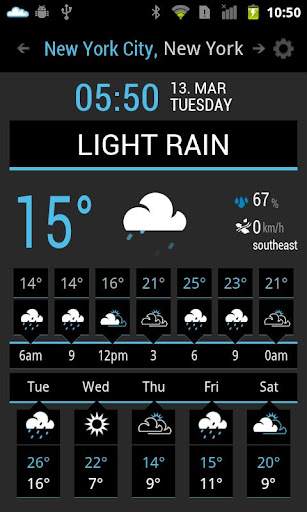
Any chance of you sharing that wallpaper?
 
This is what I've got so far. I'm not thrilled with the icon set, but I can't find anything better...if anybody has suggestions, I'm all ears. :)
 

Attachments

  • Screenshot_2012-06-17-22-53-25.png
    Screenshot_2012-06-17-22-53-25.png
    211.5 KB · Views: 176
  • Screenshot_2012-06-17-22-53-19.png
    Screenshot_2012-06-17-22-53-19.png
    355 KB · Views: 210
hey master is there any way for you to upload your UI somehow? or the custom edits? damn makes me wish you used mobsters rom...then I could just have you upload a nandroid or something lol
 
Here's mine. Nothing to fancy but I like it.

And the space on the home screen is where Calendr was suppose to be but it's not updated for ICS and I wish it was.

Lockscreen:
zCuz3uqO


Homescreen:
YoorJyHg
 
Here's mine. Nothing to fancy but I like it.

And the space on the home screen is where Calendr was suppose to be but it's not updated for ICS and I wish it was.

Lockscreen:
zCuz3uqO


Homescreen:
YoorJyHg


Where did you get that Sonic image? I'm a huge Sonic fan! :-)
 
hey master is there any way for you to upload your UI somehow? or the custom edits? damn makes me wish you used mobsters rom...then I could just have you upload a nandroid or something lol

I do actually have mobsters rom installed now, but everything is pretty easy to do. I can prolly even do bak files from TB. Then just have everything individually. Or I could do that my backup pro app so root wouldn't be required.
 
weatherbug widget
widgetsoid switcher to lock the screen
Mute Widget
Minimalistic Text for the battery life
ADW EX launder
Color Warp ADW Theme providing the icons


I wish I could put a more attractive icon for the screen lock switcher, can't figure out how to do that.

Also I couldn't figure out the minimalistic text thing for the battery life. I wanted mine to look the OP's.
 

Attachments

  • 1.jpg
    1.jpg
    164.7 KB · Views: 225
I tried to use that method to attempt a screenshot and it did not work. Using a Thunderbolt. Is there no option for that? I'd love to have my work critiqued. Also want to know how to alter the notification bar w/o rooting (don't have the cajones to do it just yet).

EDIT: Sorry, I came into this forum via a Google search. Didn't realize the phone it is for.

But... if there's a way to change the notification bar (battery icon, signal strength icon etc etc) I would appreciate it!! haha. Thanks!
 
I tried to use that method to attempt a screenshot and it did not work. Using a Thunderbolt. Is there no option for that? I'd love to have my work critiqued. Also want to know how to alter the notification bar w/o rooting (don't have the cajones to do it just yet).

EDIT: Sorry, I came into this forum via a Google search. Didn't realize the phone it is for.

But... if there's a way to change the notification bar (battery icon, signal strength icon etc etc) I would appreciate it!! haha. Thanks!

mm outside of super status bar, i dunno any real way without root. and i dunno off hand the thunderbolt screenshot command if there is one. pretty sure its an ics thing, though dunno if sense has that feature. there may be some apps to do it, but i think most if not all require root.
 
I tried to use that method to attempt a screenshot and it did not work. Using a Thunderbolt. Is there no option for that? I'd love to have my work critiqued. Also want to know how to alter the notification bar w/o rooting (don't have the cajones to do it just yet).

EDIT: Sorry, I came into this forum via a Google search. Didn't realize the phone it is for.

But... if there's a way to change the notification bar (battery icon, signal strength icon etc etc) I would appreciate it!! haha. Thanks!

Check out statusbar+ on the play Store. You can change the color of both the bar and the indicators and stuff. You can Aldo choose which indicators show up. It's a buck or two but It was well worth it imo
 
nothing fancy but i think it looks nice. i miss scrolling wallpapers... oh well this phone is a million times better than the optimus so i can deal.

i might just go ahead and download go launcher again, i loved it on my optimus.

htc hub has a couple different status bar colors you can download too

attachment
 
Back
Top Bottom